EasyManua.ls Logo

Optoma HD81 - System Reset Functionality

Optoma HD81
65 pages
Print Icon
To Next Page IconTo Next Page
To Previous Page IconTo Previous Page
Loading...
User Controls
English
45
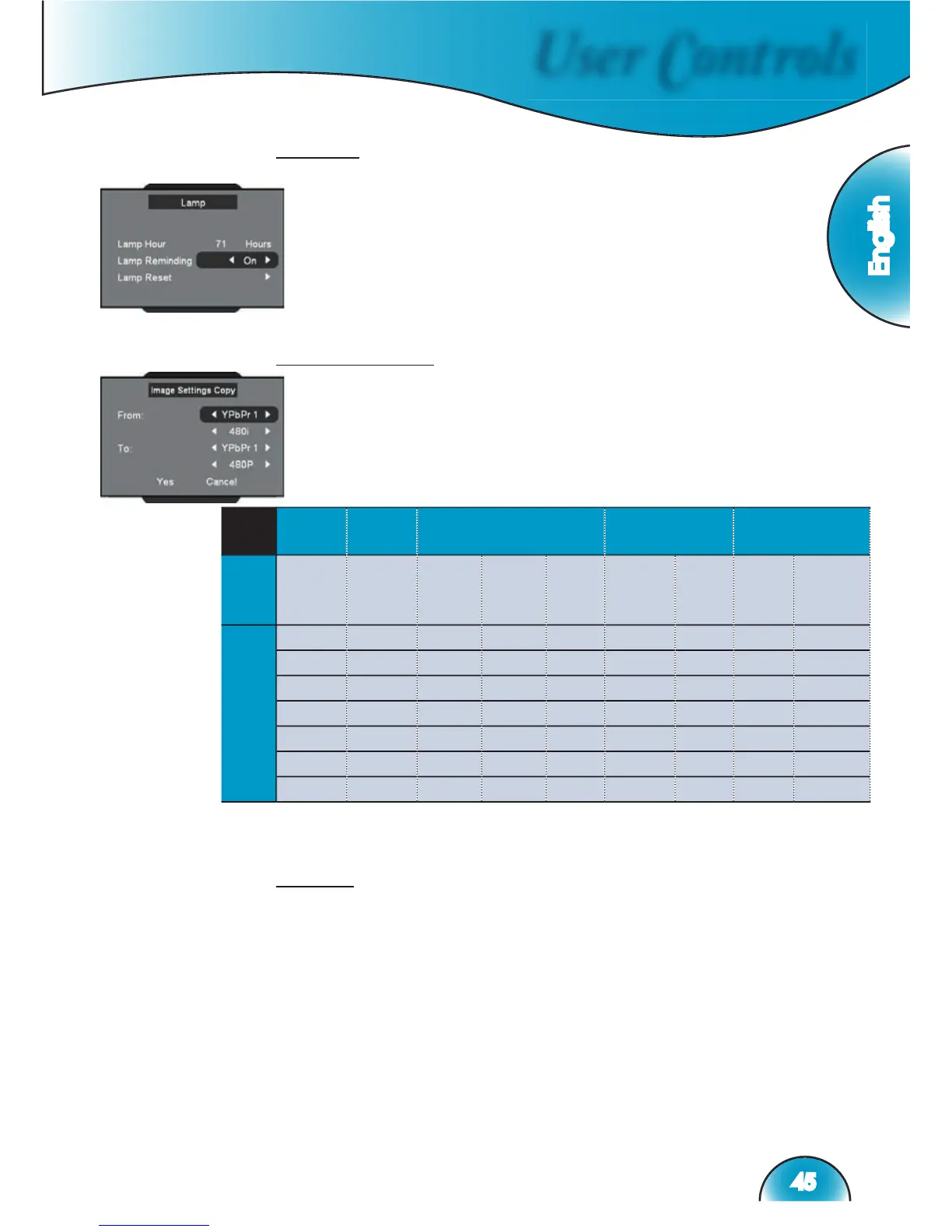
Lamp
This function can adjust setup about lamp.
Lamp Hours: Displays the cumulative lamp operating time.
Lamp Reminding: Choose this function to show or to hide
the warning message when the changing lamp message is
displayed. The message will appear up 30 hours before sug-
gested replacement of lamp.
Lamp Reset: Reset the lamp life hour after replacing the lamp.
Settings copy
This function allow user copy image setting that user adjust from one
to another.
Reset
Returns the settings for all menus to factory default values.

Group
1
Group
2
Group
3
Group
4
Group
5
From
I/O
HDMI
1/2/3
HDMI
1/2/3
HD 1/
HD 2
(RCA)
HD 3/
HD 4
(BNC)
D-Sub
HD 3/
HD
4
(BNC)
D-Sub
S 1/
S 2/
S 3
Video 1/
Video 2/
Video 3
Timing
480i
480i
480i
480i
NTSC
NTSC
480p
480p
480p
480p
PAL
PAL
576i
576i
576i
576i
576p
576p
576p
576p
720p
720p
720p
720p
1080i/p
1080i
1080i
1080i
PC
PC
PC
(*)
HD mean
Component; PC signal only can copy to
PC signal
(*)
PC signal only can copy to
PC signal