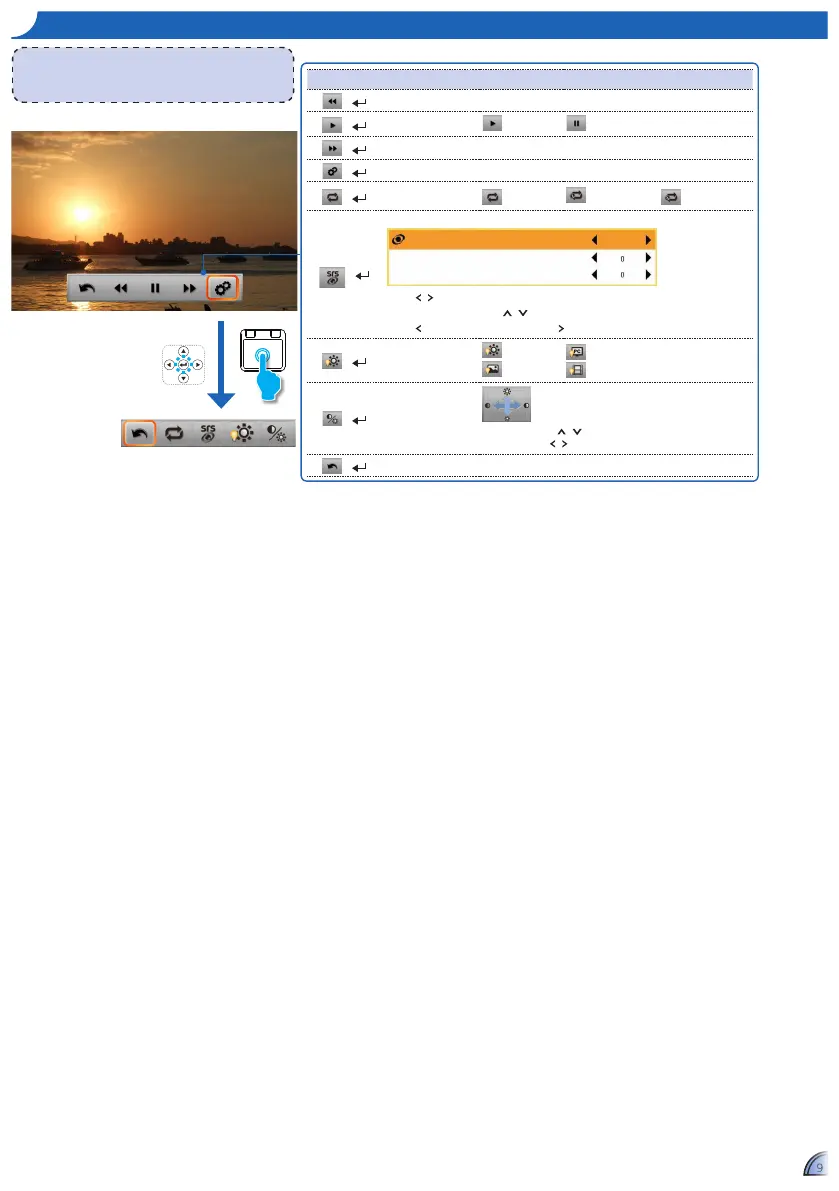
ho W t o pl a y vI D e o S - vI D e o pl a y B a c K mo D e
<Note>
The button guide disappears when the keypad is not used for 5
seconds.
To display the button guide, press Enter key.
Media Playback Control
+
Rewind 2x, 4x, 8x, 16x, and 32x
+
Play
Play Pause
+
Fast forward 2x, 4x, 8x, 16x, and 32x
+
Setting Advanced setting
+
Repeat
Repeat all Repeat one Repeat disabled
+
SRS
SRS
Treble
Bass
Off
Press / key to switch On / Off SRS.
When switch off SRS, press / key to select Treble and Bass.
Press to decrease the value and press to increase the value.
+
Display mode
Brigt mode
Photo mode
PC mode
Cinema mode
+
Contrast and
Brightness
Brightness: Press / key to increase/decrease the brightness.
Contrast: Press / to decrease/increase the contrast.
+
Back Back to parent menu
Setting Menu



 To Next Page