EasyManua.ls Logo

Optoma PK301 - User Manual

Optoma PK301
25 pages
Print Icon
To Next Page IconTo Next Page
Loading...
FOCUS
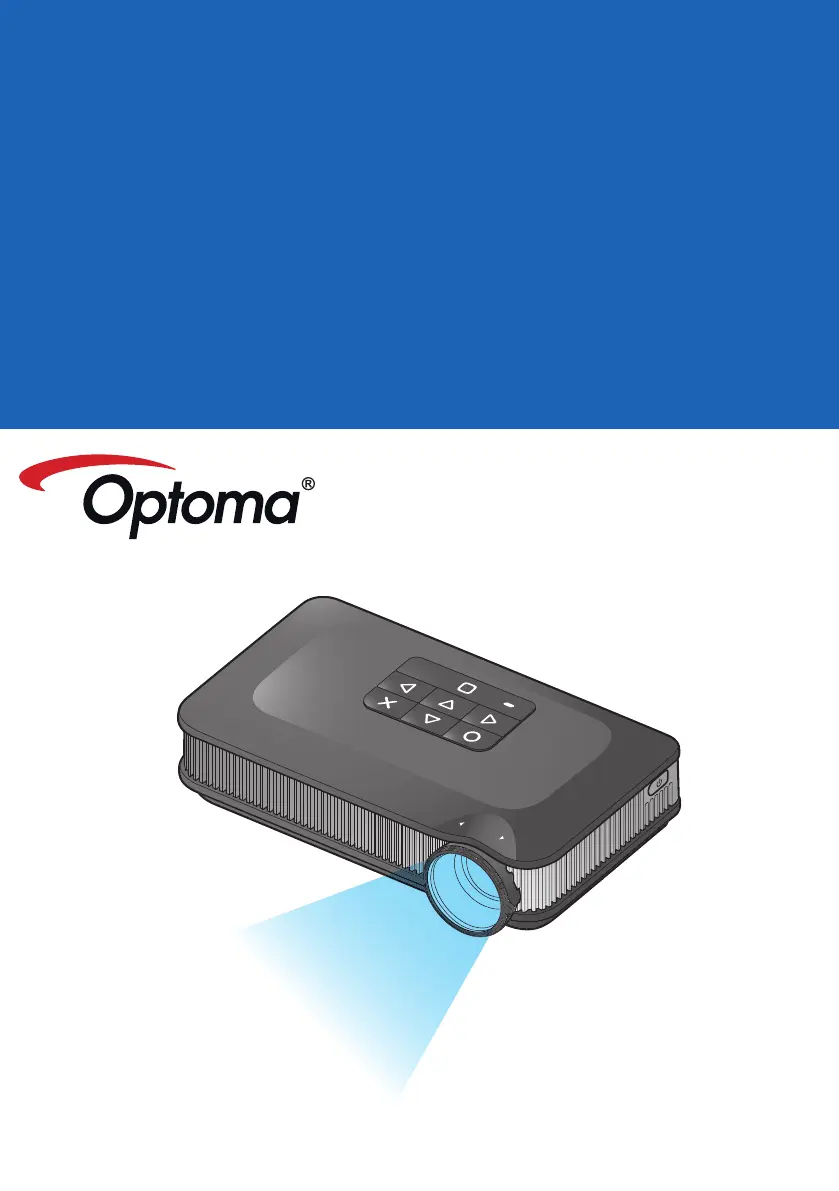
Pico Pocket Projector
User ManUal

Other manuals for Optoma PK301

Questions and Answers

Summary

Safety and Regulatory Information

Eye Safety Warnings

Precautions to avoid eye strain or damage from the projector beam.

General Safety Instructions

Key safety guidelines for operation, ventilation, and handling of the projector.

Regulatory Compliance Notices

Details on FCC, Canadian, and EU compliance standards and notices.

Disposal of Electronic Equipment

Guidelines for the proper disposal of the projector as electronic waste.

Product Overview and Setup

Projector Components and Features

Identification of key parts, ports, and features of the projector.

Package Contents and Accessories

List of standard and optional accessories included with the projector.

Battery Installation Guide

Step-by-step instructions for installing the projector's battery.

Power and Connectivity

Charging the Projector Battery

Procedure for charging the battery, including LED status indicators.

Powering On and Off

How to turn the projector on and off, and initial language setup.

Connecting Video and Audio Sources

Guide for connecting VGA, Composite AV, HDMI, and audio input devices.

Data Input and Image Adjustment

Using MicroSD and USB Data Sources

Instructions for inserting and using microSD cards and USB flash drives.

Computer Data Transfer via USB

Procedure for connecting a computer to transfer files to the projector.

Tripod Mounting and Image Focus

Guidance on mounting the projector on a tripod and adjusting image focus.

Menu Navigation and Usage

Navigating the Projector Menu

Overview of accessing and navigating the projector's main menu and submenus.

Playing Video Files

Selecting Video Sources and Files

Steps to select video sources and play files from various media.

Video Playback and Settings

Video Playback Controls

Details on playback controls and repeat settings for video files.

Configuring Video Settings

Guide to adjust video settings like repeat modes.

Supported Video Formats

List of compatible video file formats and their decoders.

Playing Music Files

Selecting Music Sources and Files

Steps to select music sources and play files from various media.

Music Playback and Settings

Music Playback Controls

Details on music playback controls and repeat/shuffle settings.

Configuring Music Settings

Guide to adjust music settings like repeat and shuffle.

Supported Audio Formats

List of compatible audio file formats and their decoders.

Viewing Photo Files

Selecting Photo Sources and Files

Steps to select photo sources and view files from various media.

Photo Viewing Modes

Full Screen Photo Viewing

Controls and options for viewing photos in full screen mode, including rotation.

Slideshow Mode Operations

How to operate slideshow mode with optional background music.

Slideshow Settings and Photo Compatibility

Configuring Slideshow Settings

Guide to adjust slideshow interval timing and background music options.

Supported Photo Formats

List of compatible photo formats and recommended resolutions.

Document Viewing and Compatibility

Viewing Document Files

Steps to select and view document files from various media sources.

Supported Document Formats

Details on supported document types and font/language support.

Document View and Display Settings

Document View Mode Controls

Controls for navigating and zooming within documents in view mode.

Adjusting Display Settings

Guide to configure settings like LED mode, color mode, aspect ratio, and projection.

System Settings

Selecting Menu Language

Procedure to select and confirm the desired menu language for the projector interface.

Viewing Projector Information

How to view projector details like model name, firmware version, and memory capacity.

Firmware Upgrade

Updating Projector Firmware

Instructions for downloading and installing firmware updates from the Optoma website.

System Reset

Resetting Projector to Factory Defaults

Procedure to reset system settings to factory defaults, including warnings.

External Input Source Selection

Manually Selecting Input Sources

How to manually select VGA, Composite AV, or HDMI input sources.

Input Source Settings

Adjusting Aspect Ratio

How to change the aspect ratio of the displayed image.

Adjusting Contrast

Procedure to adjust the contrast level of the projected image.

Input Source Brightness and LED Settings

Adjusting Brightness

How to adjust the brightness level of the projected image.

Selecting LED Mode

Guide to choose between different LED modes for optimal viewing.

Input Source Color and Sharpness Settings

Selecting Color Mode

How to select color modes like Extended or Standard.

Adjusting Sharpness

Procedure to adjust the sharpness level of the projected image.

File Upload and Troubleshooting

Uploading Files to Internal Memory

Instructions for transferring files from a computer to the projector's internal memory.

Compatible Video;VGA Modes

Table detailing compatible resolutions and V-Sync frequencies.

Troubleshooting Common Issues

Solutions for common projector problems like no image, battery, or audio issues.

Media File Specifications

File Specification Definitions

Definitions of terms related to media file specifications.

Video Container and Decoder Specs

List of video file containers and their associated video and audio decoders.

Audio;Image Container and Decoder Specs

List of audio and image containers with their respective decoders.

Decoder Specifications

Detailed specifications for audio, speech, and video decoders.

Appendix and Legal Information

Office;Document Viewer Clauses

End-user restrictions regarding copying or reverse engineering of Picsel Products.

Copyright and Trademark Notice

Information on copyright, Optoma's rights, and trademark acknowledgments.

Summary

Safety and Regulatory Information

Eye Safety Warnings

Precautions to avoid eye strain or damage from the projector beam.

General Safety Instructions

Key safety guidelines for operation, ventilation, and handling of the projector.

Regulatory Compliance Notices

Details on FCC, Canadian, and EU compliance standards and notices.

Disposal of Electronic Equipment

Guidelines for the proper disposal of the projector as electronic waste.

Product Overview and Setup

Projector Components and Features

Identification of key parts, ports, and features of the projector.

Package Contents and Accessories

List of standard and optional accessories included with the projector.

Battery Installation Guide

Step-by-step instructions for installing the projector's battery.

Power and Connectivity

Charging the Projector Battery

Procedure for charging the battery, including LED status indicators.

Powering On and Off

How to turn the projector on and off, and initial language setup.

Connecting Video and Audio Sources

Guide for connecting VGA, Composite AV, HDMI, and audio input devices.

Data Input and Image Adjustment

Using MicroSD and USB Data Sources

Instructions for inserting and using microSD cards and USB flash drives.

Computer Data Transfer via USB

Procedure for connecting a computer to transfer files to the projector.

Tripod Mounting and Image Focus

Guidance on mounting the projector on a tripod and adjusting image focus.

Menu Navigation and Usage

Navigating the Projector Menu

Overview of accessing and navigating the projector's main menu and submenus.

Playing Video Files

Selecting Video Sources and Files

Steps to select video sources and play files from various media.

Video Playback and Settings

Video Playback Controls

Details on playback controls and repeat settings for video files.

Configuring Video Settings

Guide to adjust video settings like repeat modes.

Supported Video Formats

List of compatible video file formats and their decoders.

Playing Music Files

Selecting Music Sources and Files

Steps to select music sources and play files from various media.

Music Playback and Settings

Music Playback Controls

Details on music playback controls and repeat/shuffle settings.

Configuring Music Settings

Guide to adjust music settings like repeat and shuffle.

Supported Audio Formats

List of compatible audio file formats and their decoders.

Viewing Photo Files

Selecting Photo Sources and Files

Steps to select photo sources and view files from various media.

Photo Viewing Modes

Full Screen Photo Viewing

Controls and options for viewing photos in full screen mode, including rotation.

Slideshow Mode Operations

How to operate slideshow mode with optional background music.

Slideshow Settings and Photo Compatibility

Configuring Slideshow Settings

Guide to adjust slideshow interval timing and background music options.

Supported Photo Formats

List of compatible photo formats and recommended resolutions.

Document Viewing and Compatibility

Viewing Document Files

Steps to select and view document files from various media sources.

Supported Document Formats

Details on supported document types and font/language support.

Document View and Display Settings

Document View Mode Controls

Controls for navigating and zooming within documents in view mode.

Adjusting Display Settings

Guide to configure settings like LED mode, color mode, aspect ratio, and projection.

System Settings

Selecting Menu Language

Procedure to select and confirm the desired menu language for the projector interface.

Viewing Projector Information

How to view projector details like model name, firmware version, and memory capacity.

Firmware Upgrade

Updating Projector Firmware

Instructions for downloading and installing firmware updates from the Optoma website.

System Reset

Resetting Projector to Factory Defaults

Procedure to reset system settings to factory defaults, including warnings.

External Input Source Selection

Manually Selecting Input Sources

How to manually select VGA, Composite AV, or HDMI input sources.

Input Source Settings

Adjusting Aspect Ratio

How to change the aspect ratio of the displayed image.

Adjusting Contrast

Procedure to adjust the contrast level of the projected image.

Input Source Brightness and LED Settings

Adjusting Brightness

How to adjust the brightness level of the projected image.

Selecting LED Mode

Guide to choose between different LED modes for optimal viewing.

Input Source Color and Sharpness Settings

Selecting Color Mode

How to select color modes like Extended or Standard.

Adjusting Sharpness

Procedure to adjust the sharpness level of the projected image.

File Upload and Troubleshooting

Uploading Files to Internal Memory

Instructions for transferring files from a computer to the projector's internal memory.

Compatible Video;VGA Modes

Table detailing compatible resolutions and V-Sync frequencies.

Troubleshooting Common Issues

Solutions for common projector problems like no image, battery, or audio issues.

Media File Specifications

File Specification Definitions

Definitions of terms related to media file specifications.

Video Container and Decoder Specs

List of video file containers and their associated video and audio decoders.

Audio;Image Container and Decoder Specs

List of audio and image containers with their respective decoders.

Decoder Specifications

Detailed specifications for audio, speech, and video decoders.

Appendix and Legal Information

Office;Document Viewer Clauses

End-user restrictions regarding copying or reverse engineering of Picsel Products.

Copyright and Trademark Notice

Information on copyright, Optoma's rights, and trademark acknowledgments.

Optoma PK301 Specifications

General IconGeneral
Native aspect ratio-
Projection distance0.13 - 3 m
Projection technologyDLP
Contrast ratio (typical)2000:1
Screen size compatibility5 - 120 \
Projector native resolutionWVGA (854x480)
Light source typeLED
Service life of light source20000 h
RMS rated power0.5 W
Image formats supportedBMP, GIF, JPG, PNG, PSD, TIF
Video formats supported3gp, asf, avi, flv, m4v, mov, mp4, mpeg, mpg, rm, rmvb, wmv
Document formats supportedPPT, PPTX
Number of built-in speakers1
DVI portNo
USB 2.0 ports quantityUSB 2.0 ports have a data transmission speed of 480 Mbps, and are backwards compatible with USB 1.1 ports. You can connect all kinds of peripheral devices to them.
Power sourceBattery
Battery capacity1410 mAh
Battery life (max)1.5 h
Power consumption (standby)- W
Noise level29 dB
Focal length range- mm
Ethernet LAN (RJ-45) ports0
Cables includedAV, USB, VGA
Compatible memory cardsMicroSD (TransFlash)
Maximum memory card size32 GB
Product typeShort throw projector
Product colorBlack
Market positioningPortable
Weight and Dimensions IconWeight and Dimensions
Depth70 mm
Width120 mm
Height30 mm
Weight250 g

Related product manuals