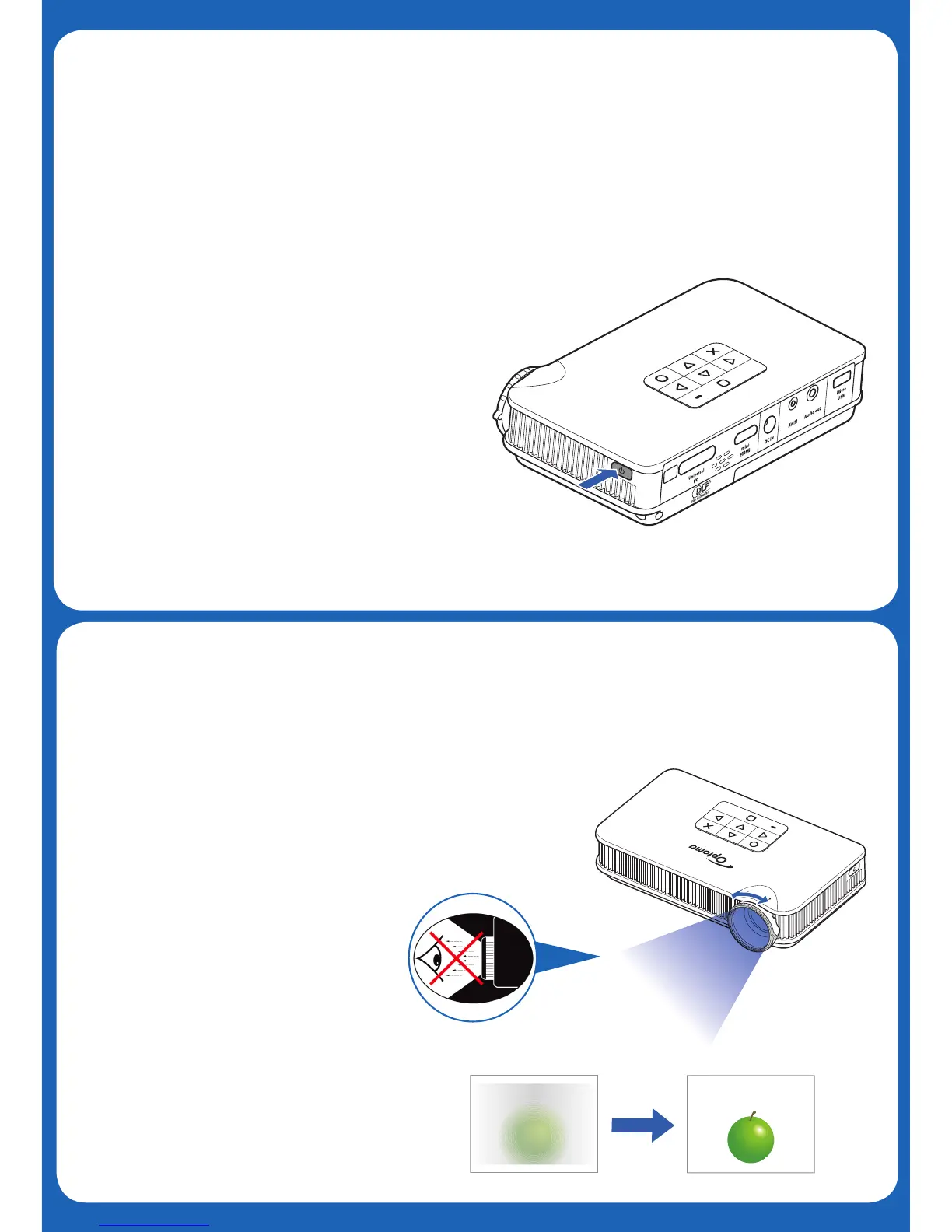
Press the Power button
Press the Power button
Press the Power button
Press the Power button
Press the Power button
Press the Power button
Press the Power button
Press the Power button
Press the Power button
Press the Power button
Press the Power button
Press the Power button
Press the Power button
Press the Power button
Press the Power button
Press the Power button
3.Power On
Power On
Power On
Power On
Power On
Power On
Power On
Power On
Allumer
Einschalten
Encender
Rotate the focus ring to sharpen image
Rotate the focus ring to sharpen image
Rotate the focus ring to sharpen image
Rotate the focus ring to sharpen image
Rotate the focus ring to sharpen image
Rotate the focus ring to sharpen image
Rotate the focus ring to sharpen image
Rotate the focus ring to sharpen image
Rotate the focus ring to sharpen image
Rotate the focus ring to sharpen image
Rotate the focus ring to sharpen image
Rotate the focus ring to sharpen image
Rotate the focus ring to sharpen image
Rotate the focus ring to sharpen image
Rotate the focus ring to sharpen image
Rotate the focus ring to sharpen image
4.Adjust Focus
Adjust Focus
Adjust Focus
Adjust Focus
Adjust Focus
Adjust Focus
Réglez la mise au point
Passen Sie den Fokus an
Ajuste el enfoque
Ajuste a focagem
Odağı Ayarla
A a
FOCUS
Ligar
Aç
スイッチを入れる
打开电源
스위치 켜기
焦点を調整します
調整焦距
调整焦距
초점 조정



 To Next Page