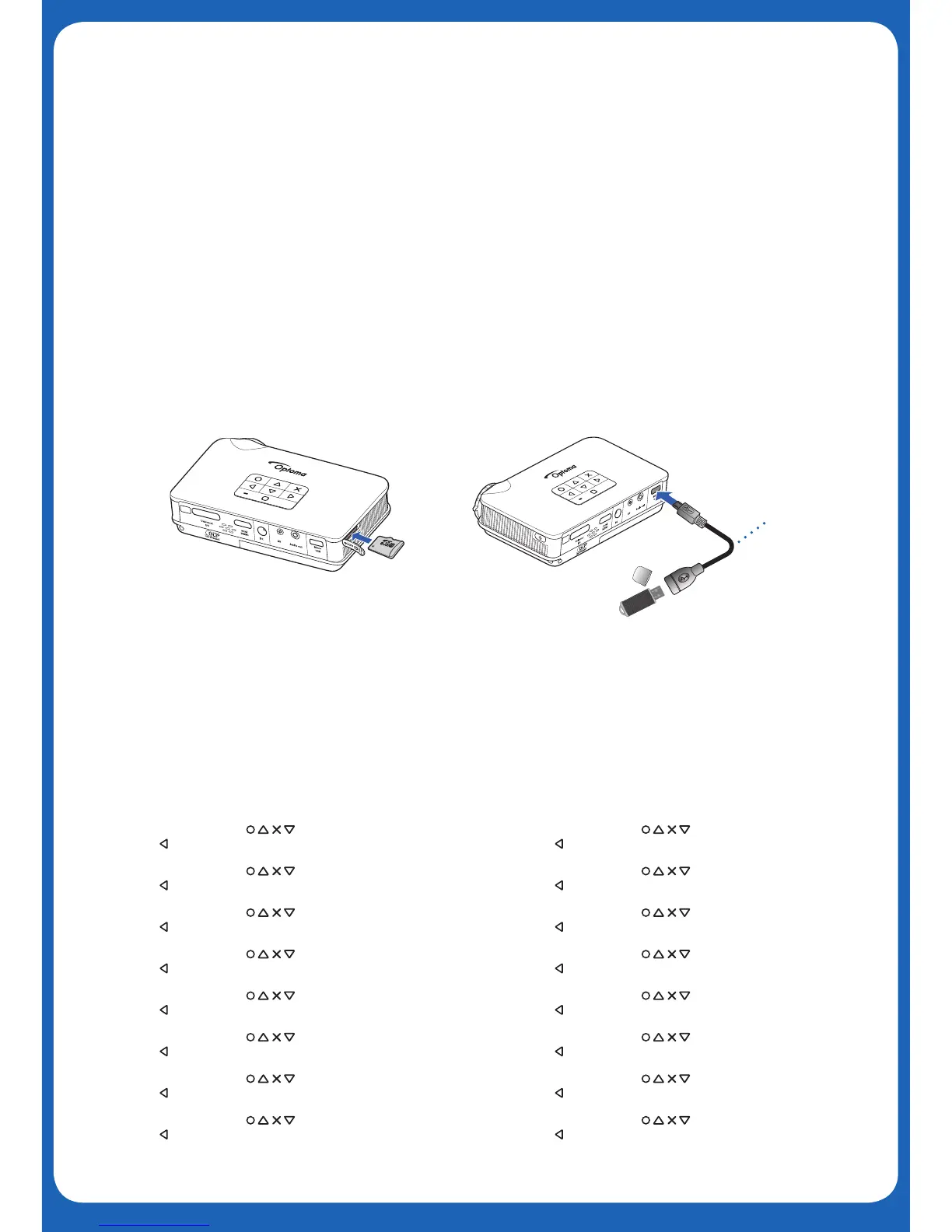
7.Display from Internal Memory, MicroSD Card
or External Source (USB)
1. From Home Menu, press to select le type to project
2. Press to select memory source
1. From Home Menu, press to select le type to project
2. Press to select memory source
1. From Home Menu, press to select le type to project
2. Press to select memory source
1. From Home Menu, press to select le type to project
2. Press to select memory source
1. From Home Menu, press to select le type to project
2. Press to select memory source
1. From Home Menu, press to select le type to project
2. Press to select memory source
1. From Home Menu, press to select le type to project
2. Press to select memory source
1. From Home Menu, press to select le type to project
2. Press to select memory source
in
in
USB Cable
(Type A Female)
Display from Internal Memory, MicroSD
Card, or External Source (USB)
Display from Internal Memory, MicroSD
Card, or External Source (USB)
Display from Internal Memory, MicroSD
Card, or External Source (USB)
Display from Internal Memory, MicroSD
Card, or External Source (USB)
Display from Internal Memory, MicroSD
Card, or External Source (USB)
1. From Home Menu, press to select le type to project
2. Press to select memory source
1. From Home Menu, press to select le type to project
2. Press to select memory source
1. From Home Menu, press to select le type to project
2. Press to select memory source
1. From Home Menu, press to select le type to project
2. Press to select memory source
1. From Home Menu, press to select le type to project
2. Press to select memory source
1. From Home Menu, press to select le type to project
2. Press to select memory source
1. From Home Menu, press to select le type to project
2. Press to select memory source
1. From Home Menu, press to select le type to project
2. Press to select memory source
MicroSD card, USB cable, and USB disk are sold separately
MicroSD card, USB cable, and USB disk are sold separately
MicroSD card, USB cable, and USB disk are sold separately
MicroSD card, USB cable, and USB disk are sold separately
MicroSD card, USB cable, and USB disk are sold separately
MicroSD card, USB cable, and USB disk are sold separately
MicroSD card, USB cable, and USB disk are sold separately
MicroSD card, USB cable, and USB disk are sold separately
MicroSD card, USB cable, and USB disk are sold separately
MicroSD card, USB cable, and USB disk are sold separately
MicroSD card, USB cable, and USB disk are sold separately
MicroSD card, USB cable, and USB disk are sold separately
MicroSD card, USB cable, and USB disk are sold separately
MicroSD card, USB cable, and USB disk are sold separately
MicroSD card, USB cable, and USB disk are sold separately
Display from Internal Memory, MicroSD
Card, or External Source (USB)
Display from Internal Memory, MicroSD
Card, or External Source (USB)
Display from Internal Memory, MicroSD
Card, or External Source (USB)
Display from Internal Memory, MicroSD
Card, or External Source (USB)
Display from Internal Memory, MicroSD
Card, or External Source (USB)
Display from Internal Memory, MicroSD
Card, or External Source (USB)
Display from Internal Memory, MicroSD
Card, or External Source (USB)
Display from Internal Memory, MicroSD
Card, or External Source (USB)
Display from Internal Memory, MicroSD
Card, or External Source (USB)
Display from Internal Memory, MicroSD
Card, or External Source (USB)


 To Next Page
 Loading...