2
Warning: Please make sure the power cord of the Interactive Flat Panel
(IFP) is disconnected before installation.
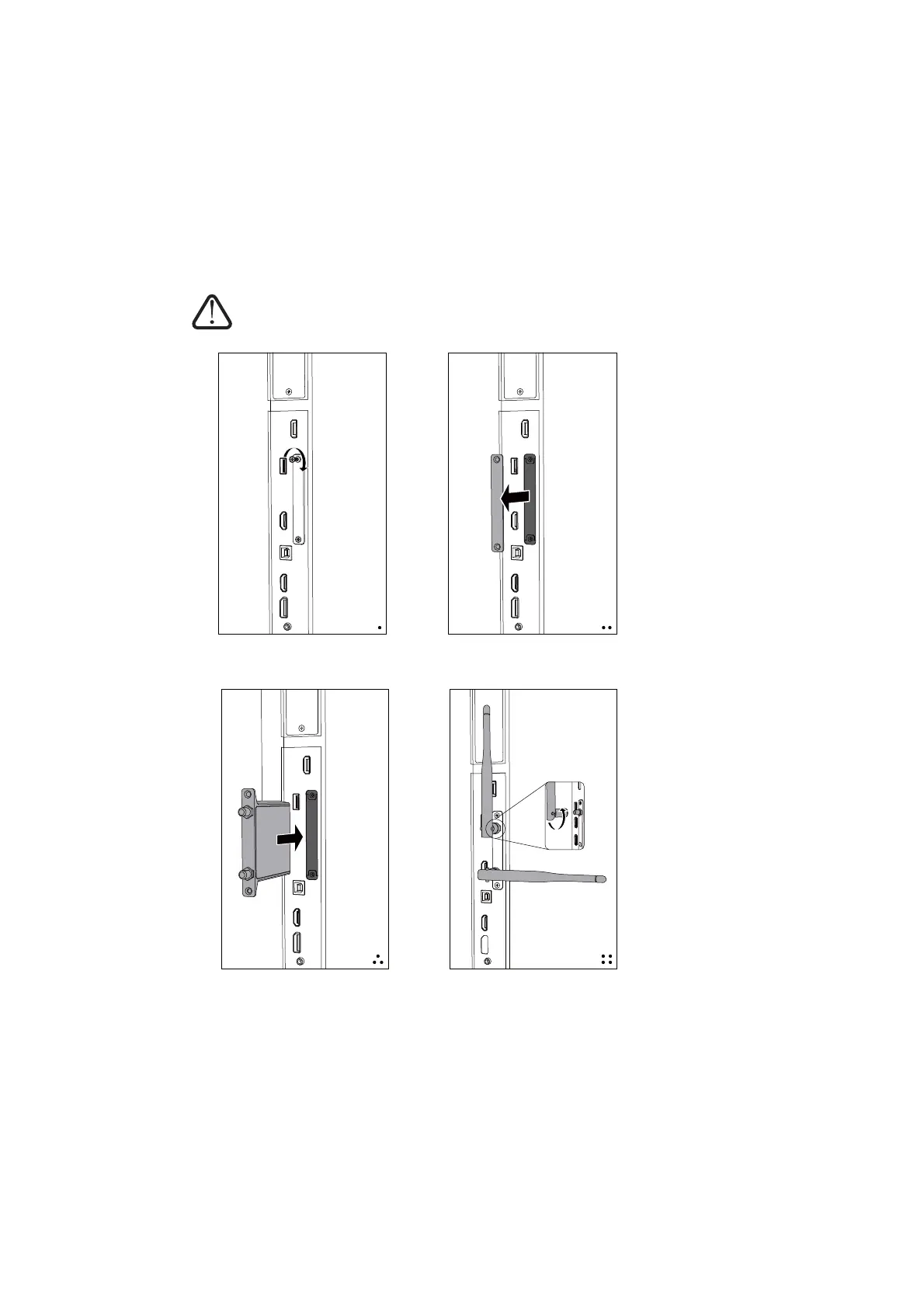
1. Installation Procedure
a. Undo the screws b. Remove the cover
c. Plug the WiFi module
into the slot
d. Lock the screws, tighten
the antennas
Note: This wifi module only works for the IFP by plugging it into the above slot.



 To Next Page