English
44
USING THE PROJECTOR
LAN RJ45 (For Windows XP)
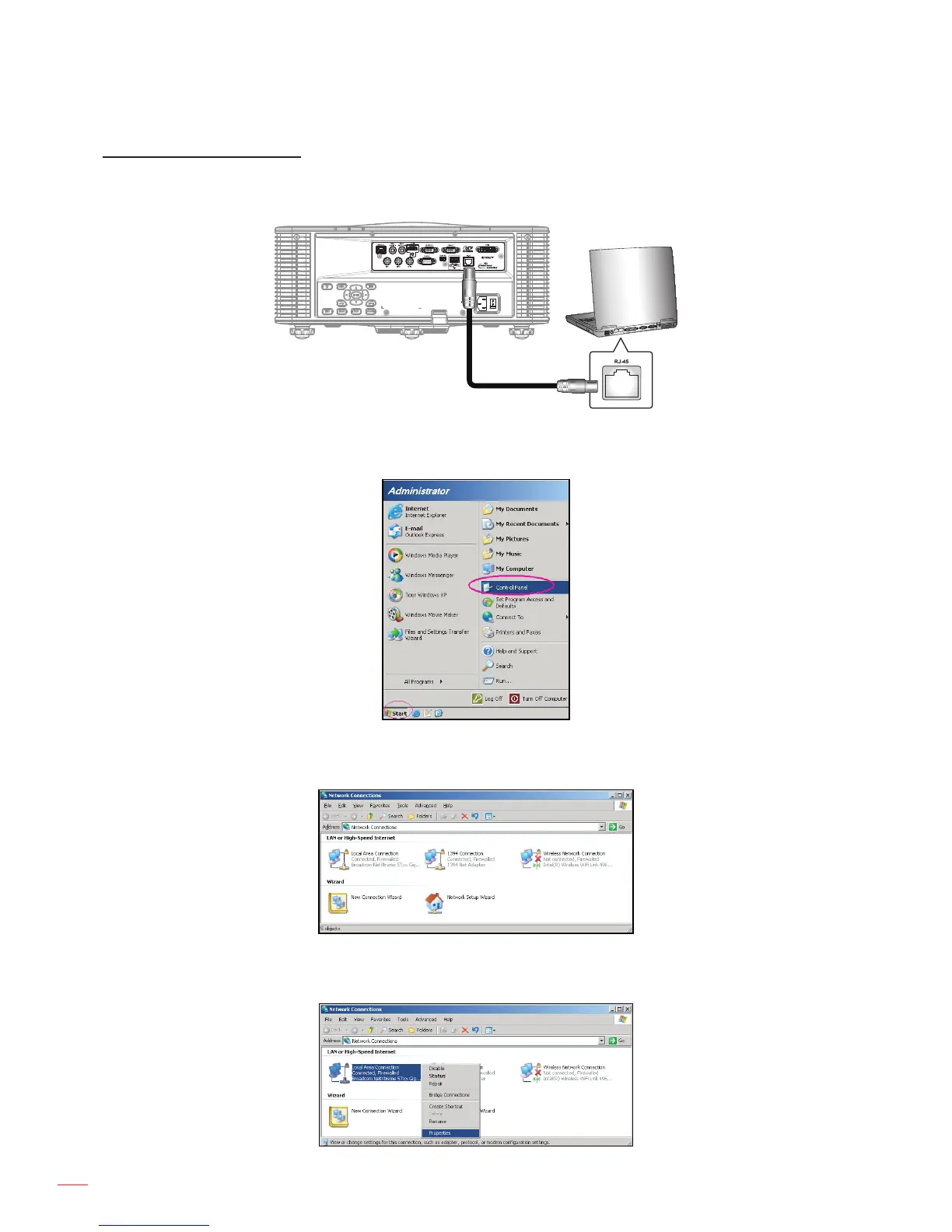
1. Connect an RJ45 cable to RJ-45 connector on the projector and the PC (laptop).
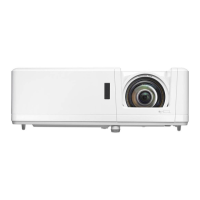
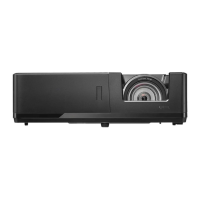
2. On the PC (Laptop), select Start > Control Panel > Network Connections.
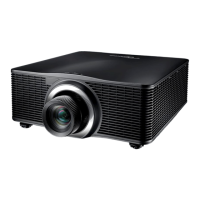
3. Right-click on the Local Area Connection, and select Property.
4. In the Properties window, select the General tab, and select Internet Protocol (TCP / IP).



 To Next Page