English
45
USING THE PROJECTOR
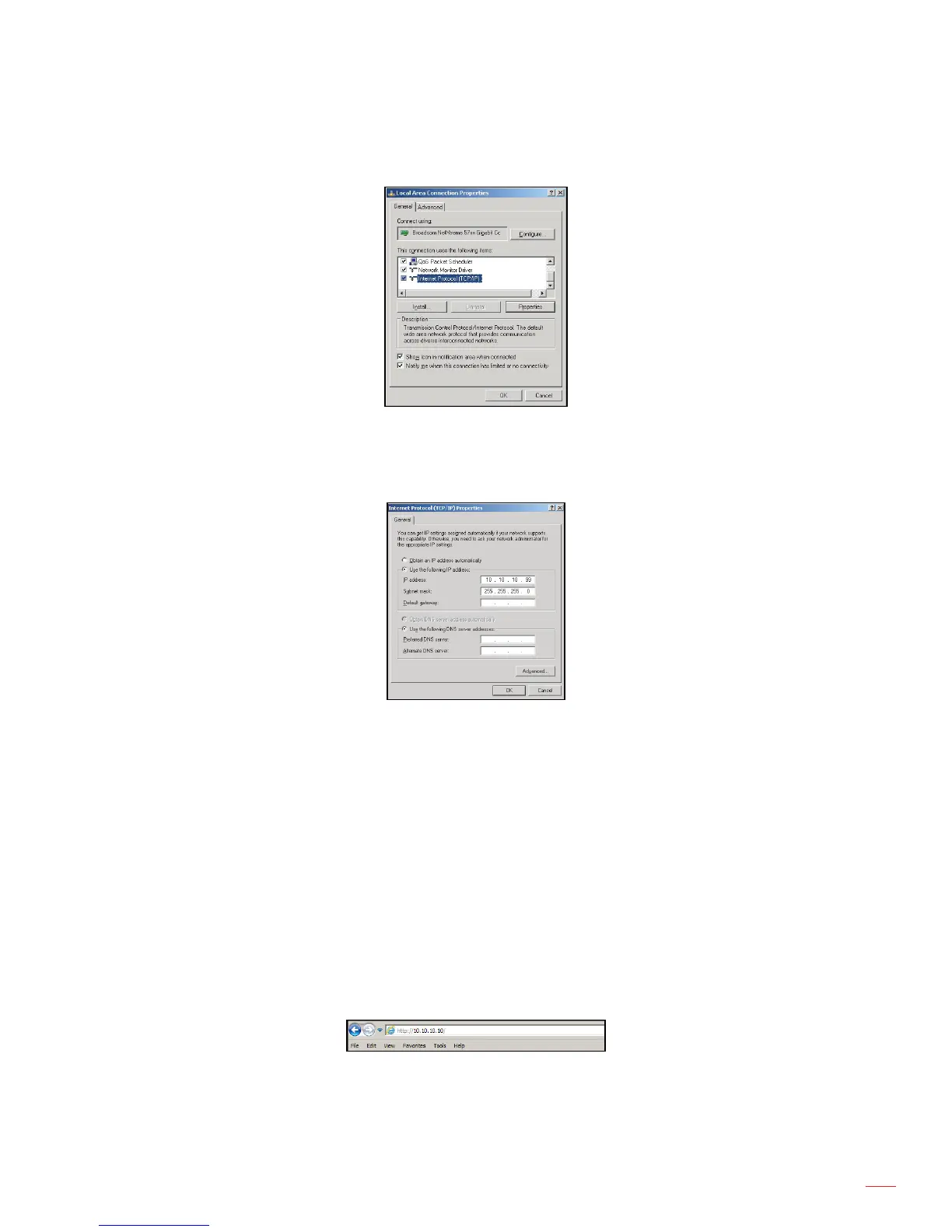
5. Click “Properties”.
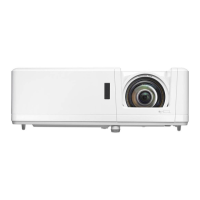
6. Type in the IP address and Subnet mask, then press “OK”.
7. Press the “Menu” button on the projector.
8. Select SETUP > Communications > LAN.
9. Enter the following connection parameters:
± DHCP: Off
± IP Address: 10.10.10.10
± Subnet Mask: 255.255.255.255
± Default Gateway: 0.0.0.0
10. Press “Enter” to conrm settings.
11. Open a web browser, for example Microsoft Internet Explorer with Adobe Flash Player 9.0 or higher
installed.
12. In the Address bar, input the projector’s IP address: 10.10.10.10.



 To Next Page