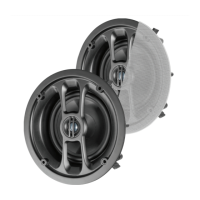
C 0876A 165mm 2 Way Round Wireless Ceiling Speaker Pair
• Red solid: Speaker booting up
• Red slow ash: Speaker under standby mode, waiting for user operation
• Blue ash: Speaker under Bluetooth pairing mode
• Blue solid: Speaker is connected to the bluetooth device
• Purple solid: Speaker under RCA mode
• White ash: Speaker is resetting/software updating
LED Indicator Status
• Press and hold the RESET button on the remote control. The LED indicator will ash white and the
speaker is under the reset node. The speaker will reboot automatically when nishing the reset. Please
ensure your speaker is powered during the process.
• If you have lost the remote control, you can press and hold the reset button located on the front face of
the speaker.
Reset to default
Note: All parameters will be reset to default values.
• The max volume of the speaker is VOL 32 and the default is VOL 26.
• The default sound effect is at.
• The default treble and bass is 0.
• The default left and right channel setting is balance.


 To Next Page