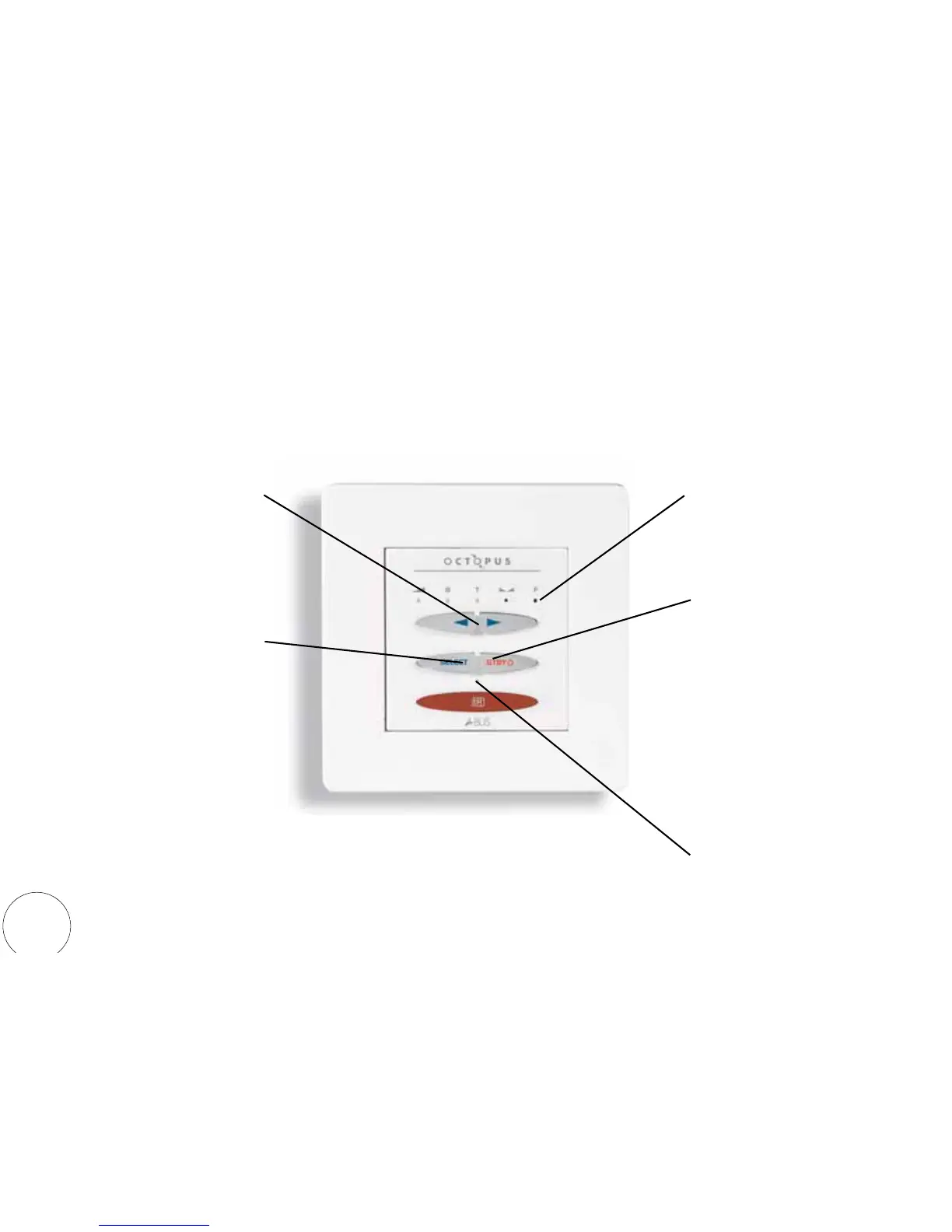
WCU310 wall control unit
Standby
A short push will turn the system
on and the Status LED will
illuminate.
Another short push will turn the
keypad and it’s corresponding
zone off.
A long push (2secs approx) will
switch the whole system to standby
and the Status LED will turn off
(Enhanced Opus mode only - see
Installation guide).
Select
A short push changes selected
audio source. The Status LED will
"blink" to indicate that a change of
audio source is being actioned
(Enhanced Opus mode only - see
Installation Guide).
A long push (2secs approx) will
activate the Sound Adjustment
functions (see following page).
Up / Down
Use these buttons to control the
Sound Adjustment functions (see
following page).
Defaults to Volume control.
Sound Adjustment LEDs
See following page.
Defaults to displaying volume level
Status LED
4


 To Next Page