 Need help?
Do you have a question about the Opus LRC500 and is the answer not in the manual?
 General
| Brand | Opus |
|---|---|
| Model | LRC500 |
| Category | Stereo System |
| Language | English |
General warnings regarding fire, electric shock, and hazardous radiation exposure.
Details the product's compliance with safety standards and directives.
Instructions for fitting the mains plug and fuse for UK users.
Guidelines for safe operation, cleaning, and placement of the product.
Instructions for safe connection to power, grounding, and protection against surges.
Procedures for safe handling, servicing, and maintenance of the product.
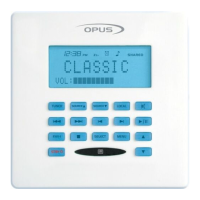
Keypads for main and secondary zone control, featuring LCD displays and user interfaces.
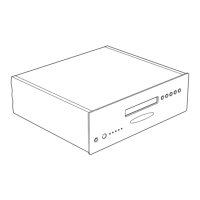
The central unit connecting audio sources and distributing them to zones.
System and learning remotes for everyday use and advanced control.
An optional unit for managing and distributing video sources to desired zones.
Details on selecting sources, controlling playback, and adjusting volume on the WCU500.
Table outlining specific operational functions for Tuner, CD, SAT, DVD, and Hard Disk Server.
Explanation of icons and indicators shown on the WCU500 display.
Reference guide to WCU500 buttons and their specific actions.
How to adjust Bass, Treble, Balance, Loudness, and Wide settings via the menu.
Instructions for setting Clock, Alarm, Sleep timer, Party mode, All On/Off, and Backlight.
Setting volume limits and controlling source availability per zone.
Guide to renaming sources for easier identification within the system.
Using buttons to increase or decrease zone volume and adjust sound settings.
Accessing sound modes (Bass, Treble, Balance, Fader) and understanding LED indicators.
Function of the standby button to set the system to standby mode.
Description of power switch, cloning port, IR indicator, and zone active LEDs.
Using tuner, band, store, and mode buttons for setup and preset management.
Step-by-step guide to scanning and storing radio stations on the MCU500.
Procedure for clearing stored radio presets from the MCU500 system.
Explanation of display elements like preset, waveband, stereo sound, and signal level.
Guide on programming the LRC500 and cloning IR commands to the MCU500.
Details on what the product warranty covers and common exclusions.
Instructions on how to contact dealers or service agents for repairs.
Information on exclusive remedies and consumer rights under the warranty.

 To Next Page