Need help?
Do you have a question about the Opus MCU500 and is the answer not in the manual?
Crucial guidelines to prevent hazards and ensure safe operation of the Opus system.
Specific guidance for correctly fitting the UK mains plug and fuse.
Covers detailed safety aspects for operation, cleaning, mounting, power, and servicing.
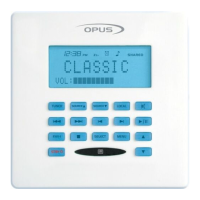
Main zone keypad with LCD display for source selection and control.
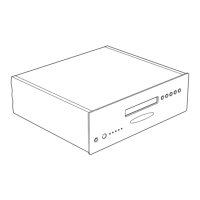
Central control unit connecting audio sources to desired zones.
Sub-zone keypad to extend a main zone into a secondary room.
System remote control for everyday use alongside the keypad.
Optional unit for connecting and distributing video sources.
Remote for controlling source equipment and teaching IR commands.
Guides on selecting sources, using mute, operation buttons, and volume control.
Instructions for putting the system into standby and accessing setup options.
Details the alarm, sleep, time, volume scale, and source indicators on the display.
Explains the function of each button on the WCU500 keypad.
Controls for Bass, Treble, Balance, Loudness, and Wide sound settings.
Functions for Clock, Alarm, Sleep, Party, All On, All Off, Backlight, and Volume Limit.
Process for renaming sources to personalize the system.
Details on volume adjustment, and selecting Bass, Treble, Balance, and Fader modes.
Information on activating standby mode and the IR sensor window.
Overview of power switch, cloning port, IR indicator, zone active LEDs, and tuner buttons.
Step-by-step guide for setting and erasing tuner presets.
Explains the display elements for preset, FM stereo, source, sound, waveband, and signal.
Procedure for installing IR codes for new sources using the LRC500.
Details Opus Technologies' warranty coverage, exclusions, and consumer remedies.
 General
| Brand | Opus |
|---|---|
| Model | MCU500 |
| Category | Stereo System |
| Language | English |


 To Next Page