13
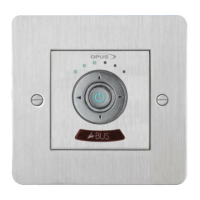
7. Standby/On
Press to switch the keypad between On and Standby mode. By pressing and holding
the Standby button for about two seconds, all WCU330s connected to the MCU300
hub will be turned off. If the WCU330 is connected to an Opus DZM amplifier as part of
an Opus 500 System, then the standby button only controls the keypad.
8. Volume up
Press to increase the volume or other sound adjustment.
9. Source select (right)
Use this key to select the current active source.
10. Volume down
Press to decrease the volume or other sound adjustment.
11. Source select (left)
Use this key to select the current active source.
12. IR window
Point the Opus Learning Remote towards this window. A small flashing LED behind
this window indicates operation.


 To Next Page