
 Need help?
Do you have a question about the Opus WCU330 and is the answer not in the manual?
Guidance on avoiding interference from other devices and environmental factors.
Advises on avoiding mains wiring and high humidity during installation.
Details the 50x50 easy-clip module standard and interchangeability of faceplates.
Step-by-step guide for connecting the Cat-5 cable and mounting the keypad.
Configuration details for the Opus 300 system, including mode switch settings.
Explains Cat-5 cable termination using punch-down connectors for system connection.
Covers gain adjustment and selection between Opus 300 and A-BUS modes.
Details speaker connection requirements and the use of the preamp output.
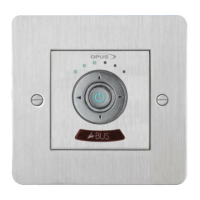
Details the six LEDs indicating functions like volume, source, and sound adjustments.
Explains the operation of standby, volume up/down, and source selection buttons.
Information on the IR window for receiving remote control signals.
How to adjust volume using keypad buttons or remote, indicated by LED intensity.
Using left/right buttons to cycle through sources; LED display shows the active source.
Activating Bass, Treble, Balance, and Fader modes via button combinations.
 General
| Manufacturer | Opus |
|---|---|
| Model | WCU330 |
| Category | Control Unit |
| Type | Wireless Control Unit |
| Connectivity | Wireless |
| Frequency Range | 2.4 GHz |
| Operating Temperature | -10°C to +50°C |
| Dimensions | 144 x 144 x 86 mm |
| Weight | 200 g |
| Compatibility | Opus devices |

 To Next Page