16
The OQO support site provides additional
information, including FAQs and articles, and
contact information for technical support.
Access the support site at
http://www.oqo.com/support/.
In the event that you need to contact OQO
technical support for help, be sure to have
your serial number and Microsoft Certificate
of Authenticity (COA) number ready. They are
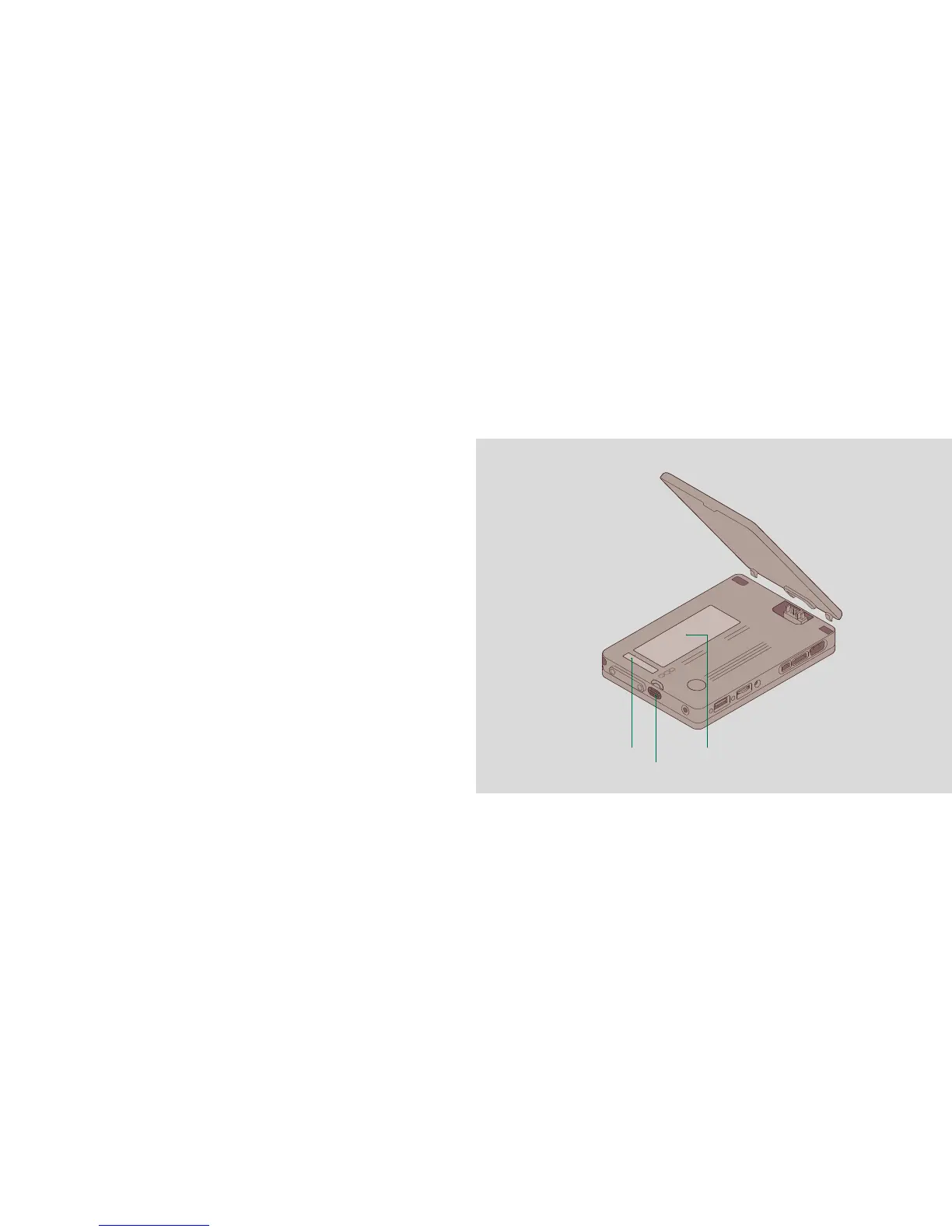
located under the battery, on the underside of
the model 01. To remove the battery, push the
small latch next to the audio port and lift the
battery away from the computer.
a Battery release button
b Microsoft Certificate of Authenticity (COA)
c Serial number
part 8
product support
17


 To Next Page