13
EN
Power supply
Power from built-in rechargeable battery (2 x Li-ion
batteries, 7.2V)
The device is powered by a built-in rechargeable battery.
Charge the battery before using it for the first time or whenever the battery
is low (the device turns off arbitrarily or cannot be turned on).
• Plug the appropriate AC adapter (5V, 2A) into the power socket and
connect the USB connector of the supplied USB cable to the AC adapter
and connect the USB-C connector of the cable to the USB-C connector of
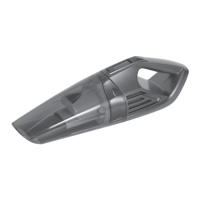
the vacuum cleaner.
The charge indicator starts flashing green slowly.
• The first full charge requires about 2.5 hours and the next full charge
requires about 2 hours (+/- 0.5 hours).
One charge allows about 10 - 15 minutes of operation.
The charging indicator flashes red during operation when the battery is
low. While charging, it will blink slowly in green and the indicator will glow
solid green when fully charged.
• After charging, unplug the AC adapter from the wall socket to save power
and disconnect the USB cable from the device.
• If you do not use the device for an extended period of time and then
start charging, the charging indicator may not flash immediately. This is
normal and does not indicate a malfunction. After charging for a while, the
indicator starts to slowly turn green.
• The vacuum cleaner can also be charged from a switched-on PC with
the possibility of charging via a USB connector or from a power bank.
Connect the USB connector of the supplied cable to the USB connector
on a powered-on PC or a charged power bank, and connect the USB-C
connector to the USB-C connector on this device.


 To Next Page