17
EN
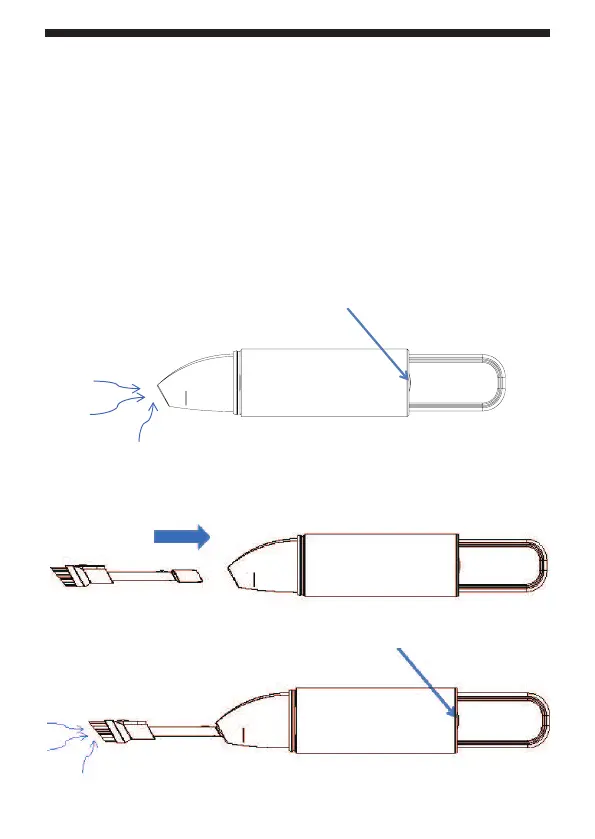
Using the vacuum cleaner
Before use, make sure that the vacuum cleaner is properly assembled and
that the battery is charged.
Do not turn on the vacuum cleaner when attaching or removing accessories.
1 Charge the vacuum cleaner according to the charging section.
2 Pull out the vacuum cleaner nozzle cover.
3 Press button 1 (on/off) on the vacuum cleaner body to switch on the
vacuum cleaner.
4 Hold the vacuum cleaner by the handle and pick up dirt.
Button 1 (on/off)
Place the 2 in 1 brush on the suction nozzle
Insert the supplied 2-in-1 brush into the suction opening in the nozzle.
Nozzle will help to clean dust from PC keyboard.
Button 1 (on/off)


 To Next Page