16 17
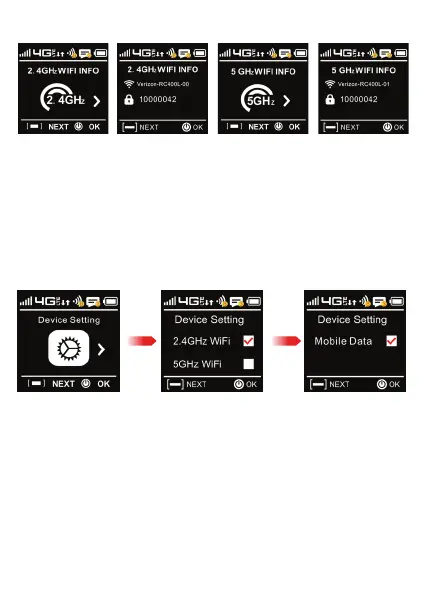
2.4 GHZ Wi-Fi & 5GHZ Info (cont’d)
Device Settings
Press Power/OK to view next options.
Press Power/OK to highlight which Chanel you want to use (2.4GHz or 5GHz)
and press Power/Next to select.
Press Menu/Next to view Mobile Data status, press Power/OK to select Mobile Data ON/OFF.
You can set this in two options:
• Mobil Data
• Data Roaming
OK/Power Menu/Next



 To Next Page