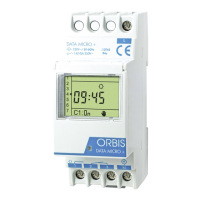
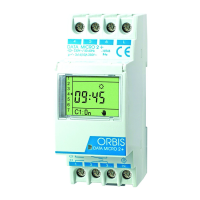
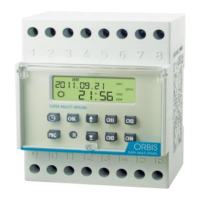
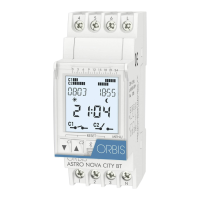
DESCRIPTION
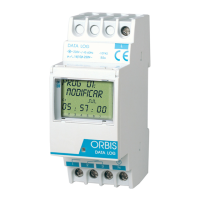
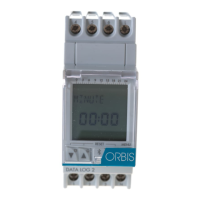
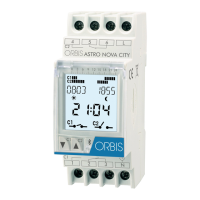
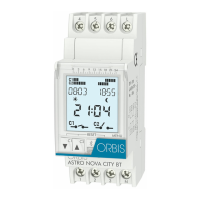
The DATA LOG 2 is a digital time switch with 2 independent change-
over and potential free circuits designed to control of any electrical ins-
tallation. Its possibilities include short-duration (1-59 seconds) swit-
ching, repeating cycles, random programming, automatic summer-win-
ter time change and a time counter.
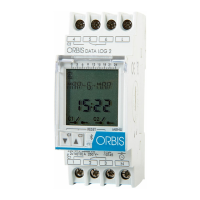
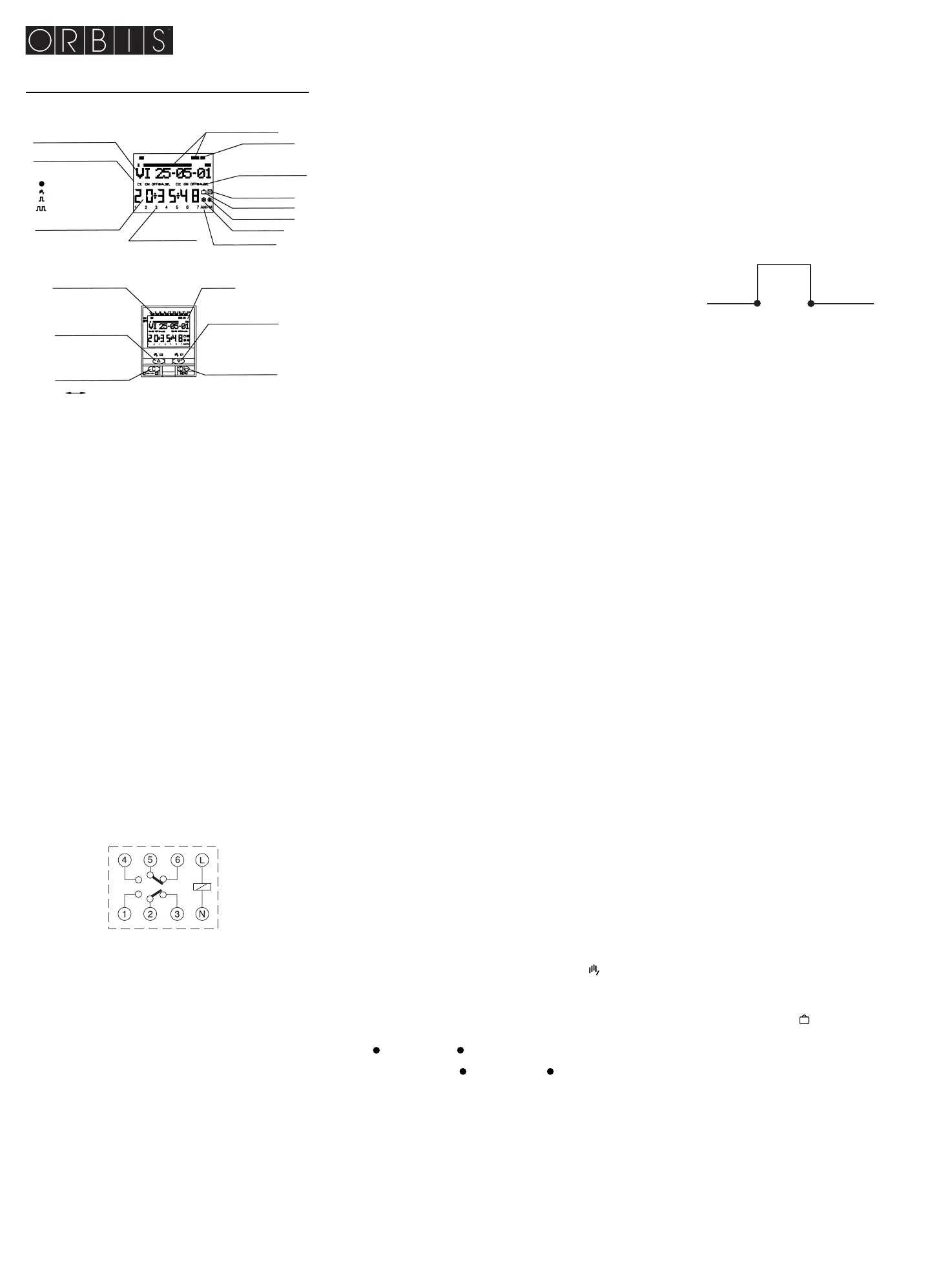
Its menus can be displayed in 5 languages and it displays a chrono-
gram that shows in the display the programming of current day, both cir-
cuit C1 and C2. To change chronogram from C1 to C2, just press key
“ C “ (C1 – C2 ). This divided into 48 section, each section representing
30 minutes. The section corresponding to the current time flashes.
INSTALLATION
ATTENTION: Electrical devices must be installed and assembled by
authorized installer.
VERY IMPORTANT: The switch is protected internally against interfe-
rence by a safety device. However, particularly strong electromagnetic
fields may alter is operation. Such interference can be avoided by
adhering to the following recommendations during installation:
- The device should not be installed near inductive loads (motors,
transformers, contactors, etc..)
- A separate power line is recommended ( equipped with a network
filter if necessary).
- Inductive loads should be equipped with interference suppressors
(varistor, RC filter).
If the timer switch is to be used in combination with other devices in an
installation, it is necessary to verify that no parasitic disturbances will be
caused by the group
ASSEMBLY: They should be installed in switchboard cabinets made of
35mm symmetric sections in accordance with EN 50 022.
CONNECTION
connection scheme
STARTING UP
The DATA LOG's factory settings include the current date and time and
the following:
Time: Central European time (E.U.)
Clock: 24 h mode
Winter-summer time change Automatic (last Sunday in March)
Summer-winter time change Automatic (last Sunday in October)
Holidays: NO (off)
Random mode: NO (off)
C1 counter: Zeroed (0000 hours)
C2 counter: Zeroed (0000 hours)
Programs: None (memory empty)
PROGRAMMING
Programming is menu-based (text messages).
If operations are programmed for the same time, remember that some
have priority over others
The order of priority is as follows: PERMANENT MODE
→→
HOLI-
DAY PROGRAM
→→
RANDOM PROGRAM
→→
PULSE ON
→→
PULSE
OFFÆPROGRAMMING OFF
→→
PROGRAMMING ON
→→
CYCLE PRO-
GRAMMING
The information being programmed always flashes on display.
Pressing the “OK “ key brings up the PROGRAM MENU. If the langua-
ge used is not right, reset the timer.
RESET
When all four keys are held down for more than 3 seconds, all existing
programming is deleted and the LANGUAGE menu appears.
LANGUAGE SELECTION
Use the UP Δ and DOWN ∇ keys to choose a language and confirm
pressing “OK “. The DATE YEAR menu then appears automatically.
(see exemple)
CLOCK SETTING
Press “OK “ to go into the MENU PROGRAM and use the Δ and ∇ keys
to select the MENU DATE. Confirm with “OK“ to go into DATE YEAR.
The numbers for the year flash on display and are changed with the Δ
and ∇ keys. Confirm with the “OK “ key. The figures for MONTH and
DATE are entered in the same way. Press “OK “ to save the date (dd,
mm, yy), the day of the week will be set automatically and the display
will change automatically to TIME programming. Use the Δ and ∇ keys
to change, first, the hours, confirm with “OK “, then repeat for the minu-
tes. Press “OK “ and the MENU PROGRAM will appear. (See example)
If you first wish to check the information entered, press the “C“ key and
the timer goes back into normal mode.
BASIC PROGRAMMING
PROGRAM MENU
Both circuits can be programmed in the same program (Prog 1 to Prog 50),
with the same or different type of switch for each circuit (excepting
CYCLE). To programm only in one of the circuits select “ ----- “ in type
of switch in the other one.
In normal mode, press the “OK “ key to bring up the MENU PROGRAM.
Press “OK “ again and the display will show PROGRAM PROG 01.
ON-OFF PROGRAMMING
Press the “OK “ key again and you will see on display PROG 01: PRO-
GRAM. Confirm pressing “OK “ and the display will show PROG 01:
C1: ON. Use the Δ and ∇ keys to choose switch type ON-OFF, PULSE,
CYCLE or “ ----- “. The selection made is validated with key
“OK “ and the display shows PROG 01 C2 -----, with the keys Δ and ∇
select the type of switch for circuit 2: On, OFF, PULSE, CYCLE or
“ ----- “. Validate with “OK “.
If in both circuits the selection is “ ----- “, circuit 2 is then automatically
changed to ON. Confirm the choice with the “OK“ key. The display auto-
matically shows MO : YES. If you want the switch to be carried out on
Monday, press “OK “, otherwise, press either of the Δ and ∇ keys and
the display will show MO : NO. Press “OK “ and carry out the same pro-
cess for the other days of the week, one after the other, confirming them
in the same way.
When you have selected the days, you then need to set the time at
which the switch will take place. Use the Δ and ∇ keys to set the hours
and confirm with “OK “, then do the same for the minutes. When you
confirm the time pressing “OK “, the display will show PROGRAM
PROG 02: confirm the choice with the “OK “ key the display will show
PROG 02: PROGRAM. Press “OK “ again and the display will show
PROG 02 C1 : ON. Follow the same steps as for Program 01. There
are 50 memory spaces (PROG 01 to PROG 50). (See example )
When you have finished programming, press the “C“ repeatedly until
the normal display appears.
VIEWING PROGRAMMED SWITCHES
Press “OK “ to go into the MENU PROGRAM, then “OK “ again to bring
up PROGRAM PROG 01 on display. Press the Δ and ∇ keys to see all
the programs (1 to 50).
CHANGING OR DELETING SWITCHES
Press “OK “ to go into the PROGRAM menu, then “OK “ again to bring
up PROGRAM PROG 01 on display. Use the Δ and ∇ keys to select the
program you wish to change (1 to 50 ) and when you have it, press
“OK “ and the program will be shown on display with the word MODIFY.
The Δ and ∇ keys change between CLEAR and MODIFY, Choose your
option and press the “OK “ key.
If you chose CLEAR, the program will be eliminated and the display will
show PROGRAM and the program deleted (PROG XX).
If you have chosen MODIFY, pressing “OK “ brings up the type of
switch selected (ON-OFF / PULSE / CYCLE) and you should carry on
as described in the section on PROGRAMMING. To return to normal
operation, press the “C “ key repeatedly until the normal operating dis-
play is shown.
MANUAL ACTIVATION
In normal mode, the circuits can be activated or deactivated tempo-
rally: C1 with key ∇ and C2 with key Δ ; display shows symbol and
the circuits stays in this position until next programmed switch. Also the
circuits can be permanently activated or deactivated (programmed
switchs are not ejecuted) following next steps:
Press key “OK “ to enter MENU PROGRAM with keys Δ and ∇ change
second line in display to MANUAL. Press key “OK “ to validate selec-
tion and display shows MANUAL C1: ON, with keys Δ and ∇ select ON,
OFF, ON m (permanent), OFF m (permanent) or “ ----- “. Validate selec-
tion by pressing “OK “ and display shows MANUAL C2: ----- with keys
Δ and ∇ select ON, OFF, ON m (permanent), OFF m (permanent) or
“ ----- “.
Confirm by pressing “OK “ and go back to normal mode by pressing the
“C “ key repeatedly. To change out of permanent mode, repeat this ope-
ration and select ON or OFF.
In the ON 2 and OFF 2 positions, you can also change the state of the
circuit by pressing the Δ and ∇ keys, in normal mode.
The symbols for activated options are shown on display.
ADVANCE PROGRAMMING. SPECIAL FUNCTIONS (EXTRAS)
PULSE PROGRAMMING
With pulse programming, switches from 1 to 59 seconds can be carried
out, with both ON and OFF pulses.
In normal mode, press the “OK “ key to go into the MENU PROGRAM.
Press “OK “ and the display will show: PROGRAM PROG 01.
Press the “OK “ key again and the display will show PROG 01 : PRO-
GRAM. Press “OK “ again and PROG 01: C1 : ON appears. Use the
Δ and ∇ keys to select PULSE. Press “OK “ and the display will show
PROG 01: C2 ----- . Use the Δ and ∇ keys to choose type of switch for
canal 2: ON-OFF, PULSE, CYCLE or “ ----- “. Press “OK “ to confirm
and the display will show MO : YES. If you want the switch to be carried
out on Monday, press “OK “, otherwise, press either of the Δ and ∇
keys
and the display will show MO : NO. Press “OK “ and carry out the same
process for the other days of the week, one after the other, confirming
them in the same way.
When you have selected the days, you then need to set the time at
which the switch will take place. Use the Δ and ∇ keys to set the hours
and confirm with “OK “. Now do the same for the minutes and when you
confirm by pressing “OK “, the display will show PULSE ON : choose
the second when the circuit is to be connected using Δ and ∇ and con-
firm with “OK “. The display will show PULSE OFF. Use Δ and ∇ to
select the second at which the circuit is to be switched off and press
“OK “ again to confirm.
If you want an "on " pulse, take care to set PULSE ON before PULSE
OFF and the other way round for an "off " pulse.
WINTER / SUMMER TIME CHANGE
To go into the MENU, press the “OK “ key and use the Δ and ∇ keys to
find the EXTRAS option. Confirm with “OK “ and you will see EXTRAS
SEASON on display, press “OK“ again and 3 options are displayed:
AUTO, MANUAL and DO NOT USE. Move between them with the
Δ and ∇ keys and confirm by pressing “OK “.
AUTO (the clock is automatically changed on the last Sunday in March
and the last Sunday in October).
No changes are possible with this option. When you select it, the dis-
play shows SEA AUTO W
→→
S and the date la of the change from win-
ter to summer time (last Sunday in March). When “OK “ is pressed,
SEA AU W
→→
S DATE appears and when the Δ or ∇ key is pressed,
the time of the change (02:00:00) is shown. When you press “OK “
again, you will see SEA AUTO S
→→
W and the date of the summer-to-
winter time change (last Sunday in October). Pressing “OK “ shows the
date again and the Δ or ∇ key lets you see the time when the change
will happen (03:00:00). Press “C“ or “OK “ to go back to the EXTRAS
HOLIDAYS.
MANUAL (Allows you to choose the date and time for the time change).
When you select this option, the display shows SEA MANUAL W
→→
S
and the date of the winter-to-summer time change. Press “OK “ and you
can change the month with the Δ and ∇ keys. When you confirm this
“OK “, you see LS (for "Last Sunday“): YES. If you want to set the last
Sunday of the chosen month for the change, press “OK “, otherwise chan-
ge to LS: NO using the Δ and ∇ keys and confirm with “ OK “.
If you accept LS: NO, the next display allows you to choose the day of
the month when the change will take place, followed by the hours and
minutes. When you confirm with “OK “, the summer-to-winter time
change (S
→→
W) is shown - program in the same way. “OK “ takes you
back to the EXTRAS HOLIDAYS.
DO NOT USE (no time change will be made)
If you select this option and confirm “OK “, no time change will be made
and you will be taken back to the EXTRAS HOLIDAYS.
If there are any switches programmed during the period of the time
change, they will be duplicated or not carried out, depending on the
time change in question.
HOLIDAY PROGRAM
This allows you to cancel programs and switch the circuit OFF for a set
period of time. When this time has passed, programming is re-establis-
hed.
Press “OK “ to go into the MENU PROGRAM, use the Δ and ∇ keys to
find EXTRAS, press “OK “ and use the Δ and ∇ keys again to find HOLI-
DAYS. Accept “OK “ and the display will show HOLIDAYS BEGIN and
press OK again to see BEGIN HOUR. Use Δ and
∇ to enter the hour
at which the holiday period is to begin, press “OK “ and then enter
MINUTE, MONTH and DAY in the same way. Confirm the setting with
“OK“ and the display will show HOLIDAYS END. Program this in the
same way as for HOLIDAYS BEGIN, entering your chosen HOUR,
MINUTES, MONTH and DAY for the holiday period to end. When you
press “OK “ to confirm the last of these, you will see EXTRAS RAN-
DOM on display – press the “C“ key repeatedly to go back to normal
working.
During the holiday period, the symbol is displayed on display.
DEACTIVATING THE HOLIDAY PROGRAM
To deactivate the holiday program, go into EXTRAS HOLIDAYS and
with HOLIDAYS BEGIN on the display, use the Δ and ∇ keys to select
CLEAR, then press “OK “ and the program will be erased. Press “C “
repeatedly to go back to normal operation.
RANDOM PROGRAMS
The circuit C1 du DATA LOG 2 can carry out random "ON" and "OFF"
switches. Random programs work between 07:00 and 24:00.
The program RANDOM
→→
1 carries out random switches of variable
duration, between 10 minutes and 1 hour.
The program RANDOM
→→
1 carries out random switches of variable
duration, between 2 and 4 hours.
From the normal operating display, press “OK “ and use Δ and ∇ to find
EXTRAS RANDOM. Press “OK “ again and you will see RANDOM v 1.
Use Δ and ∇ to choose between the options
→→
1,
→→
2 or STOP, which
deactivates the random program. Press “OK“ to confirm and press the
“C“ key repeatedly to go back to normal operating mode. If one of the
DATA LOG 2 TIME SWITCH
Time scale
Day of the week/Date
(dd-mm-yy)
C1 circuit state
Current time
Chronogram C1 or C2
C2 circuit state
Random
Holidays
Summer time
Winter time
AM/PM mode
Day of the week
(1=Monday)
Currentime
(flashing)
ON
OFF
Permanent
Override
Pulse
Cycle
Display
Cancel the selection
Move back in menu
Move down in menu
Circuit C1 override
Move up in menu
Confirms the selection
Stats menu
Pulse ON
(start second)
i.e.-12:04:05
Pulse OFF
(finish second)
i.e.-12:04:32
ON -
OFF -
C1 C2


 To Next Page
 Loading...