Need help?
Do you have a question about the Orbit Easy Dial 57874 and is the answer not in the manual?
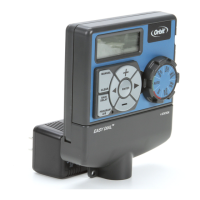
Identifies the main physical parts of the Orbit timer, including the dial, display, and battery compartment.
Details the function of each button and dial position for operating the timer.
Lists required tools and criteria for choosing an appropriate timer mounting location.
Provides step-by-step instructions for physically mounting the timer unit on a wall.
Explains how to connect sprinkler valves and wire them to the timer terminals.
Details connecting the power transformer and activating the internal backup battery.
Explains the flexibility of using two independent watering programs (A and B) for different needs.
Guides users through setting the current time, date, and desired watering start times.
Details how to set the duration for each station's watering and how often to water.
Guidance on reviewing, changing, and activating programmed watering schedules.
Explains how to temporarily pause scheduled watering for a set period (24-72 hours).
Allows manual watering without disrupting the preset automatic program.
Instructions for connecting and utilizing an external rain sensor with the timer.
Guide for replacing the internal CR2032 backup battery for program retention.
Defines key terms and technical vocabulary used in the sprinkler timer manual.
Lists common issues, their potential causes, and recommended solutions.
 General
| Model Number | 57874 |
|---|---|
| Number of Outlets | 1 |
| Connection Type | Standard Hose Thread |
| Material | Plastic |
| Watering Duration | 1 to 240 minutes |
| Watering Frequency | 1 to 7 days |
| Battery | 2 AA batteries |


 To Next Page