EasyManua.ls Logo

Orbit 57865 - User Manual

Orbit 57865
24 pages
Print Icon
To Next Page IconTo Next Page
Loading...
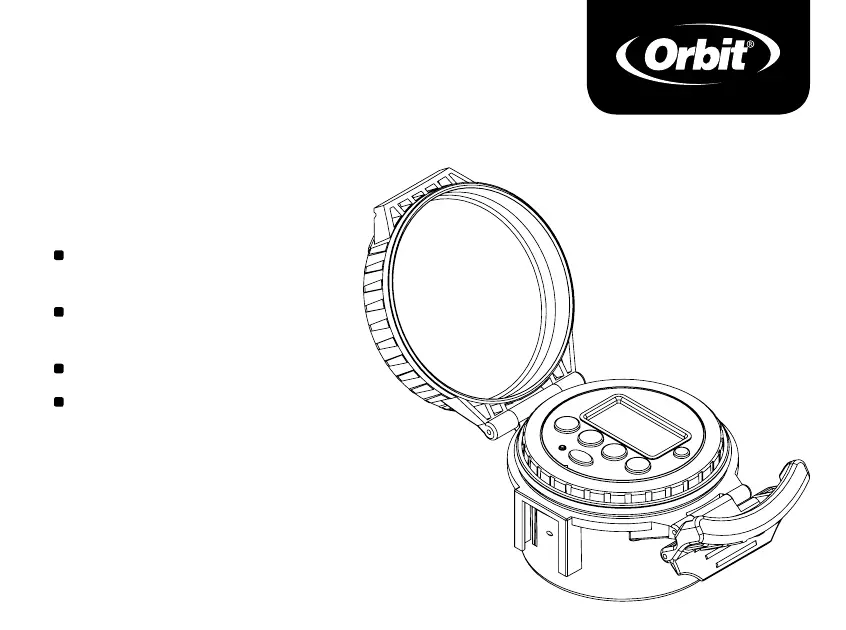
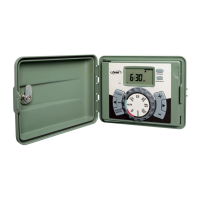
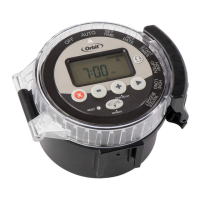
Battery Operated
SPRINKLER
TIMER
MODEL 57865
PN 57865-24 rA
No external power
source needed
Ideal for remote locations
and drip irrigation
Full waterproof construction
Easy-Set Logic™ Programming

Questions and Answers

  • J
    jonathan83Jul 29, 2025
    What to do if all stations do not turn on with my Orbit 57865?
    • D
      Derek Day DVMJul 29, 2025
      If all stations fail to turn on, ensure your Orbit Timer's programming isn't in OFF or Rain Delay mode. Also, check for power issues related to depleted batteries or a faulty solar panel (if applicable). Incorrect programming can also prevent all stations from activating.
  • M
    Michael WilsonAug 3, 2025
    How to fix one or more stations not turning on with my Orbit 57865?
    • K
      Katherine SpenceAug 3, 2025
      If one or more stations aren't turning on, verify the programming is correct and not in OFF or Rain Delay mode. Try removing the jack, cleaning any debris, and re-plugging it. Also, clear any debris from the solenoid and consider replacing the batteries or the solenoid itself.
  • H
    hclarkAug 8, 2025
    How to troubleshoot my Orbit 57865 Timer when it will not power up?
    • B
      brenda57Aug 8, 2025
      If your Orbit Timer won't power up, first ensure the batteries are installed correctly. If they are, try replacing the batteries with a fresh set.
  • D
    Donald SextonAug 13, 2025
    What to do if one station is stuck on and will not shut off on my Orbit 57865 Timer?
    • M
      max99Aug 13, 2025
      If a station remains on and won't shut off, ensure the jack is securely plugged in. If the issue persists, consider replacing the valve in the valve or solenoid, the valve diaphragm, or the solenoid itself.
  • L
    Luis PorterAug 18, 2025
    Why do stations turn on when they are not supposed to on my Orbit 57865?
    • C
      Christina HarrisAug 18, 2025
      If stations turn on unexpectedly, reduce the water pressure and review the programming to ensure start times are correct. Check both A and B programs for any scheduling conflicts.
  • M
    Matthew WatsonAug 22, 2025
    How to stop stations turning on and off randomly on my Orbit 57865?
    • S
      Steven WoodwardAug 22, 2025
      To prevent stations from randomly turning on and off, ensure only one start time is programmed without overlapping schedules. Additionally, try reducing the water pressure.

Summary

Buttons, Dial, and Display

Timer Buttons

Details the functions of each button (A-G) for operating the sprinkler timer.

Dial Selector Functions

Explains the purpose of each dial position: OFF, AUTO, SET TIME, SET DATE, START TIMES, HOW OFTEN, HOW LONG, WATER BUDGET.

Display Screen Indicators

Describes the meaning of various symbols and indicators shown on the timer's digital display.

Install Batteries

Battery Installation Steps

Provides a step-by-step guide with illustrations for correctly installing 3 AA batteries.

Programming Your Timer

Setting Time and Date

Guides users through the process of setting the current time and date on the timer.

Setting Start Times

Explains how to program multiple start times for watering programs A and B.

Setting Watering Frequency

Details how to select watering days, intervals, or odd/even days for programmed watering.

Setting Watering Duration

Instructs on setting the run time for each station, from 0 to 240 minutes.

Automatic and Manual Operation

Explains how to set the timer for automatic operation and how to perform manual watering.

Additional Features

OFF Setting

Explains that setting the dial to OFF disables all timer functions and prevents watering.

Water Budget

Describes the seasonal adjustment feature to modify watering times by a percentage (10%-200%).

Rain Delay

Details how to temporarily suspend scheduled watering for 24, 48, or 72 hours.

Connecting the Timer

Timer Unit Installation

Instructions for ensuring the main timer unit is fully inserted and securing the waterproof cover.

Connecting Timer to Valve

Step-by-step guide for connecting the timer unit to the valve solenoid using the provided clip and connector.

Glossary of Terms

Key Terminology

Defines essential terms related to the sprinkler timer, watering programs, and components.

Troubleshooting

Common Issues and Solutions

Provides solutions for common problems like stations not turning on, turning on incorrectly, or timer not powering up.

Orbit 57865 Specifications

General IconGeneral
BrandOrbit
Model57865
CategoryTimer
LanguageEnglish

Related product manuals