21
MAINTENANCE INSTRUCTIONS
WALKING BELT CENTERING AND TENSION ADJUSTMENT
DO NOT OVERTIGHTEN the walking belt. This may reduce motor performance and excessive roller wear.
TO CENTER WALKING BELT:
● Place treadmill on a level surface
● Run treadmill at approximately 3.5 mph
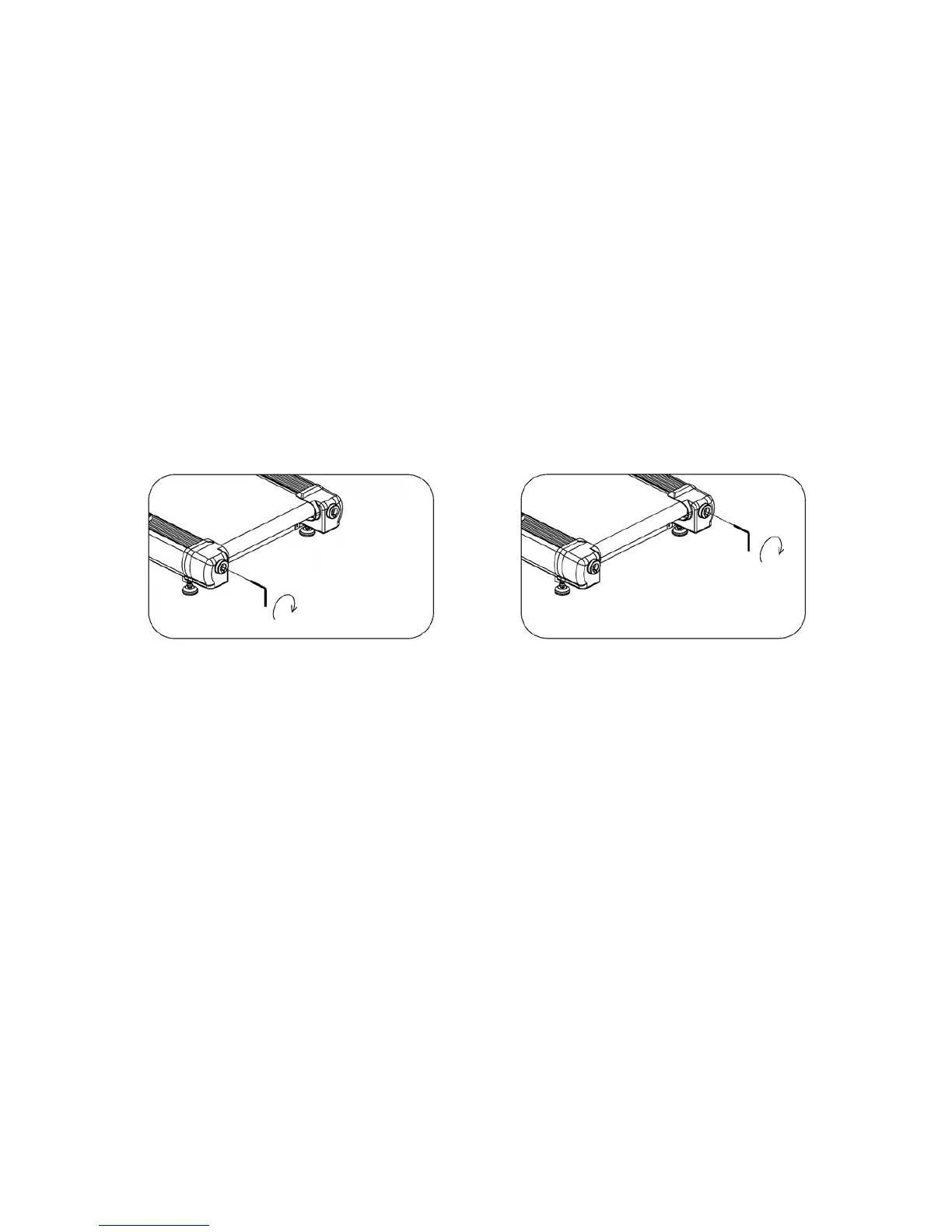
● If the belt has drifted to the right, turn the right adjusting bolt 1/2 turn clockwise and the left adjusting bolt
1/2 turn counterclockwise
● If the belt has drifted to the left, turn the left adjusting bolt 1/2 turn clockwise and the right adjusting bolt
1/2 turn counterclockwise
Picture A: If the belt has drifted to the LEFT Picture B: If the belt has drifted to the RIGHT
WARNING: ALWAYS UNPLUG THE TREADMILL FROM THE ELECTRICAL OUTLET BEFORE
CLEANING OR SERVICING THE UNIT.
CLEANING
General cleaning or the unit will greatly prolong the treadmill. Keep treadmill clean by dusting regularly. Be
sure to clean the exposed part of the deck on either side of the walking belt and also the side rails. This
reduces the build up of foreign material underneath the walking belt.
The top of the belt may be cleaned with a wet, soapy cloth. Be careful to keep liquid away from inside the
motorized treadmill frame or from underneath the belt.
Warning: Always unplug the treadmill from the electrical outlet before removing the motor cover. At
least once a year remove the motor cover and vacuum under the motor cover.
PIC A PIC B



 To Next Page