EasyManua.ls Logo

Orbitalum ORBIMAT 300 CA - User Manual

Default Icon
104 pages
Print Icon
To Next Page IconTo Next Page
Loading...
Operating instructions
for operators and machine users
Orbital Welding Power Supplies
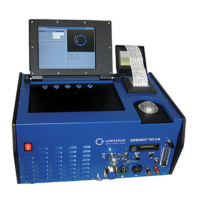
ORBIMAT CAdvanced
ORBIMAT 165 CA
ORBIMAT 300 CA
Machine No:
Please read all operating instructions before commissioning this machine so that you can work with it safely.
Retain the operating instructions for future use.

Table of Contents

Question and Answer IconNeed help?

Do you have a question about the Orbitalum ORBIMAT 300 CA and is the answer not in the manual?

Summary

Owner Information and Safety Precautions

Basic Safety Precautions

Lists general safety rules, grounding, and protective measures.

Characteristics and Applications

Technical Data

System Components and Specifications

Lists system components and detailed electrical/output specifications.

Commissioning and Setup

Connecting Power Source and Initial Setup

Guides connecting power, gas, weld head, and commissioning the pump.

Control Elements and Operation Concepts

Main Control Elements and Front Panel

Identifies and describes main controls, front panel connections, and operating concepts.

Operating with Controls

Details operation using rotary knob, softkeys, and external keyboard.

Operating Procedures

Auto Programming and Parameter Setup

Guides through auto programming, configuring weld head, material, gas, and pipe parameters.

Testing Procedures and Welding Preparation

Covers calculating, testing procedures, and preparing the weld head.

Starting and Interrupting Welding

Details steps to start and stop the welding process.

Advanced Operation Parameters

Adjusting Pulse Times and Weld Speed

Details adjustment of pulse times, weld speed, and transition times.

Wire Feed and Sector Management

Covers deactivating speed ramps, adjusting wire feed, and changing welding sectors.

Procedure Management

Saving and Recalling Procedures

Guides on saving and loading welding procedures.

Machine Locking and Limits

Specialized Welding Functions

Supplementary Devices and Gas Control

Monitoring and Limit Adjustments

Monitoring Functions Overview

Lists monitored parameters and explains limit value adjustments.

Data Management

Software Management

Software Updates and Backups

Guides on updating, saving, and restoring software components.

Program Import and Special Commands

Operation with Different Mains Voltages

Service and Troubleshooting

Performing Service Tasks

Covers pumping water, motor calibration, and accessing service functions.

Troubleshooting Common Errors

Weld Seam Irregularities

Addresses uneven seams, lack of penetration, and annealing colors.

Ignition and Startup Issues

Discusses ignition problems and why the machine might not start.

Error Message Reference

Error Codes: Warnings, Gas, Cooling, Input (01-13)

Explains error codes related to warnings, gas, cooling, and external inputs.

Error Codes: Current, Voltage, Speed, Inverter (04-13)

Explains error codes for current, voltage, speed, and inverter issues.

Error Codes: Arc, Short Circuit, Gas, File Access (14-29)

Explains error codes for arc cut-out, short circuits, gas, error codes, and file access.

Error Codes: Procedure, File, Voltage, Voltage Abort (33-43)

Explains error messages for procedure loading, saving, file opening, and voltage issues.

Status LED Indicators

Sensor and Function Deactivation

Maintenance and Service

Overview Wiring Diagram

Service and Customer Support

Orbitalum ORBIMAT 300 CA Specifications

General IconGeneral
BrandOrbitalum
ModelORBIMAT 300 CA
CategoryWelding System
LanguageEnglish

Related product manuals