Aux
Optical (TV)
We recommend using Optical when using the
DOCK as a TV listening device.
Turn your TV speakers off: To prevent an echo or external audio
output, go to TV settings -> sound/audio menu. Select Digital
Audio (Optical) as the audio output.
IMPORTANT: The DOCK does not support Dolby/DTS or multi
channel surround. You may need to change your TV’s digital audio
output to Normal or PCM to ensure best performance.
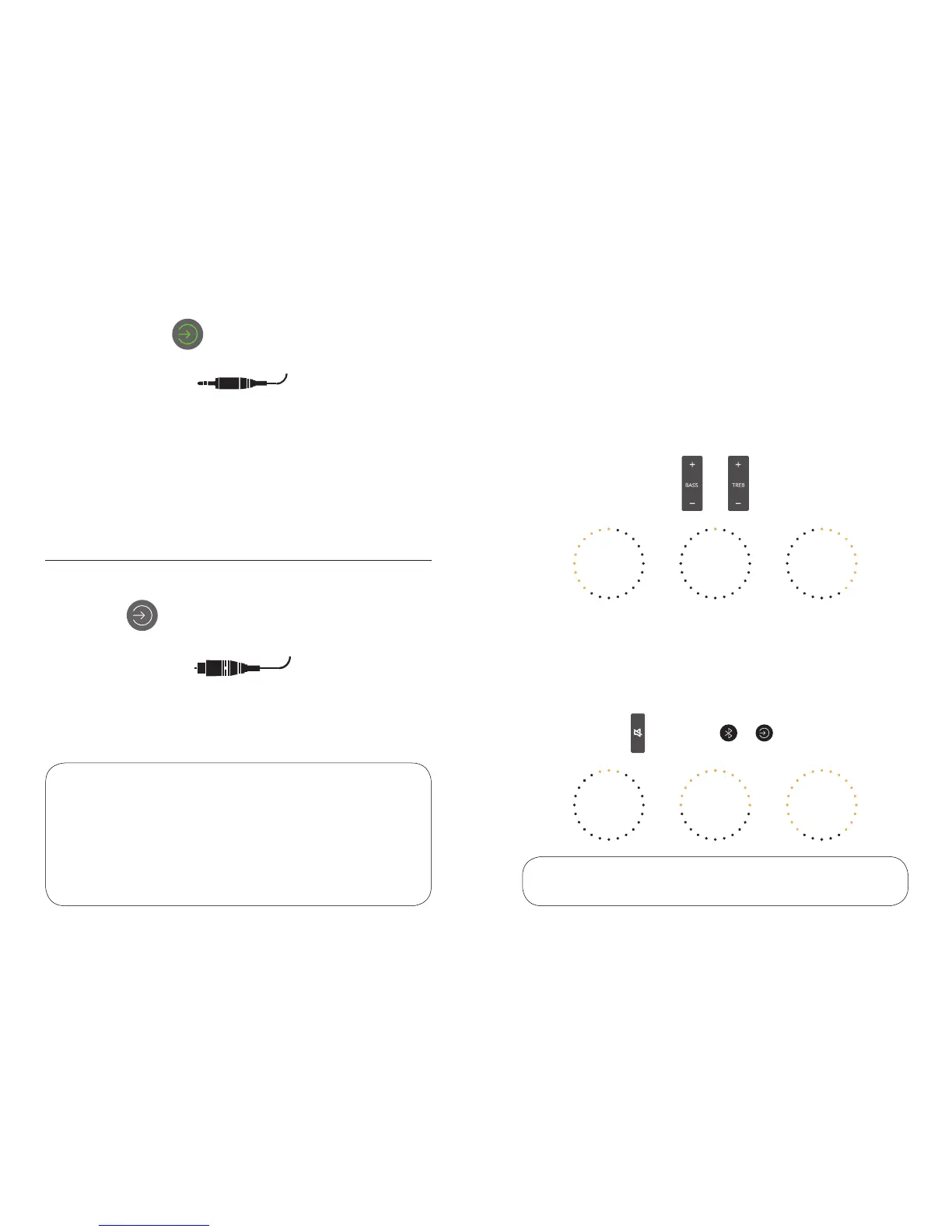
For other music players, record decks, CD, MP3 or other
devices, use the AUX 3.5mm jack input. Press SOURCE until
the green input is highlighted.
NOTE: Start by setting the volume of your playing
device to 80%.
Sound adjustment
3 secs or + 1 sec
BASS & TREBLE
Use the remote control to adjust the amount of Low or High
frequencies (BASS) and (TREBLE). The dial display will show
the amount of boost or cut you are using. Trim the sound to
your preference.
ADJUST AIRSOUND
If you want to adjust the amount of Airsound, you can change
this, making the DOCK sound wider or narrower. Press and
hold the (MUTE) button on the remote, or press (SOURCE)
and (BLUETOOTH).
NORMAL
NORMAL
MAX
MAX
MIN
MIN
NOTE: You can reset the bass/treble to default by doing a system reset.
NOTE: The Airsound adjust will reset when you turn the DOCK off/on.
1514



 To Next Page