Need help?
Do you have a question about the Orcam MyEye 2 and is the answer not in the manual?
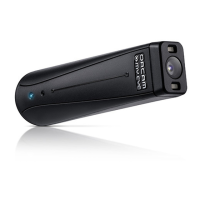
Visual representation of the OrCam MyEye 2 device and its components, including camera, buttons, and ports.
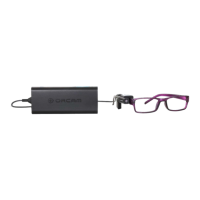
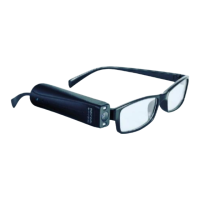
Guidance on how to magnetically attach the OrCam MyEye device to the provided glasses mount.
Instructions on how to use the device to read text or recognize products by looking at them.
Method for reading text by pointing with your finger to guide the device, requiring a specific gesture.
Steps to teach the device to recognize specific faces by holding the person in view.
Process for teaching the device to recognize specific products or barcodes.
Instructions on how to adjust the device's audio volume using the touch bar.
 General
| Weight | 22.5 grams |
|---|---|
| Connectivity | Bluetooth, Wi-Fi |
| Operating System | Proprietary |
| Category | Assistive Technology |
| Type | Wearable assistive device |
| Battery Life | 2 hours |
| Camera Resolution | 13 megapixels |
| Audio Output | Built-in speaker |
| Function | Reading text, identifying objects, recognizing faces, identifying colors, telling time, scanning barcodes |
| Mounting | Attaches to eyeglass frames |
| Control | Gestures |


 To Next Page