Need help?
Do you have a question about the Orcam myeye and is the answer not in the manual?
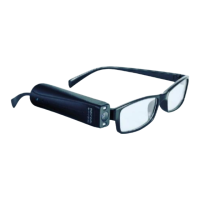
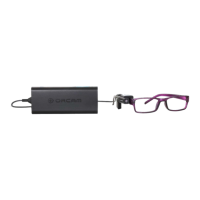
Overview of the device's main parts: Head Unit and Base Unit.
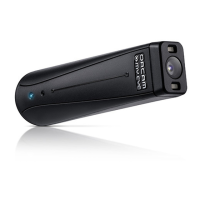
Details the camera, microphone, and connection wire of the Head Unit.
Describes the integrated unit with computer technology for reading text and products.
Explains the Power, Volume, and Trigger buttons on the Base Unit.
Details the functions of the Trigger button: activating camera, read-back speed, learning mode.
Explains the LED indicator lights and available ports on the OrCam device.
Describes the cable connecting units and the audio output socket.
Lists all items included in the OrCam device package.
Instructions on how to attach the camera mount to eyeglasses.
Step-by-step guide for securing the mount onto eyeglass frames.
Guide for snapping the Head Unit onto the mount and verifying alignment.
Instructions for the initial charging process and battery life.
Explains how to power the device on/off and enter/exit Suspend mode.
Methods to activate the camera and use the finger pointing gesture.
How the device starts reading text or recognizing items after activation.
How to change playback speed and use reading navigation features.
Explains "Touch Reading Mode" and the stop gesture.
Using the trigger button for reading and navigation controls.
Details on skipping, pausing, and navigating text reading.
Understanding common messages when the device has reading difficulties.
Teaching the device to recognize specific faces and products.
How to enter Learning Mode using the trigger button.
Guidance and messages for learning faces.
Steps and messages for teaching the device to recognize products.
Specifics of product learning.
Common messages heard during normal device operation.
Messages related to battery level, charging, and system states.
How to access and navigate the Audio Settings Menu.
Key customization options.
Configuration options for gestures and face recognition.
Settings for product recognition, time, voice, and suspend.
Alternative access method.
How to get the current time/date and set the device's clock.
Essential step for updates.
Critical step for updates.
Core update process.
Confirmation of update.
Advice on environmental factors affecting performance.
Troubleshooting steps for low battery and charging problems.
Solutions for issues with reading text and recognizing items.
Troubleshooting common errors in face and product recognition.
Handling system alerts, update failures, and software version checks.
Legal information regarding intellectual property and license terms.
OrCam's policy on collecting and using customer information.
Explains limitations on OrCam's responsibility for product use.
Legal clauses covering unforeseen events, jurisdiction, and communications.
Details the product's limited warranty coverage and exclusions.
Information on returning the product and associated fees.
Guidelines for safe operation, temperature, humidity, and water resistance.
Warnings about chemical contact and handling the connecting cord.
Precautions regarding device repair, battery replacement, and power usage.
Warnings about connector usage, port protection, and magnetic fields.
Instructions for handling overheating or unusual smells from the device.
 General
| Category | Smart Glasses |
|---|---|
| Compatibility | iOS and Android |
| Weight | 22.5 grams |
| Connectivity | Bluetooth |
| Audio | Integrated speaker |
| Features | product recognition, color identification |
| Water Resistance | No |

 To Next Page