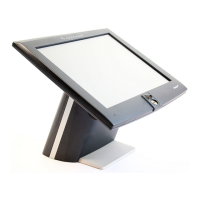
ORDERMAN
-Touch Terminal Manuale d’uso
- 3 -
Italiano
1 Introduction of the ORDERMAN
-Touch Terminal......................................................... 4
2 The MenuCard............................................................................................................... 5
2.1 The ORDERMAN
Toolbar .................................................................................... 5
3 The Operating system of the ORDERMAN
-Touch Terminal......................................... 6
3.1 The Windows CE licence ....................................................................................... 6
3.2 The Desktop .......................................................................................................... 6
3.3 The Start menu...................................................................................................... 7
3.3.1 Run .................................................................................................................................... 7
3.3.2 Help.................................................................................................................................... 7
3.3.3 Settings .............................................................................................................................. 7
3.3.4 Programs ........................................................................................................................... 7
3.4 The Taskbar Icons ................................................................................................. 7
3.5 The Input Panel...................................................................................................... 8
3.6 MyComputer .......................................................................................................... 8
3.7 The Control Panel.................................................................................................. 8
4 Saving files and settings (registry) ................................................................................. 8
5 HowTo...........................................................................................................................9
5.1 Connect the OM-TT to a Local Area Network......................................................... 9
5.2 Active Sync...........................................................................................................10
5.3 Use the Registry Editor .........................................................................................11
5.4 Install a Compact Flash Card................................................................................11
5.5 Install a program ...................................................................................................11
5.6 Remove a program ...............................................................................................11
5.7 Save system settings / changes in the registry......................................................12
5.8 Change the MenuCard..........................................................................................12
5.9 Change the Keyboard layout.................................................................................12
5.10 Re-calibrate the touch...........................................................................................13
5.10.1 Calibrate by using the Control Panel........................................................................... 13
5.10.2 Shortcut to the touch calibration.................................................................................. 13
5.11 Starting Programs at Start Up ...............................................................................14
5.12 Add a Link to the Desktop.....................................................................................14
5.13 Change the background image of the Desktop .....................................................14
5.14 Hide the Taskbar...................................................................................................14
5.15 Use Remote Desktop / RDP..................................................................................14
5.15.1 Automatic start of the Remote Desktop Connection ................................................... 15
5.16 Restart the ORDERMAN
Touch Terminal ...........................................................16
5.17 Set the ORDERMAN
Touch Terminal back to factory defaults ............................16
6 Programs on the ORDERMAN
Touch Terminal ..........................................................16
6.1 OM-TT Process Viewer.........................................................................................16
6.2 SDAuthUtilDevice .................................................................................................17
6.3 RegClear...............................................................................................................17
6.4 RegFlush ..............................................................................................................17
6.5 RegEditSave.........................................................................................................17
6.6 Installation Backup / FileSystemWatcher ..............................................................17
6.7 TextEditor .............................................................................................................17
6.8 OMTTHWManager................................................................................................17
7 Special Files/Folders on the ORDERMAN
Touch Terminal.........................................18
8 FAQ’s ...........................................................................................................................19
8.1 What’s the Installation Backup good for ? .............................................................19
8.2 My settings are lost after re-starting the system. ...................................................19



 To Next Page