EasyManua.ls Logo

Oregon Scientific BAR289 - User Manual

Oregon Scientific BAR289
12 pages
Print Icon
To Next Page IconTo Next Page
Loading...
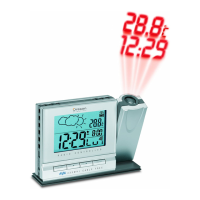
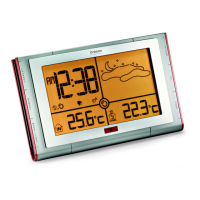
Weather Station with Remote Control
Model: BAR289
User Manual
BAR289 Cover R5 7/28/04, 12:12 PM1
All manuals and user guides at all-guides.com
all-guides.com

Questions and Answers

  • K
    kevin91Jul 31, 2025
    What to do if my Oregon Scientific BAR289 cannot auto-synch?
    • D
      Destiny RodgersAug 1, 2025
      If your Oregon Scientific Weather Station cannot auto-synch, try the following steps: 1. Adjust the batteries. 2. Press the RESET button. 3. Manually activate the radio-controlled clock.
  • J
    Jenna SalazarAug 6, 2025
    How to fix strange date / month on Oregon Scientific BAR289?
    • B
      Brandi FlemingAug 6, 2025
      To correct a strange date or month display on your Oregon Scientific Weather Station, change the language.
  • S
    swarnerAug 11, 2025
    How to fix Oregon Scientific BAR289 when it cannot locate remote sensor?
    • G
      Gary WardAug 11, 2025
      If your Oregon Scientific Weather Station cannot locate the remote sensor, the suggested solution is to check the batteries.
  • J
    Jimmy BrownAug 15, 2025
    Why does my Oregon Scientific BAR289 Weather Station show "LLL" or "HHH"?
    • P
      Patrick TurnerAug 16, 2025
      The Oregon Scientific Weather Station displays "LLL" or "HHH" when the temperature is out-of-range.
  • D
    David GregoryAug 20, 2025
    How to fix auto-sync issues on my Oregon Scientific BAR289?
    • J
      Jean SampsonAug 20, 2025
      If your Oregon Scientific Weather Station cannot auto-synchronize, try the following steps: 1. Adjust the batteries. 2. Press the RESET button. 3. Manually activate the radio-controlled clock.
  • A
    Andrea GarciaAug 26, 2025
    How to fix strange date or month display on my Oregon Scientific BAR289 Weather Station?
    • G
      Gabrielle PetersAug 26, 2025
      If your Oregon Scientific Weather Station is displaying a strange date or month, try changing the language setting.

Summary

Introduction

Product Overview

Main Unit Components

Identifies front and back views and labeled parts of the main unit.

Display and Remote Control

LCD Display Areas

Details clock, temperature, and forecast sections on the main unit's screen.

Remote Control (RE289) - Front View

Identifies buttons and functions on the front of the remote control unit.

Remote Sensor and Control

Remote Control (RE289) - Back View

Shows battery compartment and wall mount for the remote control.

Remote Sensor (RTHR328 N) - Views

Covers front, back, and LCD display of the remote sensor unit.

Getting Started

Batteries

Details battery types and installation for the main unit, remote, and sensor.

Sensor Set Up

Guides on setting up the remote sensor, including channel and location.

Sensor Operations and Timekeeping

Sensor Data Transmission

Explains data transfer frequency and reception status icons.

Sensor Channel Management

Describes switching, auto-scanning, and searching for remote sensors.

Clock and Calendar

Covers radio-controlled clock synchronization and manual setting.

Device Features

Clock Display Modes

How to cycle through different clock display modes.

Hourly Chime

How to enable/disable the hourly chime alert.

Alarm Functions

Covers setting, activating, and silencing the device's alarm.

Measurements and Forecast

Weather Forecast

Explains the 12-24 hour weather forecast and icons.

Temperature Readings

Details displaying max, min, and current temperature readings.

Measurement Unit Selection

How to switch between Celsius and Fahrenheit.

Safety, Troubleshooting, and Specifications

Safety and Care

Guidelines for cleaning and handling the product safely.

Troubleshooting

Common problems and their solutions for the device.

Specifications

Technical details including dimensions, power, and ranges.

About and Compliance

About Oregon Scientific

Information about the manufacturer and customer support.

EC-Declaration of Conformity

Compliance statements and applied standards for the product.

Oregon Scientific BAR289 Specifications

General IconGeneral
TypeWeather Station
ModelBAR289
DisplayLCD
Temperature Display Units°C / °F
Forecast Horizon12-24 hours
BacklightYes
Wireless TransmissionYes
Temperature MeasurementYes
Humidity MeasurementYes
Forecast FunctionYes
Radio Controlled ClockYes
Power SourceBatteries
Temperature RangeOutdoor: -20°C to 60°C (-4°F to 140°F)

Related product manuals