
 To Next Page

B
Barbara JohnsonAug 12, 2025
How to fix low batteries on Oregon Scientific BPW120?
- JjohnsonjenniferAug 12, 2025
If your Oregon Scientific Blood Pressure Monitor indicates low batteries, replace them with new ones.

How to fix low batteries on Oregon Scientific BPW120?
If your Oregon Scientific Blood Pressure Monitor indicates low batteries, replace them with new ones.
What to do if Oregon Scientific Blood Pressure Monitor shows an error message?
An error message on your Oregon Scientific Blood Pressure Monitor may appear due to several reasons: a measurement error occurred, the wrist cuff isn't secure, the monitor detected motion during measurement, or the pressure is over 280mmHg. In any of these cases, relax for a moment and then measure again. Also, ensure the cuff is properly refastened.
Why Oregon Scientific BPW120 Blood Pressure Monitor has no power?
If your Oregon Scientific Blood Pressure Monitor isn't powering on, the batteries may be exhausted or inserted incorrectly. Replace them with new batteries, ensuring they are correctly inserted.
Why my Oregon Scientific Blood Pressure Monitor shows 'No power'?
If your Oregon Scientific Blood Pressure Monitor shows 'No power', it could be due to exhausted batteries or batteries inserted incorrectly. Replace them with new batteries or ensure they are correctly inserted.
What to do if Oregon Scientific Blood Pressure Monitor displays 'Low batteries'?
If the Oregon Scientific Blood Pressure Monitor displays 'Low batteries', the batteries are low. Replace them with new batteries.
What does '4' mean on Oregon Scientific Blood Pressure Monitor?
If your Oregon Scientific Blood Pressure Monitor displays '4', it means the monitor detected motion while measuring. Relax for a moment, and then measure again.
What does '5' mean on Oregon Scientific Blood Pressure Monitor?
If your Oregon Scientific Blood Pressure Monitor displays '5', it indicates the pressure is over 300mmHg (40 kPa). Relax for a moment, and then measure again.
What does '1' mean on Oregon Scientific Blood Pressure Monitor?
If your Oregon Scientific Blood Pressure Monitor displays '1', it means the wrist cuff is not secure. Refasten the cuff, and then measure again.
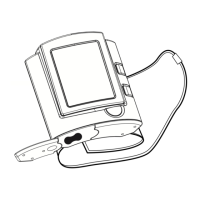
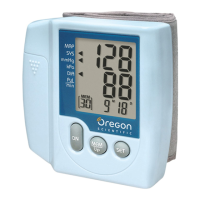
Details the main components and functionalities of the blood pressure monitor.
Provides a guide to understanding the various symbols displayed on the monitor's screen.
Lists essential safety measures to ensure proper and safe usage of the device.
Offers guidelines for maintaining the device to ensure its longevity and performance.
Explains the physiological concept of blood pressure and its components.
Details standard blood pressure classifications based on WHO and ISH guidelines.
Describes the Oscillometric measuring method used by the device for readings.
Step-by-step instructions for installing and replacing the batteries in the monitor.
Guide to configuring the device's clock and measurement units for accurate records.
Instructions on how to properly position the cuff on the wrist for accurate measurements.
Provides advice and best practices for taking reliable blood pressure readings.
Explains how to access and view past blood pressure readings stored in the device's memory.
Lists common problems, symptoms, checks, and remedies for device issues.
Information on how to contact Oregon Scientific for customer service and support.
States the device's compliance with relevant European Union directives.
Details the technical specifications, including measurement ranges and accuracy.
Explains the significance and requirements of the CE conformity mark.
Guidance on creating and using a log book to track blood pressure history.
 General
| Category | Blood Pressure Monitor |
|---|---|
| Model | BPW120 |
| Brand | Oregon Scientific |
| Measurement Method | Oscillometric |
| Display Type | LCD |
| Measurement Range Pressure | 0-280 mmHg |
| Measurement Range Pulse | 40-199 bpm |
| Accuracy Pressure | ±3 mmHg |
| Accuracy Pulse | ±5% |
| Memory Capacity | 60 readings |
| Memory Function | Yes |
| Power Source | Battery |
| Battery Type | 4 x AAA |
| Automatic Shut-off | Yes |
| Irregular Heartbeat Detection | Yes |
| Cuff Fit Indicator | Yes |