EasyManua.ls Logo

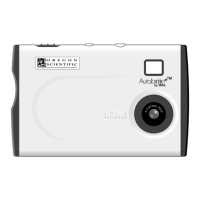
Oregon Scientific DS6628 - User Manual

Oregon Scientific DS6628
10 pages
Print Icon
To Next Page IconTo Next Page
Loading...
086-002865-052
User’s Manual
Mode d’emploi
Bedienungsanleitung
Manuale dell’utente
Manual del Usuario
Manual do Usuário
DS6628

Questions and Answers

  • K
    Kelli MartinJul 30, 2025
    What to do if Oregon Scientific DS6628 Digital Camera is not taking pictures?
    • A
      Amber PerezJul 30, 2025
      If your Oregon Scientific Digital Camera isn't taking pictures, there could be a couple of reasons. First, make sure the camera is actually turned on. If it is on, the SD memory card might be full. Try deleting some unwanted files or inserting a new SD memory card.
  • R
    Raymond RuizAug 5, 2025
    How to fix no power issue on Oregon Scientific DS6628?
    • B
      barbarawhiteheadAug 5, 2025
      If your Oregon Scientific Digital Camera has no power, the batteries are likely exhausted. Recharge the batteries.
  • P
    Pamela MooreAug 11, 2025
    Why do images taken with Oregon Scientific DS6628 appear too dark or blurred?
    • M
      Melanie HollandAug 11, 2025
      If images taken with your Oregon Scientific Digital Camera appear too dark or blurred, several factors could be at play. Ensure you're holding the camera firmly to avoid movement during the shot. The subject might be too close; try using Macro Mode or moving away. Also, a dirty lens can cause blurring, so clean it with a soft cloth. Finally, check that the pop-up lens is correctly positioned.
  • N
    Nicholas RobertsAug 17, 2025
    What to do if the flash on my Oregon Scientific DS6628 doesn't go off?
    • D
      Diane HamiltonAug 17, 2025
      If the flash on your Oregon Scientific Digital Camera isn't working, first ensure that the Flash Module is switched on. If it is on, the flash might not have finished charging. Wait until the Flash icon is displayed again.
  • J
    Julian WilliamsAug 23, 2025
    How to troubleshoot focus issues on Oregon Scientific DS6628 Digital Camera?
    • C
      Cathy RodriguezAug 25, 2025
      If your Oregon Scientific Digital Camera won't focus, make sure the subject is in the center of the Lens Viewfinder. Also, check your current Focus Mode and consider switching to either the Macro or the Scene Mode.

Summary

Introduction

Brief Description

Provides a short overview of the digital camera and its features.

Package Contents

Lists all items included in the camera package for verification.

Safety Notes

Important safety precautions to follow when using the digital camera and its components.

Notes on the Digital Camera

Specific guidelines and warnings related to the handling and care of the digital camera.

Notes on the Battery

Precautions and information regarding the built-in lithium-polymer battery.

Other Notices

Miscellaneous notices and disclaimers provided by the manufacturer.

Key Features

Front View

Details the controls and components located on the front of the camera.

Back View

Details the controls and components located on the back of the camera.

Getting Started

Attaching the Strap

Instructions on how to attach the camera strap for secure carrying.

Switching Camera On;Off

Guides the user on powering the camera on and off correctly.

Basic Photography

Using the SD Memory Card

Explains how to insert and use an SD memory card for extended storage.

Taking Pictures

Step-by-step guide on how to capture photographs with the camera.

Macro Mode

Instructions for enabling and using the macro mode for close-up photography.

Using the Flash Module

Details how to connect and use the external flash module for better lighting.

Resolution Setting

How to select the image resolution for optimal storage and quality.

Delete Images

Procedures for deleting individual or all images from the camera.

Setting the Beep Tone

Options for enabling or disabling the camera's audible beep feedback.

PC Software Instructions

System Requirements

Lists the necessary hardware and software specifications for PC connectivity.

Installing the Software

Step-by-step guide for installing the camera's software on a computer.

Connecting the Camera to a PC

Instructions on how to establish a USB connection between the camera and a PC.

Using Oregon Scientific Photo Album

How to utilize the Photo Album software for managing camera images.

Uninstalling the Software

Guide on how to remove the camera software from the computer.

Troubleshooting

Specifications

Trademark Information

Additional Resources

Oregon Scientific DS6628 Specifications

General IconGeneral
Digital Zoom4x
DisplayLCD
Screen Size2.4 inches
Video Resolution320 x 240
StorageSD Card

Related product manuals