EasyManua.ls Logo

Oregon Scientific GR101 - User Manual

Oregon Scientific GR101
15 pages
Print Icon
To Next Page IconTo Next Page
Loading...
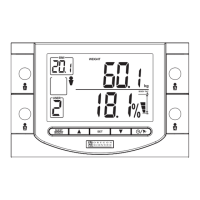
Body Fat Monitor
with Wireless Remote Display
(GR101)
User Manual
Table of Contents
Introduction..............................................
Key Features............................................
Getting Started.........................................
Unpacking the Product.......................
Placing the Units ................................
Quick Start..........................................
Guest Mode........................................
User Prole ..............................................
Setting User Prole ............................
User Prole Measurements................
Memory Mode ....................................
Other Settings..........................................
Alarm..................................................
Low Battery Warning ..........................
Reset..................................................
How the Body Fat Monitor Works..........
Body Mass Index................................
What is Body Mass Index
(BMI)? .........................................
How to Interpret BMI ...................
Body Fat Percentage .........................
What is Body Fat
Percentage?................................
How to Interpret Body Fat
Percentage..................................
How to Interpret Body Fat
Scale ...........................................
Body Water.........................................
What is Body Water? ..................
How to Interpret Body Water
levels...........................................
Weight Conversion Table........................
Troubleshooting Guide ...........................
Safety and Care .......................................
Warnings ..................................................
Specications ..........................................
About Oregon Scientic .........................
Introduction
Thank you for selecting the Oregon
Scientic™ Body Fat Monitor as your
healthcare product of choice. Your GR101
Body Fat Monitor is designed to give you
many years of reliable service. Some of
its features include:
Automatic calculation of weight,
body mass index (BMI), body
fat percentage, and body water
percentage/weight
Wireless Remote Monitor with
8-meter range and a large LCD
display
Patented step-on technology
that automatically turns on the
scale whenever you step onto it
(guest mode)
Storage of up to 4 different
height and age information for
four different users (guest mode
available)
Storage of up to 30 previously
recorded weight, BMI, body fat
percentage, and body water
percentage/weight

Questions and Answers

  • M
    Michael BellJul 31, 2025
    What to do if Oregon Scientific GR101 Scales show on the display?
    • N
      Nancy HaleJul 31, 2025
      If the Oregon Scientific Scales display , it could be due to several reasons. Ensure you remain still and the scale is on a flat surface, using the carpet feet if needed. If you are a guest user, wait until the LCD is blank before stepping on. If you have saved settings, wait until the display shows '0.0' before stepping on. Also, lift the scale up and place it back down to allow for self-calibration.
  • M
    matthewshahAug 5, 2025
    Why is my Oregon Scientific GR101 measurement inaccurate?
    • M
      Martin WardAug 5, 2025
      Inaccurate measurements from your Oregon Scientific Scales can stem from a few factors. Ensure the scale is on a flat, even, and hard surface, using the supplied carpet feet if necessary. Remove socks, shoes, and other heavy accessories. Verify that the entered gender, birth date, or height are correct in your user settings. Also, be aware that fluctuations in body fat during the day are normal, which can cause variations in measurements over a short period.
  • G
    Grant JohnsonAug 12, 2025
    What to do if Oregon Scientific GR101 show when weighing?
    • C
      Charles WatersAug 12, 2025
      If your Oregon Scientific Scales display during weighing, it indicates that the scale is overloaded. The maximum weight capacity is 150kg (330 lb / 23st - 8lb). Remove weight from the scale to resolve this.
  • C
    Christian PatelAug 18, 2025
    How to fix a dim or blank display on Oregon Scientific Scales Remote Monitor?
    • M
      Mr. James Crosby MDAug 18, 2025
      A dim or blank display on the Oregon Scientific Scales Remote Monitor is usually due to low or exhausted batteries. Replace them with new batteries. Also, ensure that the batteries are inserted correctly.
  • A
    angelabrownAug 25, 2025
    What to do if weight does not display on Oregon Scientific Scales?
    • D
      Donna BarronAug 25, 2025
      If the weight does not display on your Oregon Scientific Scales, retry measuring and wait until the Reception icon appears.

Summary

Understanding Body Fat Measurements

How to Interpret Body Fat Scale

Guidance on interpreting readings from the body fat scale.

Body Water Information

Details and interpretation of body water measurements.

Body Mass Index (BMI)

Explanation of BMI, its calculation, and interpretation guidelines.

Getting Started and Operation

Device Maintenance and Troubleshooting

Troubleshooting Common Issues

Guidance for resolving common problems with the device.

Safety Precautions and Specifications

Caring for the Body Fat Monitor

Guidelines for cleaning, maintenance, and proper storage.

General Safety Warnings

Important precautions for safe use of the device.

Oregon Scientific GR101 Specifications

General IconGeneral
BrandOregon Scientific
ModelGR101
CategoryScales
LanguageEnglish

Related product manuals
