2
EN
PRODUCT OVERVIEW
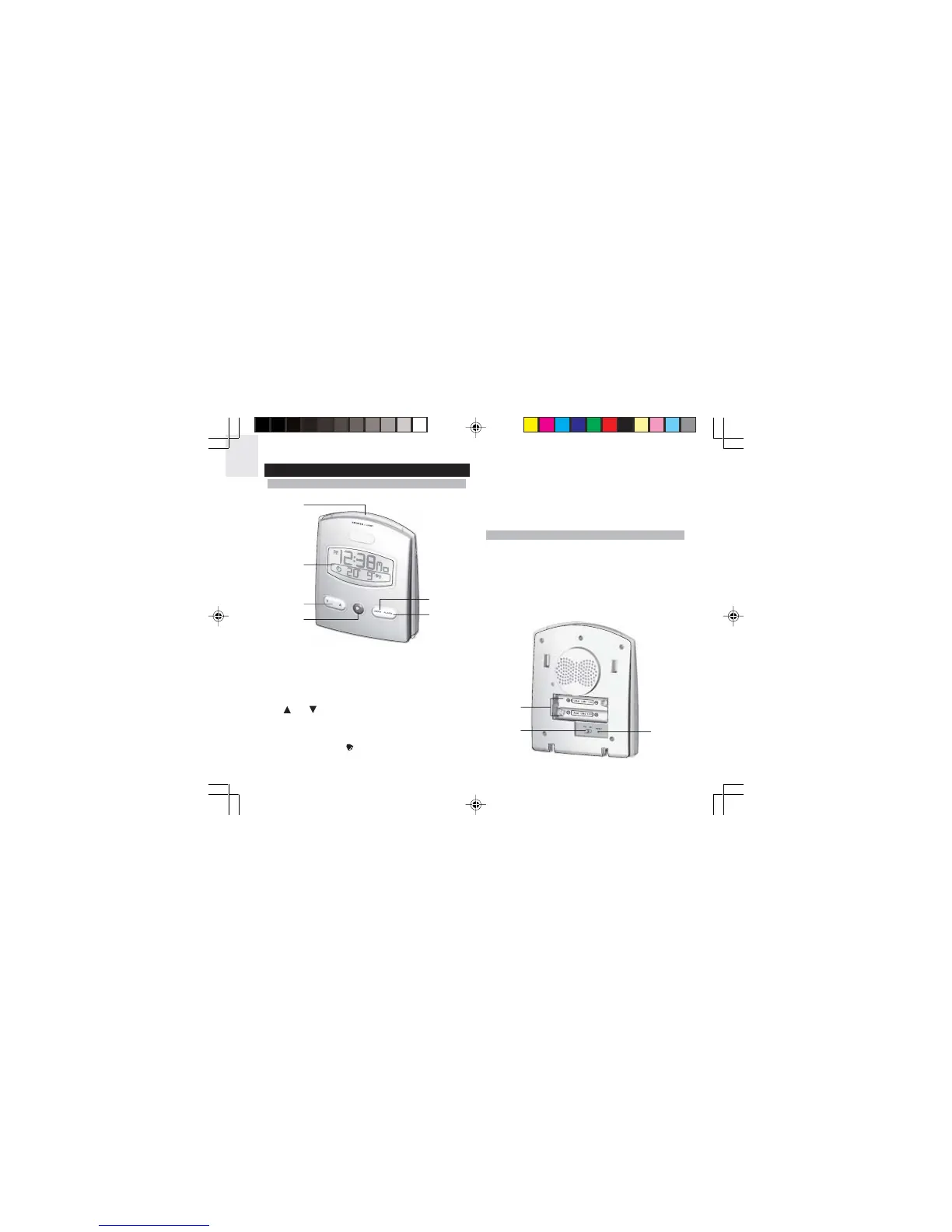
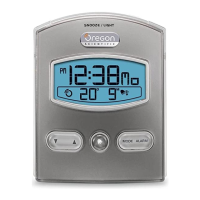
FRONT VIEW
1. SNOOZE / LIGHT button
• Enables snooze function when alarms go off
• Quick exit from settings (MODE and ALARM)
• Activates LCD backlight for 5 seconds
2. LCD Display
3.
and buttons
•Increases or decreases the value of a clock or
alarm setting
• Activates or deactivates radio signal reception
4. ALARM ON/OFF
button
• Activates or deactivates alarms
1
2
3
4
5
6
1
2
3
5. MODE button
• Toggles display modes and confirms entry in clock
setting mode
6. ALARM button
•Displays and sets time for the 2 alarms
• Repeat daily alarm(s)
BACK VIEW
1. Battery compartment
• Accommodates two UM-4 or “AAA” size batteries
2. EU / UK switch
• Switch to receive DCR-77 radio signal (Europe) or
MSF-60 (U.K.)
3. RESET hole
• Resets unit by returning all settings to factory
default values
RM926(EN4) 2/3/05, 11:21 AM2





 To Next Page