
 To Next Page
T
teresasanchezAug 14, 2025
How to fix the backlight on my Oregon Scientific Weather Station?
- NnicoleleeAug 14, 2025
To fix the backlight on your Oregon Scientific Weather Station, plug in the AC power adapter and check the BACKLIGHT switch.

How to fix the backlight on my Oregon Scientific Weather Station?
To fix the backlight on your Oregon Scientific Weather Station, plug in the AC power adapter and check the BACKLIGHT switch.
What to do if my Oregon Scientific Weather Station cannot change clock?
If you cannot change the clock on your Oregon Scientific Weather Station, disable auto-synchronization.
How to improve radio reception on my Oregon Scientific Starck PSM06A?
To improve radio reception on your Oregon Scientific Weather Station: * Select the correct radio format. * Adjust the antenna. * Place the clock near a window.
How to set up the barometer on Oregon Scientific Starck PSM06A Weather Station?
To set up the barometer on your Oregon Scientific Weather Station, set the altitude and unit.
Why is my Oregon Scientific Starck PSM06A clock not working?
If your Oregon Scientific Weather Station clock isn't working, try these steps: 1. Remove the batteries. 2. Press the reset button to return all memory items to default. 3. Replace the batteries. 4. Place the clock near a window, away from electrical devices, and wait 10-20 minutes. If it still fails, you may be too far from a signal.
What to do if my Oregon Scientific Starck PSM06A Weather Station remote unit isn't working?
If your Oregon Scientific Weather Station remote unit isn't working, check the batteries and the location of the unit.
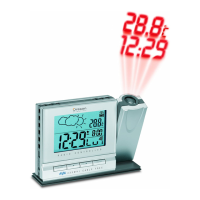
How to fix the Oregon Scientific Starck PSM06A Weather Station projector?
To fix the projector on your Oregon Scientific Weather Station, plug in the AC power adapter.
Why is the temperature not showing correctly on my Oregon Scientific Starck PSM06A Weather Station?
The temperature may not be displaying correctly on your Oregon Scientific Weather Station because the temperature is out-of-range.
How do I change the calendar language on my Oregon Scientific Weather Station?
To change the calendar language on your Oregon Scientific Weather Station, change the language setting.
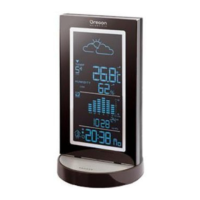
Introduces the product, manual, and lists package contents.
Details the main unit's top view, LCD display, back view, and bottom/side views.
Explains the components and features of the remote unit.
Instructions for batteries, AC adapter, remote unit setup, and reception.
Explains automatic clock synchronization and manual setting.
Instructions for setting, activating, deactivating, and snoozing alarms.
Details on date setting, moon phase, barometer, and weather forecast.
How to view temperature, humidity, comfort levels, and min/max records.
Guides on tuning, volume, station selection, and sleep timer for the radio.
Instructions for using the backlight and projector features.
Instructions for resetting the system and important safety and care guidelines.
Common problems, their symptoms, and recommended solutions.
Technical specs, additional resources, and EC conformity.
 General
| Brand | Oregon Scientific |
|---|---|
| Model | Starck PSM06A |
| Category | Weather Station |
| Type | Digital |
| Display Type | LCD |
| Temperature Measurement | Yes |
| Indoor Temperature | Yes |
| Outdoor Temperature | Yes |
| Temperature Range (Outdoor) | -20°C to 60°C |
| Humidity Measurement | Yes |
| Wireless Sensor | Yes |
| Wireless Transmission Range | Up to 30 meters |
| Power Source | Battery |
| Radio Controlled Clock | Yes |
| Temperature Range (Indoor) | 0°C to 50°C |
| Humidity Range | 25% to 95% |