EasyManua.ls Logo

Oregon Scientific WMR928N - User Manual

Oregon Scientific WMR928N
9 pages
Print Icon
To Next Page IconTo Next Page
Loading...
1
GB
CABLE FREE WEATHER
STATION
MODEL: WMR928N
USER’S MANUAL
SECTION 1 INTRODUCTION
Congratulations on your purchasing the WMR928N Cable Free
Weather Station. An all-purpose easy-to-use system, the WMR928N
lets you monitor the following weather elements:
- Air temperature
- Relative humidity
- Barometric pressure
- Wind speed and direction
- Rainfall
The WMR928N is also equipped with:
- RF calendar clock with daily alarm
- Weather forecast within 32 to 48 km (20- to 30-mile) radius
- Weather alarms
- Memory for maximum and minimum readings
- Simple, touch-screen operation
- RS232 PC connection jack
-
backlight
STANDARD PACKAGE
The original WMR928N comes complete with the following:
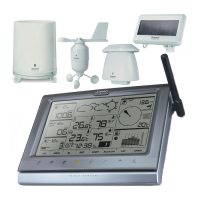
- Main unit (WMR928N)
- Anemometer (WGR918N)
- Thermo-hygrometer (THGR918N)
- Rain gauge (PCR918N)
- Baro-thermo-hygrometer (BTHR918N)
- 12V AC adapter
The thermo-hygrometer and rain gauge are powered by solar
transmitters STR928 while the anemometer is powered by solar
transmitter STR938.
The WMR928N can support up to seven different remote instruments.
You can also connect up to three optional thermo or thermo-hygro
sensors to the system.
Optional items include:
- Thermo-hygro sensor (THGR228N/THGR238N)
- Thermo sensor (THR228N/THR238N)
Contact an authorized dealer for optional items.
SECTION 2 INSTALLATION
The WMR928N operates at 433MHz. No wire installation is required
among units.
The WMR928N has an effective range of 100 meters in an open area.
Position the units within the range and be sure the transmission
path is clear of interference and obstacles.
Note:The anemometer, thermo-hygrometer and rain gauge should
be installed outdoors and in locations that best measure the weather
elements the instruments are designed for. As for the baro-thermo-
hygrometer, it must be installed indoors. If you have any optional
thermo or thermo-hygro sensors, they can be installed outdoors or
indoors.
THE ANEMOMETER
The anemometer measures wind speed and direction.
To install it,
1. Place the wind cup over the thinnest shaft on the anemometer’s
T-bar.
2. Tighten the screw on the base of the wind cup.
Question and Answer IconNeed help?

Do you have a question about the Oregon Scientific WMR928N and is the answer not in the manual?

Overview

The WMR928N Cable Free Weather Station is an all-purpose, easy-to-use system designed to monitor various weather elements and provide useful features for home weather enthusiasts. It operates at 433MHz, allowing for wireless communication between units with an effective range of 100 meters in an open area, provided the transmission path is clear of interference and obstacles.

Function Description

The primary function of the WMR928N is to monitor and display several key weather elements:

  • Air temperature: Both indoor and outdoor temperatures are measured.
  • Relative humidity: Indoor and outdoor humidity levels are tracked.
  • Barometric pressure: The system provides barometric pressure readings and a weather forecast.
  • Wind speed and direction: It measures current wind speed and direction, including gust wind.
  • Rainfall: The device tracks total rainfall and rainfall rate.

In addition to these core functions, the WMR928N offers several advanced features:

  • RF calendar clock with daily alarm: The clock is radio-controlled, automatically synchronizing its time and date when within range of the DCF77 radio signal from Frankfurt, Germany. Users can also set the clock manually and configure a daily alarm.
  • Weather forecast: The system provides a weather forecast within a 32 to 48 km (20- to 30-mile) radius, displaying conditions such as sunny, slightly cloudy, cloudy, and rainy.
  • Weather alarms: Users can set alarms for various weather conditions, including high/low temperatures (indoor, outdoor, channel), dew point approach, high/low humidity (indoor, outdoor, channel), high rainfall rate, pressure drop, high gust wind, and low wind chill.
  • Memory for maximum and minimum readings: The device stores maximum and minimum readings for most weather elements, along with the time and date they occurred.
  • RS232 PC connection jack: This allows for data transfer to a PC.
  • HiGlo backlight: The main unit features an automatic backlight that activates when a window is pressed or an alarm is triggered, provided it's connected to AC power.

Usage Features

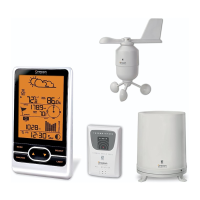
The WMR928N system comprises a main display monitor (WMR928N) and several remote instruments:

  • Anemometer (WGR918N): Measures wind speed and direction. It should be installed outdoors in a location that best measures wind elements.
  • Thermo-hygrometer (THGR918N): Measures outdoor temperature and humidity. It should be installed outdoors.
  • Rain gauge (PCR918N): Measures rainfall. It should be installed outdoors.
  • Baro-thermo-hygrometer (BTHR918N): Measures indoor atmospheric pressure, temperature, and humidity. This unit must be installed indoors.

The main unit is designed for indoor placement and is powered by a 12V AC adapter, with four "AA"-sized alkaline batteries for backup. The thermo-hygrometer and rain gauge are powered by solar transmitters (STR928), while the anemometer uses a solar transmitter (STR938). For optimal performance, especially in temperatures below 0°C, it is recommended to insert two "AA"-sized super lithium batteries into the solar transmitters. The baro-thermo-hygrometer uses four "AAA"-sized batteries.

The WMR928N can support up to seven different remote instruments, including up to three optional thermo or thermo-hygro sensors (THGR228N/THGR238N or THR228N/THR238N), which can be installed either outdoors or indoors.

Display and Navigation:

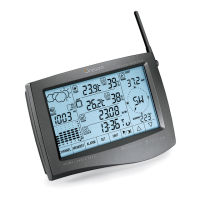
The main unit features a touch-screen interface with dedicated buttons for various functions:

  • CHANNEL button: Used to cycle through readings from different outdoor/channel sensors.
  • MEMORY button: Accesses maximum, minimum, and current readings, and clears memory records.
  • ALARM button: Sets and activates weather alarms.
  • SET button: Confirms settings.
  • UNIT button: Changes display units (e.g., °C/°F, mb/hPa/inHg/mmHg, m/s/kph/mph/knots).
  • ALARM ON/OFF button: Activates or deactivates alarms.
  • ▲/▼ buttons: Adjust settings or navigate through historical data.

Specific Usage Scenarios:

  • Setting the calendar clock and daily alarm: Involves pressing the RF calendar clock and alarm window, holding [▼] to disable radio reception (if manual setting is desired), then using [SET], [▲], and [▼] to configure time, date, and display formats.
  • Viewing weather forecast: The weather forecast is displayed in a dedicated window, showing one of four conditions: sunny, slightly cloudy, cloudy, or rainy.
  • Displaying barometric pressure: Users can select display units (mb, hPa, inHg, mmHg) and view pressure history in a six-column bar chart. Sea-level pressure can also be set.
  • Monitoring indoor temperature and humidity: The indoor baro-thermo-hygrometer provides these readings, which can be displayed in °C or °F. Dew point temperature can also be viewed.
  • Monitoring outdoor/channel temperature and humidity: Readings from the outdoor thermo-hygrometer and optional sensors are displayed. The system can also show dew point temperature and wind chill.
  • Auto scanning function: For outdoor/channel temperature and humidity, the main unit can automatically scan and display each channel for about 4 seconds.
  • Rainfall monitoring: Displays rainfall rate (mm/hr or in/hr), yesterday's rainfall, and total rainfall since the last clear date.
  • Wind speed and direction: Displays current wind speed and direction, average wind speed, and maximum gust wind speed and direction. Wind direction is shown on a digital compass with bearing readouts.

Low-Battery Warning:

The system provides low-battery indicators for the main unit, rain gauge, baro-thermo-hygrometer, thermo-hygrometer, and optional remote sensors. These indicators light up when batteries need replacement. If the low-battery indicator for an optional remote sensor blinks, pressing the window to scan through devices will help identify the specific channel with low battery.

Disconnected Signals:

If the main unit display goes blank or shows "- - -", users should press and hold [CHANNEL] to initiate an immediate search for signals. If this fails, checking battery status for all units and ensuring units are within range and free of obstacles is recommended.

Maintenance Features

The WMR928N is engineered for years of satisfactory service with proper handling:

  • Avoid water immersion: Do not immerse the unit in water. If contact occurs, dry it immediately with a soft, lint-free cloth.
  • Use non-abrasive cleaners: Do not clean the unit with abrasive or corrosive materials, as these can scratch plastic parts or corrode electronic circuits.
  • Protect from extreme conditions: Avoid subjecting the unit to excessive force, shock, dust, temperature, or humidity, which can lead to malfunction or damage.
  • No user-serviceable parts: Do not tamper with the unit's internal components, as this will void the warranty and may cause damage.
  • Battery usage: Only use new batteries of the specified type. Do not mix new and old batteries, as old batteries may leak.
  • Thorough manual review: Read the instruction manual thoroughly before operating the unit to ensure correct usage.

The RESET Button:

This button is used only when the system is operating unfavorably or malfunctioning. Using a blunt stylus to hold down the button will return the main unit to all default settings and initiate a search for signals. Before resetting the main unit, it is recommended to reset all weather instruments to ensure correct transmission and reception of signals.

Oregon Scientific WMR928N Specifications

General IconGeneral
TypeWireless Weather Station
Humidity Range20% to 95%
Rainfall MeasurementYes
Frequency433 MHz
DisplayLCD
Power SourceAC adapter or batteries
MemoryYes
Weather ForecastYes
Temperature Range (Indoor)0°C to 50°C
Rainfall Range0 to 9999 mm
Wireless RangeUp to 100 m
Sensorsrain gauge
Transmission RangeUp to 100 m
Power (Base Station)4 x AA batteries
Power (Remote Sensors)2 x AA batteries
PC ConnectivityYes
AlarmsYes
Temperature Range (Outdoor)-40°F to 140°F (-40°C to 60°C)

Related product manuals