11
Battery Models BX975 and BX650
Troubleshooting
Troubleshooting
The Oregon
®
V Professional Series batteries have the ability to self-diagnose issues.
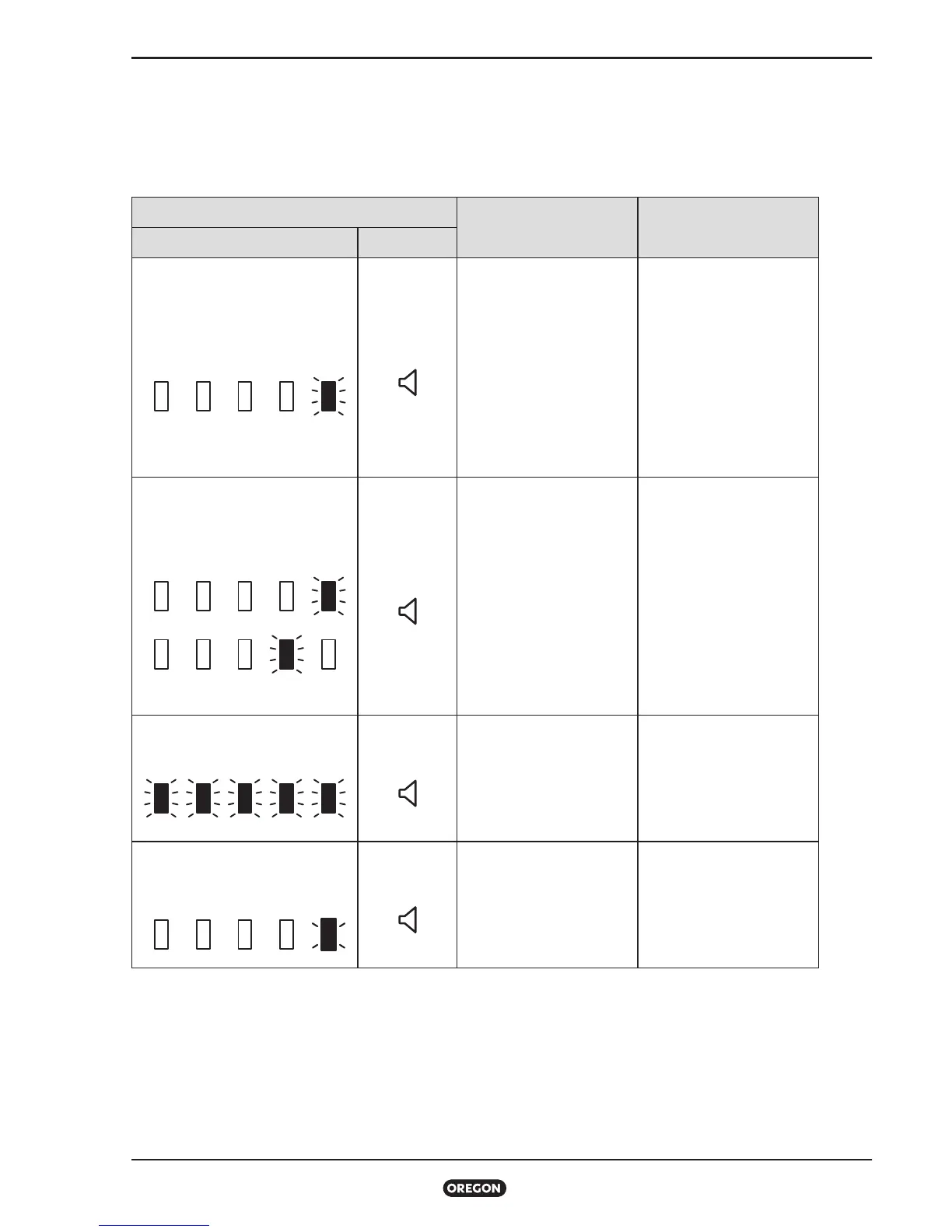
Below is a table of fault codes the battery can display through the battery indicator.
INDICATORS
POSSIBLE CAUSE
RECOMMENDED
ACTION
LEDs SOUND
1 short, 1 long red blink
(repeating)
none
Battery internal
temperature is too hot or
too cold.
Remove the battery
and allow it to return
to a proper operating
temperature before
using it with a tool again.
Before charging,
place the battery in an
environment that meets
the recommended
charge temperatures.
Alternating red and green LEDs
(repeating)
none
Too much current is
being drawn from
battery.
Other fault.
• Disconnect battery
from tool and wait
15 seconds before
reconnecting.
• Try a different battery.
• Replace tool or power
cord.
• Contact an Oregon
dealer or representative
for further instructions.
Rapid flashing of all LEDs
none
Battery failure requiring
service.
Contact Oregon for
further instructions.
Constant red LED blink
(repeating)
none
Battery has very low
voltage.
Plug the battery into a
charger at the earliest
convenience.
To ensure the safety of this product is maintained, servicing should only be performed by an
authorized Oregon repair shop using only identical replacement parts.



 To Next Page