EasyManua.ls Logo

Oregon Professional Series - User Manual

Oregon Professional Series
58 pages
Print Icon
To Next Page IconTo Next Page
Loading...
Oregon
®
120V Professional Series
EHT120VX-NA
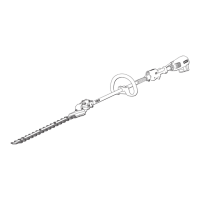
Extended Hedge Trimmer /
Taille-haie tube long / Cortasetos extendido
Original Instruction Manual
Manuel d’instruction original
Manual de instrucciones original

Table of Contents

Other manuals for Oregon Professional Series

Questions and Answers

  • L
    Lisa CookSep 14, 2025
    What does it mean when my Oregon Blower has 4 green and 1 red continuous lights?
    • J
      John GillSep 14, 2025
      If your Oregon Blower displays 4 green and 1 red continuous lights, it indicates a failed dashboard. Replace the dashboard.
  • K
    kimberlyhartAug 25, 2025
    What to do if my Oregon Professional Trimmer shows 1 continuous red light?
    • T
      Teresa JamesAug 25, 2025
      If you see one continuous red light on your Oregon Trimmer, it indicates that the cutting head is jammed. Disconnect the battery plug from the tool and remove any obstructions from the cutting head.
  • A
    Alexa RobertsAug 25, 2025
    What does it mean if my Oregon Professional has 1 slow blinking red light?
    • D
      David WelchAug 26, 2025
      A slow blinking red light on your Oregon Trimmer indicates that the battery is fully discharged. You will need to charge the battery.
  • K
    Kimberly BeckAug 26, 2025
    What to do if my Oregon Trimmer shows 2 short, 1 long blinking red light?
    • J
      Jesse StaffordAug 27, 2025
      If your Oregon Trimmer is showing 2 short, 1 long blinking red light, it means the tool is overheating. Allow the tool to cool down and check for any blocked vents that may be restricting airflow.
  • M
    Michelle ClarkSep 15, 2025
    What to do if my Oregon Blower has 4 green, 1 red and 1 blue quick blinking lights?
    • D
      David DavisSep 15, 2025
      If your Oregon Blower shows 4 green, 1 red, and 1 blue quick blinking lights, it indicates a hardware fault. Unplug the tool, wait 30 seconds, and plug it back in. If the issue persists, contact an authorized repair center to service the tool.
  • M
    Mitchell VangSep 23, 2025
    What to do if my Oregon Blower has 4 green, 1 red, 1 blue quick blinking lights?
    • S
      Sergio McdowellSep 23, 2025
      If your Oregon Blower shows 4 green, 1 red, and 1 blue quick blinking lights, it indicates a hardware fault. Unplug the tool, wait 30 seconds, then plug it back in and have the tool serviced by contacting an authorized repair center.
  • B
    Brittany MillerSep 7, 2025
    Why Oregon Camera Accessories blink 1 short, 1 long red?
    • D
      Donna HerringSep 7, 2025
      If the Oregon Camera Accessories battery internal temperature is too hot or too cold, the device will show 1 short, 1 long red blink. You should remove the battery and allow it to return to a proper operating temperature before using it with the tool again. Before charging, place the battery in an environment that meets the recommended charge temperatures.
  • A
    Andrea RhodesSep 8, 2025
    Why won't my Oregon Blower start?
    • J
      Johnathan KnightSep 8, 2025
      If your Oregon Blower doesn't start, make sure you're pulling the trigger. Also, check that the plug is fully inserted into the socket to ensure it has power.
  • D
    Diana MorganSep 2, 2025
    What does it mean if my Oregon Professional shows alternating green and red lights?
    • R
      Robert HowardSep 2, 2025
      This indicates a battery fault. Try using a different battery.
  • A
    austinjessicaAug 31, 2025
    What to do if my Oregon Professional Trimmer battery is fully discharged?
    • T
      Teresa WintersAug 31, 2025
      Charge the battery.

Summary

Important Safety Information

Safety Signal Definitions and General Warnings

Defines safety symbols and provides general warnings for power tool operation, work area, and electrical safety.

Personal Safety and Tool Handling

Covers user alertness, protective equipment, and proper handling and care of the power tool for safe operation.

Battery Safety and Extended Trimmer Operation

Details safety for battery use, charging, and specific warnings for extended-reach hedge trimmer operations.

Safety Symbols Explained

Illustrates and explains the meaning of various safety symbols used on the product for user protection.

Product Overview at a Glance

Unpacking and Assembly

Unpacking the Hedge Trimmer

Instructions for unpacking the hedge trimmer and checking for any damaged or missing parts.

Initial Assembly Steps

Details the first steps of assembling the hedge trimmer, focusing on securing key components.

Connecting Drive Tube and Handle

Continues assembly steps, focusing on connecting the drive tube, harness loop, and front handle securely.

Operation

Intended Use and Pre-Operation Checks

Defines the intended use and outlines essential checks before starting the hedge trimmer.

Battery Carrier and Harness Fitting

Instructions for fitting the battery carrier, battery, and adjusting the harness for comfortable operation.

Starting, Stopping, and Stealth Mode Operation

Guides on safely starting, stopping, and utilizing the Stealth Mode feature for optimal performance.

Dashboard Indicators and Status

Explains the meaning of dashboard LED indicators for battery status and potential tool faults.

Blade Adjustment and Cutting Techniques

Details how to adjust cutting blades and describes effective techniques for various trimming scenarios.

Maintenance

Lubricating the Gearbox

Instructions for lubricating the gearbox, including grease type and frequency of application.

Blade Sharpening and Maintenance

Guidance on keeping cutting blades sharp, free of nicks, and when to replace them for optimal performance.

Tightening Blade Attachment Screws and Nuts

Procedures for periodically checking and tightening blade attachment screws and nuts for secure connection.

Troubleshooting Common Issues

Specifications

Hedge Trimmer Technical Specifications

Lists technical specifications for the hedge trimmer, including weight, length, speed, and noise rating.

Operating and Storage Temperature Ranges

Specifies the acceptable temperature ranges for operating, charging, and storing the equipment.

California Emission Control Air Index Information

Provides information regarding the California Emission Control Air Index for the engine.

Commercial Warranty and Service

Limited Warranty Coverage Details

Details the terms of the limited warranty for the Oregon Professional Series products.

Servicing Equipment Guidelines

Guidelines for servicing equipment, recommending authorized service centers and genuine parts.

Customer Service Contact Information

Provides customer service contact details for warranty and service inquiries.

California Emission Control Warranty Statement

California Warranty Rights and Obligations

Outlines the warranty rights and responsibilities of the owner and manufacturer for emission control systems.

Manufacturer and Owner Responsibilities

Details manufacturer coverage and owner responsibilities for maintenance and proper use of emission control systems.

Register Your Oregon Equipment Online

Oregon Professional Series Specifications

General IconGeneral
Power SourceGasoline
Engine Displacement25.4 cc
Cutting Width17 inches
Shaft TypeStraight
TypeTrimmer
Engine Type2-stroke

Related product manuals