16
OPERATING THE TRIMMER/EDGER
OREGON® Cordless Tool System
TRIMMER/EDGER MODEL ST250
AF 0513 - F/N 558937
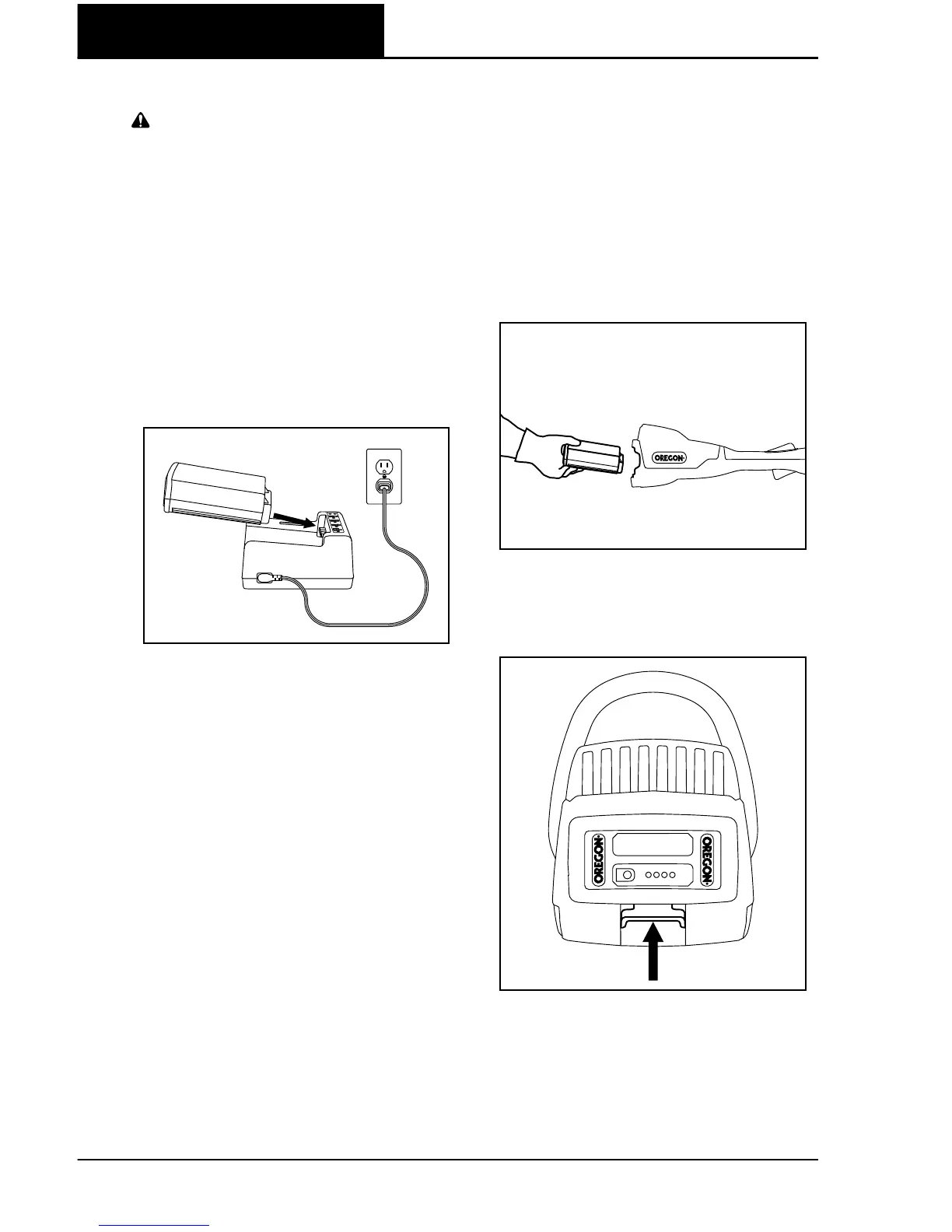
CHARGING THE BATTERY PACK
WARNING: FAILURE TO FOLLOW
PROPER CHARGING PROCEDURES
MAY CAUSE EXCESSIVE VOLTAGE,
EXCESSIVE CURRENT FLOW, LOSS
OF CONTROL DURING CHARGING,
LEAKAGE OF HAZARDOUS
CHEMICALS, HEAT GENERATION,
BURSTING, OR FIRE.
With the charger cord connected to the
charger and plugged into an electrical
outlet, align the grooves in the battery
with the rails on the charger and slide the
battery pack onto the charger until fully
seated (Fig. ).
Check the charge-state indicator for
charging conditions.
INSERTING AND RELEASING
THE BATTERY PACK
Only use the OREGON® brand battery
packs specified in these operating
instructions.
Align the groove in the battery with the
rails inside the battery port. Firmly insert
the battery pack into the trimmer/edger’s
battery port, pressing forward until it
clicks as it locks into place (Fig. ).
To remove the battery pack, lift up on
the battery release and remove the pack
(Fig. ).
FIG. 9
FIG. 10
FIG. 11



 To Next Page