EasyManua.ls Logo

Oregon ST250 - User Manual

Oregon ST250
84 pages
Print Icon
To Next Page IconTo Next Page
Loading...
AF 0513 - F/N 558937
ORIGINAL INSTRUCTION MANUAL
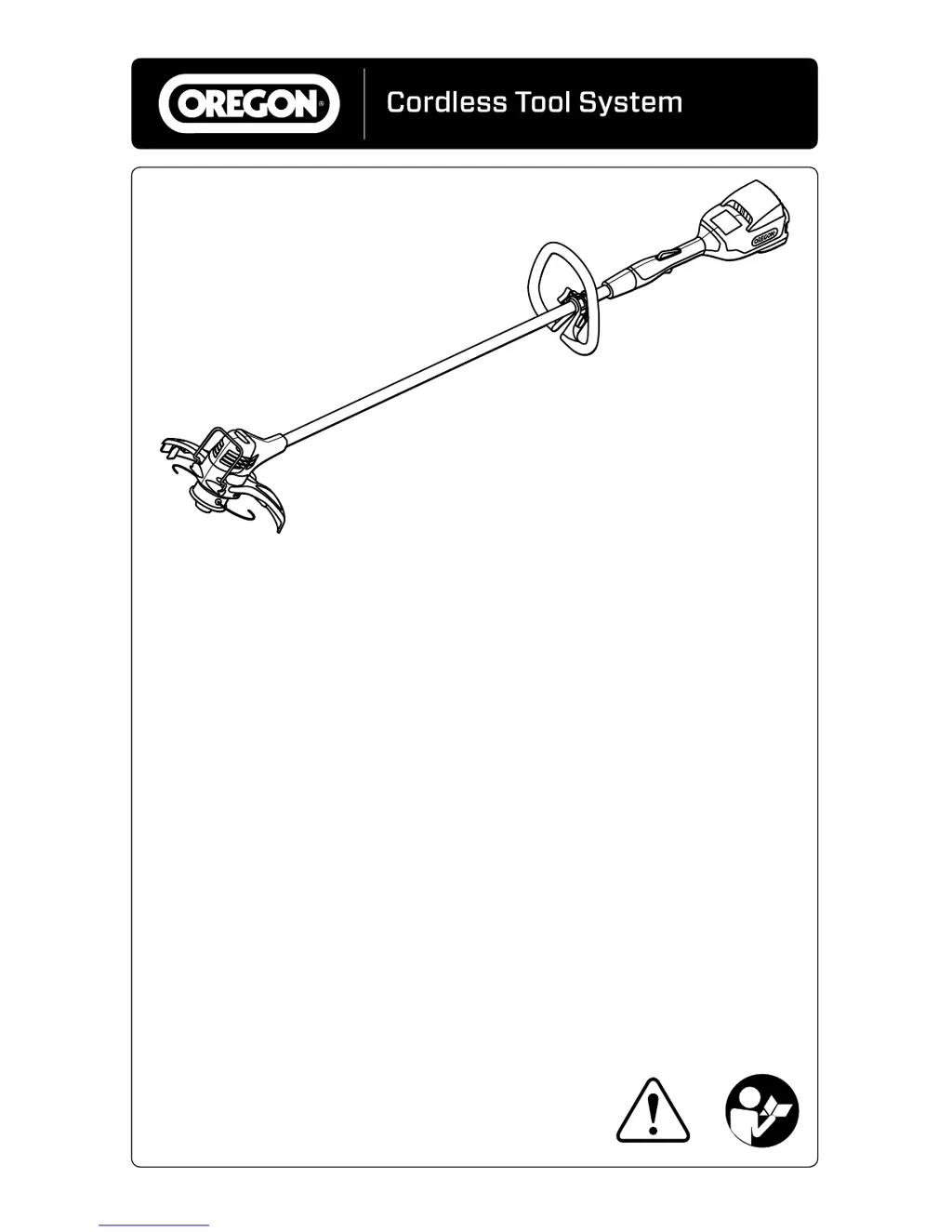
TRIMMER/EDGER MODEL ST250
MANUEL D’INSTRUCTIONS ORIGINAL
TAILLE-BORDURE/COUPE-BORDURE
MODÈLEST250
MANUAL DE INSTRUCCIONES ORIGINAL
PODADORA/BORDEADORA MODELO ST250

Table of Contents

Questions and Answers

  • M
    Michael GarciaAug 21, 2025
    Why does my Oregon ST250 line wear out quickly?
    • K
      Kimberly WilsonAug 22, 2025
      Your Oregon Trimmer line might be wearing out quickly due to: * Using a higher cutting speed than necessary: Apply less pressure to the throttle trigger. * Employing an improper cutting technique: Avoid forcing the trimmer head against hard surfaces. Slowly move the trimmer head in until the edge of the trimmer line strikes the grass or weeds.
  • T
    Todd WrightAug 27, 2025
    What to do if my Oregon ST250 line does not feed?
    • B
      Bryan MullinsAug 27, 2025
      If the trimmer line on your Oregon Trimmer isn't feeding, it could be due to: * An empty spool. * Tangled trimmer line: Remove the trimmer line from the spool, untangle, and rewind. To minimize tangled line, use only .080 in (2 mm) Platinum Gatorline™.
  • G
    gfoleyAug 28, 2025
    Why does my Oregon Trimmer/Edger not cut properly?
    • K
      Kenneth HendersonAug 28, 2025
      Your Oregon Trimmer/Edger might not be cutting properly because: * Grass is wound between the shaft and trimmer head. * The spool is empty.
  • T
    Thomas ReidAug 30, 2025
    What to do if the Oregon ST250 Trimmer motor does not run?
    • J
      Jerry CurtisAug 30, 2025
      If the motor of your Oregon Trimmer does not run or runs intermittently, several issues could be the cause. First, the battery may be discharged, requiring a recharge. Second, ensure the trigger lock-out is pressed before squeezing the throttle trigger. Third, check that the battery pack is fully inserted until it clicks into place. Also, the battery contacts might be dirty; remove the battery pack, clear any debris, and clean the contacts with a dry cloth. If the battery pack is cold, allow it to warm up to at least 0°C (32°F). Lastly, the trimmer/edger may have overheated, it will automatically reset once it cools below 40°C (104°F).
  • C
    Christopher GibsonSep 1, 2025
    Why is my Oregon Trimmer line wearing out so quickly?
    • M
      msalazarSep 1, 2025
      The trimmer line on your Oregon Trimmer might be wearing out quickly due to a higher cutting speed than necessary, so apply less pressure to the throttle trigger. Another cause may be improper cutting technique; avoid forcing the trimmer head against hard surfaces and slowly move it until the edge of the trimmer line strikes the grass or weeds.
  • J
    Jose JohnsonSep 3, 2025
    What to do if the Oregon ST250 Trimmer battery pack does not charge?
    • L
      Lisa CobbSep 3, 2025
      If the battery pack of your Oregon Trimmer does not charge, there are several potential reasons. The battery pack over/under temperature protection may be activated, so allow the battery pack to reach the acceptable temperature range before charging. Also, check for dirty or damaged contacts on the battery pack or charger, clean them, and ensure the battery is fully seated in the charger. If the battery pack is old (more than two years or frequently recharged), it may need replacing with a specified battery pack. If none of these resolve the issue, the charger may be faulty.
  • M
    Matthew JonesSep 5, 2025
    Why is the Oregon Trimmer/Edger vibrating excessively during use?
    • Y
      Yolanda GonzalezSep 6, 2025
      Excessive vibration in your Oregon Trimmer/Edger during use can be due to a damaged trimmer head. Alternatively, the trimmer head cover might not be seated properly; remove and reinstall it, ensuring the tabs line up with the slots on the trimmer head.
  • C
    Christine PattersonSep 8, 2025
    Why Oregon Trimmer line does not feed?
    • G
      Greg YorkSep 8, 2025
      If the trimmer line on your Oregon Trimmer does not feed, it could be because the spool is empty. Also, the trimmer line might be tangled. Remove the trimmer line from the spool, untangle it, and rewind it. To minimize tangling, use only 2 mm (.080 in) Platinum Gatorline™.
  • J
    Jeanette CampbellSep 10, 2025
    Why is my Oregon ST250 Trimmer/Edger not cutting properly?
    • M
      Mrs. Elizabeth DominguezSep 10, 2025
      Your Oregon Trimmer/Edger might not be cutting properly if grass is wound between the shaft and trimmer head. Another potential reason is that the spool is empty.
  • M
    Michelle DuffySep 12, 2025
    Why is there a blinking orange light on my Oregon ST250 Trimmer charge state indicator?
    • L
      luis44Sep 12, 2025
      A blinking orange light on the charge state indicator of your Oregon Trimmer suggests a charger short circuit, charger over current, over voltage limit, open circuit on battery pack, or charge/pre-charge time out error. Ensure the charger cord is correctly connected to both the charger and the electrical outlet and that the charger is receiving the correct voltage. You can also try charging another battery pack designed for this charger.

Summary

Symbols and Labels

Class II Construction

Designated double insulated construction for tools.

Safety Alert Symbol

Indicates text explaining danger, warning, or caution.

Read Instructions

Emphasizes reading and following important safety information.

Wear Eye Protection

Advises wearing eye protection when operating the trimmer/edger.

Wear Long Pants

Advises wearing long pants when operating the trimmer/edger.

Wear Foot Protection

Advises wearing appropriate closed-toe work boots.

Prohibited Blades

Instruction not to install metal or plastic cutting blades.

Sound Power Level

Specifies the sound power level is 76 dB.

Disposal Restrictions

Prohibits incineration and advises recycling.

Environmental Condition Warnings

Warnings regarding rain exposure and indoor use only.

Inspection and Temperature Guidelines

Guidelines for power supply inspection and battery operating temperature.

Safety Rules

Introduction

Describes the trimmer/edger's purpose and inherent risks.

General Power Tool Safety Warnings

Essential safety warnings applicable to all power tools.

Work Area Safety

Guidelines for maintaining a safe and clean work environment.

Electrical Safety

Precautions related to electrical hazards and power tool usage.

Personal Safety

Power Tool Use and Care

Battery Tool Use and Care

Safe handling, charging, and storage of battery packs.

Service Requirements

Recommendations for qualified repair and use of replacement parts.

Trimmer;Edger Safety Warnings

Storage, Transporting, and Disposal

Guidelines for safely storing, transporting, and disposing of the tool.

Battery Safety

Charger Safety

Product Identification

Know the Trimmer;Edger Components

Diagram identifying key parts of the trimmer/edger.

Specifications and Components

Replacement Components

List of replacement parts and their corresponding part numbers.

Charger Specifications

Technical details for the battery charger.

Battery Pack Specifications

Technical details for the battery packs.

Trimmer;Edger Specifications

Technical specifications for the trimmer/edger unit.

Trimmer;Edger Names and Terms

Operator Safety Terms

Definitions for bystander safety and trigger lock-out.

Operational Terms

Definitions for cutting speed, edging, and trimming.

Component Terms

Definitions for various trimmer/edger parts.

Unpacking and Assembly

Unpacking Instructions

Lists items included and inspection steps after unpacking.

Attaching the Front Handle

Step-by-step guide for attaching the front handle.

Attaching the Guard

Operating the Trimmer;Edger

Battery Pack and Charger Indicators

Explanation of LED indicators for battery charge and charger status.

Connecting the Charger

Instructions for connecting the charger to power.

Charging the Battery Pack

Inserting and Releasing the Battery Pack

General Operation

Grip and Footing

Guidance on proper grip, stance, and balance during operation.

Starting and Stopping

Instructions for safely starting and stopping the trimmer/edger.

Controlling Trimmer Head Speed

Advancing Trimmer Line

Trimming Technique

Edging Technique

Maintenance and Cleaning

Trimmer;Edger Inspection

Procedures for inspecting the trimmer/edger for wear and damage.

Cleaning the Trimmer;Edger

Instructions for cleaning the tool and its components.

Replacing Trimmer Line

Disassembling the Trimmer Head

Reassembling the Trimmer Head

Removing and Replacing the Trimmer Head

Correcting Grass Bind

Battery Pack Maintenance

Charger Maintenance

Troubleshooting

Motor and Head Operation Issues

Solutions for motor not running or intermittent operation.

Cutting and Line Feed Issues

Solutions for improper cutting and trimmer line feed problems.

Vibration and Damage Issues

Solutions for excessive vibration and trimmer head damage.

Battery Charging and Performance Issues

Charger Indicator and Error Issues

Warranty and Service

Warranty Details

Information on warranty periods and coverage for products.

Service and Support Information

Contact details and website for service and replacement parts.

Oregon ST250 Specifications

General IconGeneral
BrandOregon
ModelST250
CategoryTrimmer
LanguageEnglish

Related product manuals