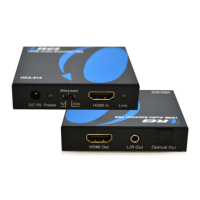
The OREI DA25 is an eARC/ARC to analog audio converter, designed to convert HDMI (eARC & ARC) digital audio signals from a TV into analog audio signals. This device is compact, with dimensions of 52x52x25mm and a weight of 34g, making it a portable and unobtrusive solution for audio connectivity needs.
Function Description:
The primary function of the DA25 is to bridge the gap between modern TVs that output audio via HDMI ARC/eARC and older audio systems that rely on analog inputs. It takes the digital audio stream from the TV's HDMI ARC/eARC port and converts it into two types of analog audio outputs:
- RCA R/L: For connecting to stereo receivers, amplifiers, or other audio equipment with RCA inputs.
- 3.5mm AUX: For connecting to headphones, portable speakers, or other devices with a 3.5mm audio jack.
A key feature is that both the RCA R/L and 3.5mm AUX outputs can operate simultaneously, providing flexibility in how users connect their audio devices. The converter supports stereo PCM (Pulse Code Modulation) and LPCM 2.0 Channel audio formats, with a maximum sampling rate of 192KHz and 24 bits. This ensures high-quality audio conversion, dependent on the maximum audio resolution of the source.
The device includes a power on/off switch for convenient control and an LED indicator that lights up blue when the device is powered on, providing a visual cue of its operational status. Its plug-and-play design simplifies installation and use.
Important Technical Specifications:
- Product Size: 52x52x25mm
- Product Weight: 34g
- LED Status: Blue light when powered on, no light when powered off.
- Input: HDMI (specifically HDMI ARC/eARC from a TV).
- Outputs:
- RCA R/L (stereo analog audio)
- 3.5mm Aux (stereo analog audio)
- Audio Signal Support: LPCM 44 KHz, 48KHz, 96KHz, 192KHz (stereo PCM / LPCM 2.0 Channel, up to 24 bits, depending on source resolution).
- Power: DC 5V / 0.6A via Micro USB.
Usage Features:
The DA25 is designed for straightforward installation and operation. The general installation process involves:
- Connecting Audio Output: Connect an RCA cable from the "RL OUT" of the converter to the RCA input of your audio equipment, or connect a 3.5mm AUX cable from the "AUX OUT" of the converter to the 3.5mm audio input of your audio device. Both outputs can be used concurrently.
- Connecting HDMI Input: Connect an HDMI cable from the ARC/eARC HDMI Port of your TV to the HDMI input on the DA25.
- Powering the Device: Connect the included AC/DC adapter to the DA25's Micro USB power input.
- Configuring TV Audio: Access your TV's audio settings and ensure that the audio output is set to the ARC port and that the output format is PCM 2 CH. This step is crucial for the converter to receive the correct audio signal. Refer to your TV's user manual for specific instructions on these settings.
- Powering On: Turn on the power switch on the DA25 and any connected audio devices.
The device is "plug & play," meaning it generally does not require complex software installations or configurations beyond ensuring the TV's audio output settings are correct. The power on/off switch provides direct control over the device's power state.
Maintenance Features:
The DA25 is designed to be a low-maintenance device. Key maintenance guidelines and safety reminders include:
- No User Serviceable Parts: Users should not attempt to repair the device or open its enclosure, as there are no user-serviceable components inside.
- Environmental Protection: Protect the product from extreme temperatures, direct sunlight, strong jolts, high humidity, moisture, flammable gases, vapors, and solvents. It is intended for indoor use only.
- Mechanical Stress Avoidance: Do not place the product under any mechanical stress.
- Power Supply: Always use the included DC5V power adapter. If using a third-party DC power adapter, ensure its specifications match those required by the DA25 (DC 5V / 0.6A).
- Cable Connections: Ensure all HDMI cables and audio cables are securely plugged into the correct ports to prevent connection issues and ensure proper functionality.
- Troubleshooting (No Audio Output): If there is no audio output, verify that your audio system's power is on and the correct source input is selected. Also, confirm that all audio cables are connected without any issues.
The DA25 incorporates HDMI® technology, and the terms HDMI, HDMI High-Definition Multimedia Interface, and the HDMI Logo are trademarks or registered trademarks of HDMI Licensing LLC.

 Need help?
 General

 To Next Page