page 17
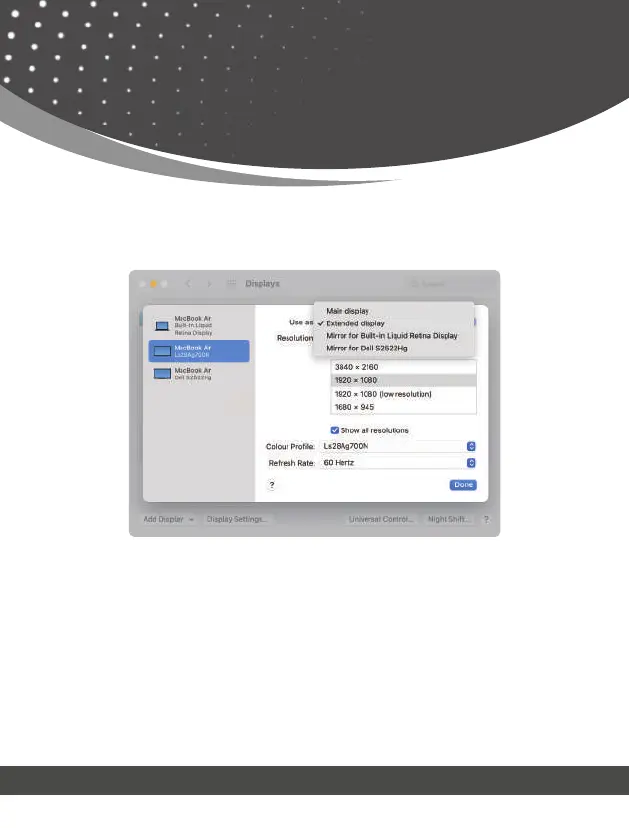
Display Mode Setting
3. Click “Display Setting”, and choose each connected display to set correct resolution and
mode.
Note :
1. Please note that Mac-based devices do not support rotation mode, but M1/M2 Mac
supports clamshell mode while Intel Mac does not.
2. To use this adapter, your USB-C™/USB3.0 equipped device must support USB 3.0 data
transmission.
3. Please be aware that this adapter does not support playback of HDCP-protected content
on sites like Netix and Hulu.


 To Next Page