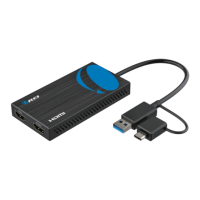
Q: My USB 3.0 to HDMI Dual Display Adapter is not working.
What should I do?
A: First, please check the following:
Q: My second display ickers when I use the adapter.
What could be causing this?
A: This may be caused due to loose tting cables or incompatible video source or USB ports
page 20
Troubleshooting
Common Issues
1. Ensure that your device's USB port has a current output of 900mA or more. If not, try a
dierent port.
2. Check if the correct drivers have been installed on your device.
3. Make sure that your HDMI cable and adapter are securely connected to your device.
4. Verify that your video source is compatible with the adapter.
5. Restart your device and see if this resolves the issue.
1. Make sure the HDMI cable and adapter are securely connected.
2. Try using a dierent HDMI cable to see if this resolves the issue.
3. Check that your device is providing sucient power to the adapter (900mA or more).
4. Verify that your video source is compatible with the adapter.
5. Try using a dierent USB 3.0 port or restarting your device.


 To Next Page