EasyManua.ls Logo

Oricom CARE620-1 - User Manual

Oricom CARE620-1
84 pages
Print Icon
To Next Page IconTo Next Page
Loading...
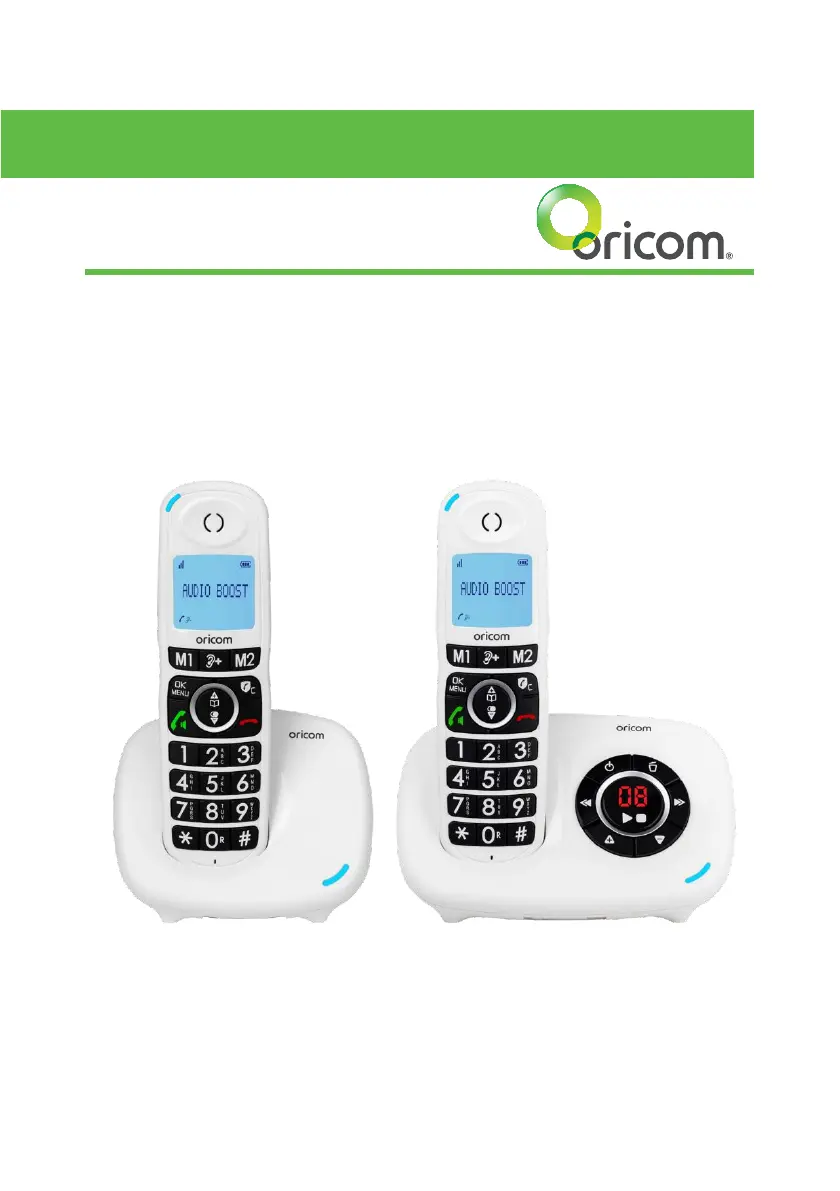
CARE620/CARE820
Amplified Big Button Cordless Phone
USER GUIDE
Keep this user guide for future reference. Always retain your proof of
purchase in case of warranty service.

Questions and Answers

  • J
    jburtonAug 9, 2025
    What to do if Oricom Handsets display 'OUT OF RANGE'?
    • B
      brian89Aug 9, 2025
      If your Oricom Handsets display 'OUT OF RANGE', it could be due to a couple of reasons. First, the base station might be too far away. Try reducing the distance between the handset and the base station. Second, the base station might not be properly connected to the mains. Ensure the base station is connected to the power outlet.
  • V
    Victoria BenjaminAug 14, 2025
    Why is there no dialing tone when pressing TALK ON key on Oricom Handsets?
    • J
      Justin ThomasAug 14, 2025
      If you don't hear a dialing tone when pressing the TALK ON key on your Oricom Handsets, there might be a few reasons: * The connection cord of the base station may not be plugged in. Check all connections, unplug and plug back in the mains, and ensure the telephone line cord is connected to both the base station and the phone socket. * The adaptor cord may not be correctly plugged into the base station. Check the base station and mains plugs are connected correctly by removing and plugging them back in. * The line may be busy. Wait until the line is free.
  • J
    Jared LeeAug 19, 2025
    What to do if incoming calls are blocked on Oricom Handsets?
    • Z
      zmcbrideAug 19, 2025
      If incoming calls are being blocked on your Oricom Handsets, here's what to check: * First, examine if 'BLOCK SET.' is set to 'VIP OK' or 'CONTACTS OK'. If it is, change 'BLOCK SET.' to 'OFF'. * Second, verify if 'BLOCK SET.' is set to 'ON' and whether the incoming call number is on the blocklist. If it is, remove the number from the blocklist. * Turn on answering machine.
  • F
    Felicia MillerAug 25, 2025
    What to do if Oricom Handsets have no display?
    • R
      Rodney BerryAug 26, 2025
      If your Oricom Handsets have no display, the battery is likely empty. Recharge the battery.
  • D
    Danielle BlakeAug 29, 2025
    What to do when Oricom Handsets are connected to a PBX, but there is no and/or wrong connection after dialing?
    • P
      pthompsonAug 29, 2025
      If you experience no or wrong connection after dialing when your Oricom Handsets are connected to a PBX, a dialing prefix might be needed. Insert the appropriate dialing prefix.
  • C
    Christine FieldsSep 3, 2025
    Why does recording stop on Oricom Handsets while recording an outgoing message or listening to messages?
    • J
      Jessica TylerSep 4, 2025
      If the recording stops while you are recording an outgoing message or listening to messages on your Oricom Handsets, it's probably because you are receiving a call. Answer the incoming call and try again to record your outgoing message later.

Oricom CARE620-1 Specifications

General IconGeneral
Talk TimeUp to 10 hours
Standby TimeUp to 100 hours
SpeakerphoneYes
Caller IDYes
IntercomYes
Hearing Aid CompatibleYes
Call WaitingYes
Number of Handsets1
DisplayBacklit LCD
TypeCordless Phone
FrequencyDECT
RangeUp to 300 meters (open area)
Phonebook Capacity50 entries

Related product manuals