3DIGITAL SCALES
3. Cautions
• Theoptimumoperatingtemperatureis5
º
C~30
º
C.
• Theoptimumstoringtemperatureis-10
º
C~60
º
C.
• Donotdropthescaleorimpactthescalewithforce.
• “O-Ld”indicatesoverload,avoidoverload.
• “
Lo”indicatesthebatteryvoltageislow,itistimetoreplace
with new batteries.
• Donotusethescaleinhighhumidity.
• Whenstoringthescale,donotleaveanyweightonthescale
for an extended period of time.
• Donotimmersethescaleinwater.
4. Instructions
Insert 2 x AA Akaline batteries (supplied).
Placethescalesonarmstablesurface.
DO NOT LEAVE YOUR BABY/CHILD UNSUPERVISED whilst
in the tray.
(1)
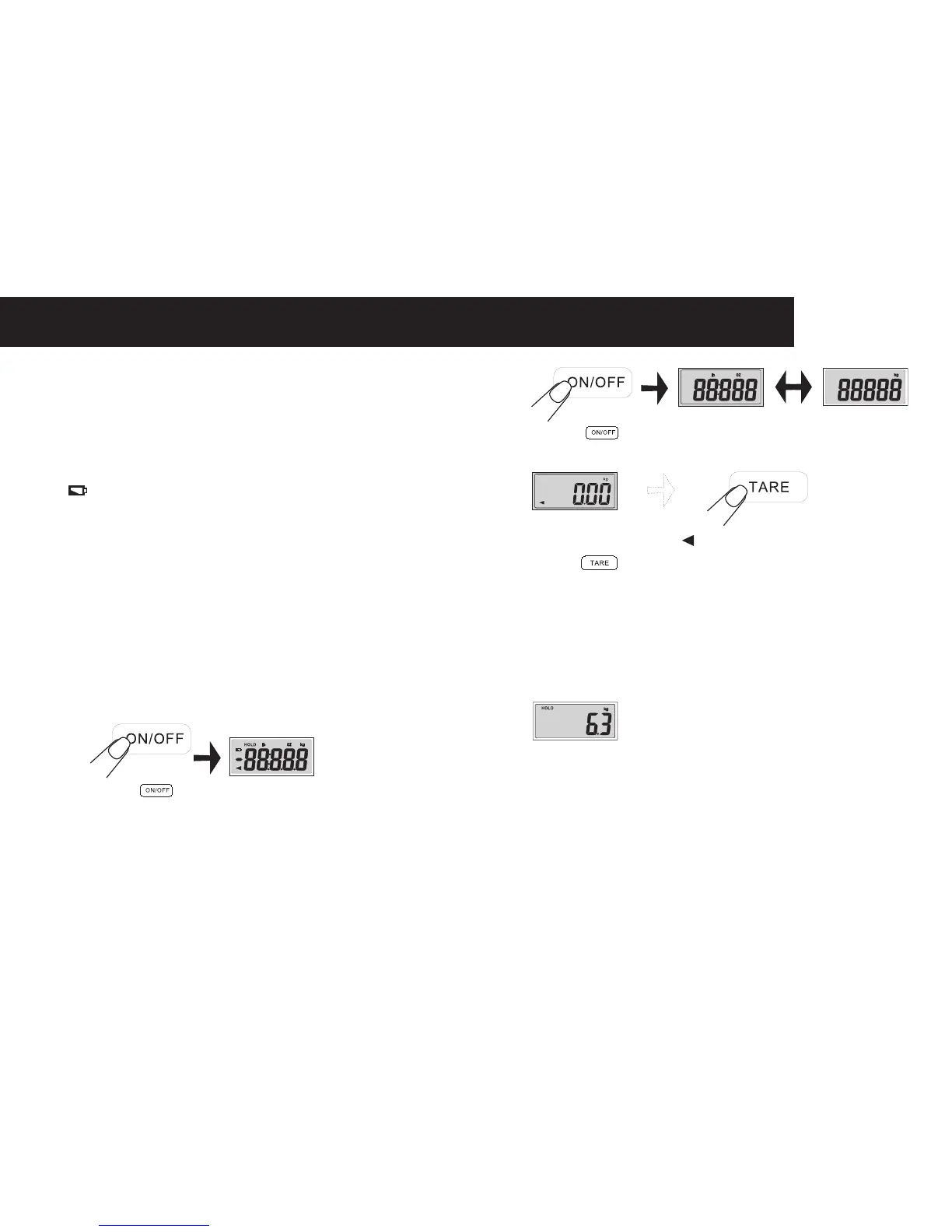
Press“ ”toturnonthescale.
(2)
Press“ ”toselecttheunit“kg/lb”beforeitdisplays
0.00kg.
(3)
Thescalewilldisplay“ ”and“0.00kg”.Ifitisnot0.00kg,
press“
”toresetit.
When0.00kgappears,thescaleisreadyforweighing.
(4) Put your baby on the tray safely for measurement.
Ifweighingachild,firstlyremovethetraybyturning
the switch in the indicated direction. Put the small plate
coveringonthecentreofthescaleunit,andsecureitby
turning the switch.
(5)
Waitforafewseconds,theweightvaluewillbedisplayed,
thenlockedautomatically,theholdiconwillappear.
Oncetheweightinthedisplayislocked,takeoffyourbaby
fromthetray,orstepoffthescaleunitforchild.


 To Next Page