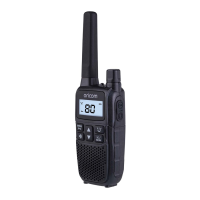
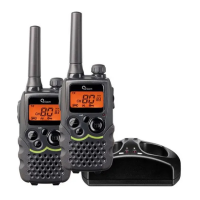
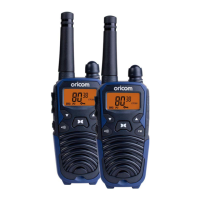
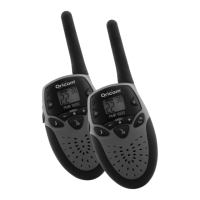
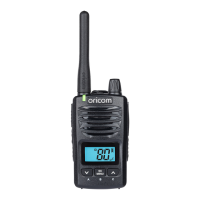
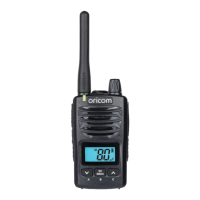
The Oricom UHF2200 is an 80-channel UHF 2-way Citizen Band Radio designed for reliable communication in various environments. This device is compliant with Australian and New Zealand approval requirements AS/NZS 4365:2011, including the radio communications (Electromagnetic Radiation Human Exposure) standard 2003.
Function Description:
The UHF2200 functions as a two-way radio, allowing users to transmit and receive voice communications over designated UHF channels. It supports both simplex and duplex repeater operations, expanding its effective range. The radio features a clear LCD display that shows the current channel, battery level, and various operational icons such as TX (transmit), RX (receive), Dual Watch, VOX (Voice Operated eXchange), Repeater, Battery Level, DCS (Digital Coded Squelch), DW (Dual Watch), VOX, RPT (Repeater), DCS, CTCSS (Continuous Tone-Coded Squelch System), APO (Auto Power Off), Main Channel Digits, Key Lock, Vibrator, and Call Tone.
Important Technical Specifications:
- Channels: 80 Channel UHF CB Radio.
- Power Source: Uses 4 x AAA 600mA Ni-MH rechargeable batteries.
- Antenna: Integrated antenna.
- Audio Output: Speaker and earphone & charger jack.
- Frequency Range: Operates on UHF frequencies as detailed in the Channel Frequency Table, including specific transmit and receive frequencies for each channel.
- Compliance: AS/NZS 4365:2011.
Usage Features:
- Turning the Radio ON/OFF: Rotate the POWER/VOL knob clockwise to turn on and display the current channel, or counter-clockwise to turn off.
- Adjusting Speaker Volume: Rotate the POWER/VOL knob to adjust the volume level.
- Changing Channels: Press the MENU key to access channel settings. Use the Up/Down arrow keys to select the desired main channel number. Press the PTT key to confirm. The radio supports 10 seconds to decide before auto-reverting back to the main screen.
- Key Lock: Press and hold the key for 3 seconds to lock/unlock the keys. The LCD displays a key icon when locked.
- Torch: Press the torch key to turn the LED torch on/off.
- Scanning Channels: Press the SC/MON key once to start scanning. The LCD will display SC/MON. It stops at channels with a signal. Press Up/Down arrows to skip a channel, or PTT to confirm and exit.
- Monitor (Zero Squelch): Press and hold the SC/MON key to temporarily open the squelch and listen to weak signals.
- Transmitting and Receiving: The radio has 75 main frequencies and 38 CTCSS codes or 83 DCS codes. To transmit, press and hold the PTT key; the LCD displays a TX icon. Hold the radio 3-5 cm from your mouth. Release PTT to receive.
- RPT ON/OFF Information: If a Repeater channel is selected, press MENU key once, then use Up or Down button to turn on or off.
- CTCSS (Continuous Tone-Coded Squelch System): Press MENU key twice to access CTCSS settings. Use Up/Down arrows to select one of the 38 CTCSS sub-channels. This allows for private sub-channel communication.
- DCS (Digital Coded Squelch): Press MENU key 3 times to access DCS settings. Use Up/Down arrows to select one of the 83 DCS codes.
- Dual Watch: Press the MENU key 4 times to activate Dual Watch. The LCD displays a DW icon. This feature monitors two channels (current and another).
- VOX (Voice Operated eXchange): Press the MENU key 5 times to activate VOX. The LCD displays a VOX icon. Adjust sensitivity level (OF, 1, 2, 3) using Up/Down arrows. Allows hands-free transmission.
- Call Tone: Press the MENU key 6 times to select one of 10 different call tones. Press the Call Tone key to send the selected tone.
- Vibrate Mode: Press MENU key 7 times to activate vibrate mode. The LCD displays a vibrate icon. The unit vibrates when receiving a Call or radio voice signal.
- Key Tone: Press MENU key 8 times to turn Key Tone On/Off.
- Roger Beep: Press MENU key 9 times to turn Roger Beep On/Off. This is a tone automatically transmitted when the PTT button is released.
- Auto Power Off (APO): Press MENU key 10 times to set auto power off time (30, 60, and 90 mins). The LCD displays an APO icon.
- Reset the unit: To reset the radio to default settings, power off the radio, then press and hold "SCAN" + "PTT", and then Power ON.
- Duplex Operation via Repeaters: This feature allows for extended broadcast range. To use, select a repeater channel (1-8 and 41-48). Press MENU key once, "RPT" icon will display. Press Up or Down key to set the Repeater function to ON or OFF. Press PTT key to confirm. The RPT icon will display to indicate that Repeater function is set on that channel.
- Transmitting Range: The range depends on the environment and terrain. Optimal range in flat, open areas. Medium range in buildings or trees. Minimal range in dense foliage or mountains.
Maintenance Features:
- Battery Installation: Lift the battery cover lock, remove the cover, and install 4 x AAA 600mA Ni-MH rechargeable batteries, ensuring correct polarity.
- Battery Charging: Place the radio in the enclosed desk cradle and connect the AC/DC adaptor to a wall socket. The LCD battery icon will flash during charging. Charging takes approximately 8-10 hours.
- Battery Care: Do not dispose of batteries in fire. Exercise extreme care when handling batteries to avoid short circuits. Never replace batteries in a potentially explosive atmosphere. Do not modify, cut, disassemble, crush, bend, puncture, heat, or damage batteries. If batteries leak, avoid skin/eye contact; seek medical assistance. Dispose of used batteries safely according to local regulations.
- Belt Clip: Pull the belt clip latch away from the radio to remove. Slide the belt clip into the slot to install, ensuring it clicks into position.
- Troubleshooting Guide: Provides solutions for common issues such as no power, communication problems, audio cutting out, and too many transmissions on a channel.
- Customer Support: Oricom offers customer support for product inquiries, troubleshooting, and warranty claims. Contact details for Australia (02 4574 8888, support@oricom.com.au) and New Zealand (0800 67 42 66, support@oricom.co.nz) are provided.
- Express Warranty (Australia): A 3-year warranty is provided against defects in materials or workmanship. To make a claim, contact Oricom Customer Support, provide proof of purchase, and follow the return authorization process.
Accessories:
The UHF2200 comes with:
- 1 x UHF2200 UHF CB Radio
- 1 x AC Adaptor
- 4 x AAA 600mA Ni-MH Rechargeable Batteries
- 1 x Belt Clip
Additional accessories available for purchase include:
- Heavy duty speaker microphone (2U0175)
- Twin charging cradle (2U0176)
- AC adaptor (2U0177)
- Car charger (2U0178)
- Ear bud mics (2U0179)
- Single belt clip (2U0180)
- AAA 600mA Ni-MH Rechargeable Battery (2U0181)
The Oricom UHF2200 is a robust and user-friendly two-way radio, suitable for various communication needs, with comprehensive support and warranty provisions.

 Need help?
 General

 To Next Page