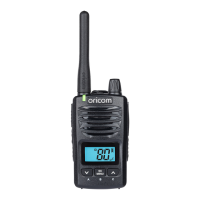
Need help?
Do you have a question about the Oricom UHF2180 and is the answer not in the manual?
General safety guidelines and warnings for operating the radio.
Warnings and precautions related to the radio's antenna.
Safety advice for using the radio in a vehicle and near airbags.
Precautions for handling and using radio batteries safely.
Safety instructions for operating the radio in potentially explosive environments.
Warnings about operating the radio near blasting caps or in designated areas.
Guidelines for safe exposure to radio frequency energy.
Safe procedures to follow when transmitting and receiving signals.
Safety considerations for radio operation and electromagnetic energy.
Information on avoiding electromagnetic interference and compatibility issues.
Specific safety instructions for using the radio on aircraft.
Safety advice for users with pacemakers, hearing aids, and other medical devices.
General warnings including thunderstorm use and keeping away from children.
Overview of the installation process for accessories and batteries.
Instructions for detaching the belt clip from the radio unit.
Steps for securely attaching the belt clip to the radio.
Guide on correctly inserting batteries into the radio.
Crucial safety warnings and tips before charging the radio batteries.
Step-by-step guide on how to charge the radio's batteries.
Explanation of the battery level indicator on the LCD screen.
Information on required charging time and battery replacement caution.
Tips for extending battery life and using the power saver feature.
Explains factors affecting the radio's talk range and signal quality.
Identification and description of the radio's physical controls and features.
Detailed explanation of icons and indicators displayed on the radio's LCD screen.
Step-by-step guide to powering the radio unit on and off.
Instructions on how to select and change radio channels.
How to configure CTCSS sub-channels for private communication.
How to set DCS digital codes for more secure communication.
Understanding simplex operation and best practices for transmitting.
Detailed steps for speaking into the radio and transmitting.
How to use the monitor function to detect weak signals.
Configuring the voice-activated transmission sensitivity levels.
How to initiate an automatic scan for active radio channels.
Using vibration and call tones for incoming signals.
How to send an alert tone to other radio users.
Choosing from different call-ring tones for alerts.
Enabling the vibration alert feature for incoming signals.
Configuring the audible beep when transmission ends.
Enabling or disabling button press confirmation tones.
Configuring the radio to monitor two channels simultaneously.
Using repeaters to extend transmission range.
Steps to enable or disable duplex function for repeater access.
Configuring the radio to use repeater stations.
Key restrictions and notes regarding specific channels and calling.
How to activate and deactivate the key lock to prevent accidental changes.
Information about the automatic activation of the screen backlight.
Location and purpose of the auxiliary jacks on the radio.
Reference table showing channel numbers and their corresponding frequencies.
Information on licensing requirements for CB radios in Australia.
Details on channels used for repeater operation and important usage notes.
A comprehensive list of CTCSS codes and their associated frequencies.
Resources and contact information for product setup and troubleshooting assistance.
Guidance on retaining proof of purchase and registering the product.
Procedures and requirements for submitting a warranty claim in Australia.
Instructions on how to package and send faulty products for service.
Awareness notes regarding data loss and replacement of goods during repair.
Details of the warranty provider and its coverage for Australian customers.
Coverage details for batteries, spare parts, and general warranty exclusions.
Oricom's responsibility regarding product operation and user-provided instructions.
Specific warranty exclusions and customer rights under Australian consumer law.
 General
| Brand | Oricom |
|---|---|
| Model | UHF2180 |
| Category | Two-Way Radio |
| Language | English |

 To Next Page