20
Important
t 4QFFDIUSBOTNJTTJPOTBSFOPUBMMPXFEPODIBOOFMBOE
(Receive only)
t $5$44BOE$BMMSJOHUPOFDBMMJOHJTEJTBCMFEPODIBOOFMBOE
t $BMMSJOHUPOFDBMMJOHJTPOMZBMMPXFEUPPQFSBUFGPSBNBYJNVN
of 3 seconds and it is only possible to operate once in any 60
second period.
Receive Channel 1 2 3 4 5* 6 7 8
Transmit channel 31 32 33 34 35* 36 37 38
Receive Channel 41 42 43 44 45 46 47 48
Transmit channel 71 72 73 74 75 76 77 78
* Channel 5 is emergency channel only
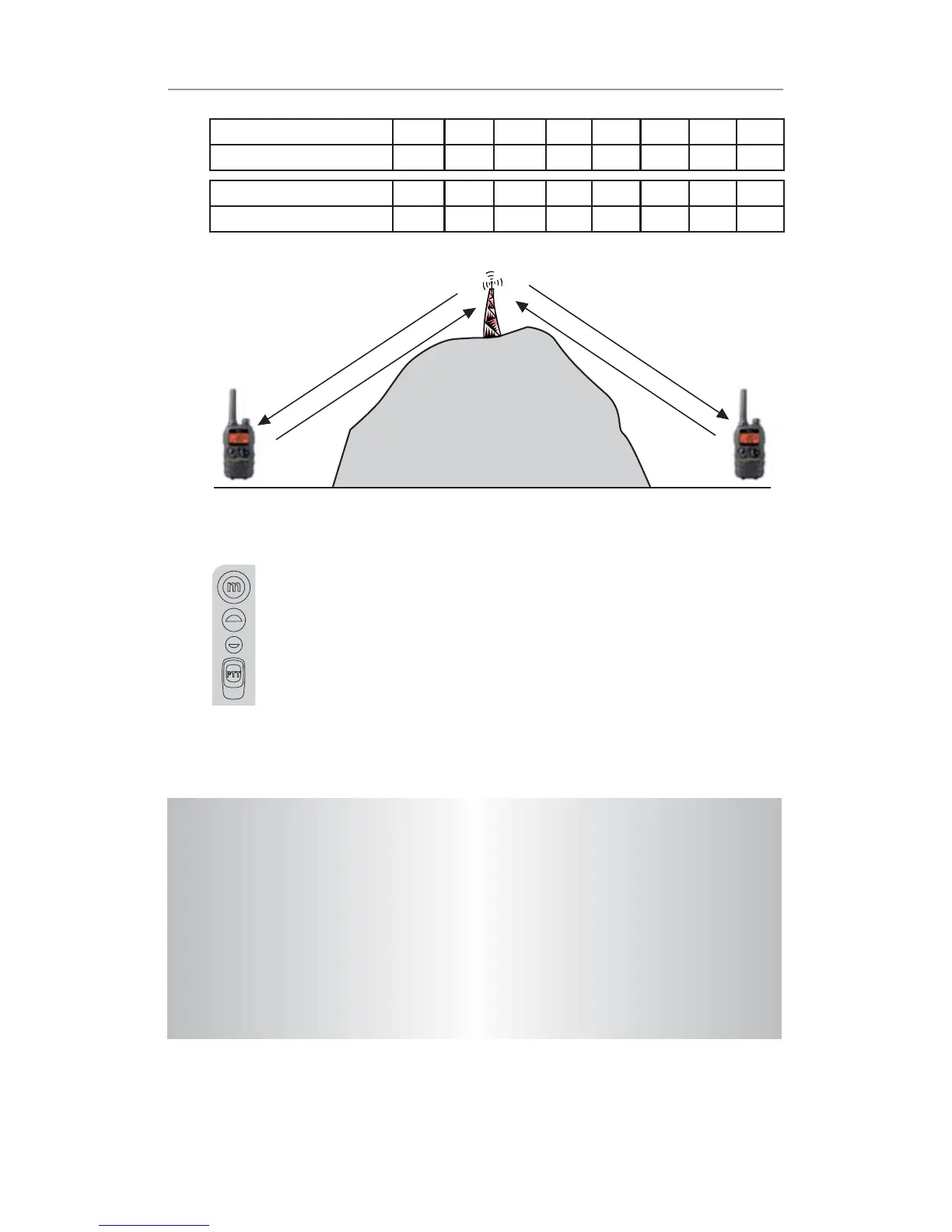
Channel 2
Channel 32
Channel 2
Channel 32
Repeater Station
Setting the Repeater function
a. Select your repeater channel to suit the repeater station
you wish to access (Channels 1 – 8 and 41 – 48).
b. Press the Menu button 13 times, “RPT” icon will be
displayed and ashing on the LCD screen.
c. Press the UP or DOWN button to set the Repeat function
to On or Off.
d. Press the PTT button to conrm your setting.
Operation


 To Next Page