3
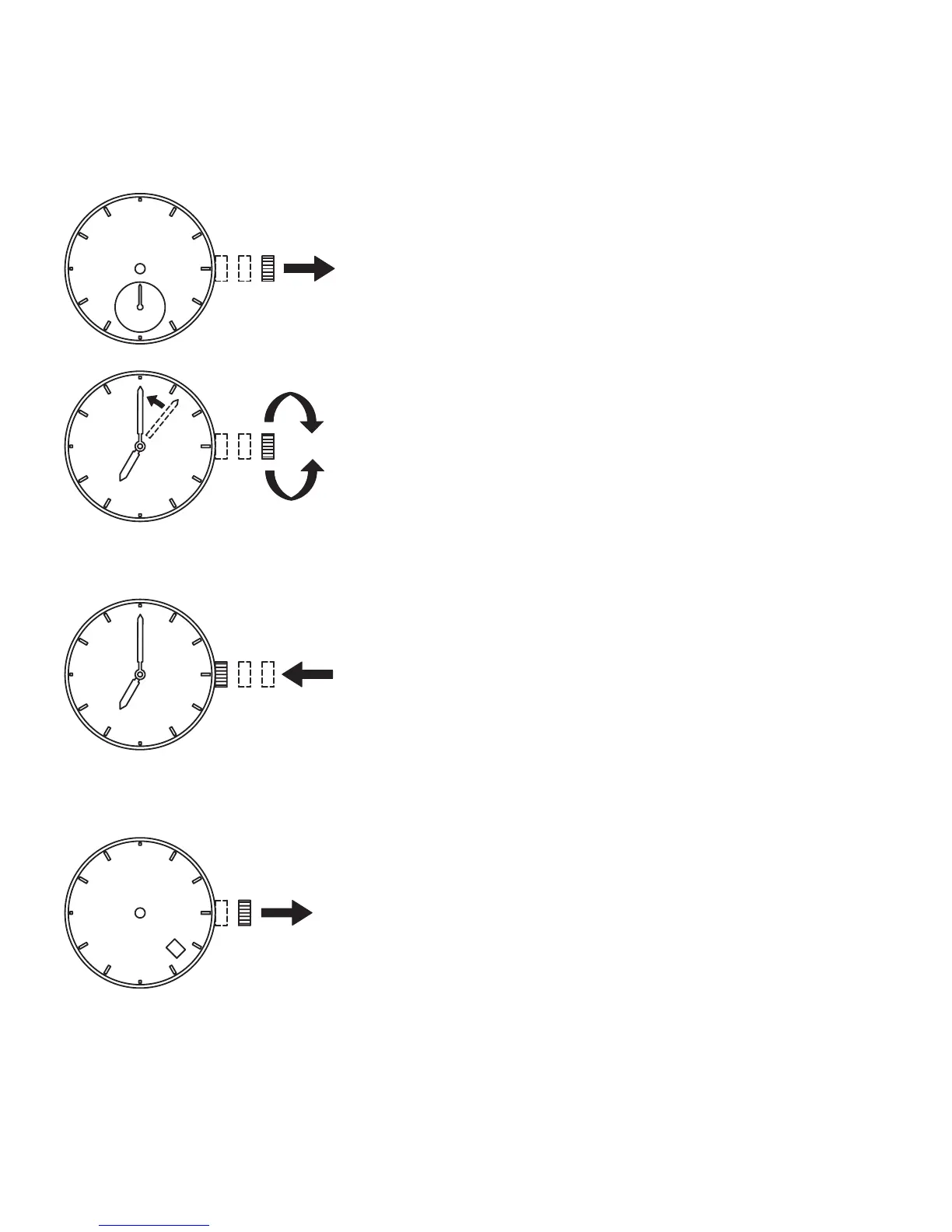
◆ HOW TO SET THE TIME
1 Pull out the crown to the second click when the small
second hand is at the 12 o’clock position.
The small second hand stops on the spot.
2 Turn the crown to set the time.
This watch has a 24-hour hand, which is linked to
the operation of the watch, so check whether the
24-hour hand indicates AM or PM when turning the
hour and minute hands to set the time.
To set the time accurately, advance the minute hand
four or fi ve minutes ahead of the correct time, then
move it back to the correct time.
3 Press the crown in at the same time as the time
signal. The watch starts to run.
◆ HOW TO SET THE DATE
㪌
1 Pull out the crown to the fi rst click.



 To Next Page