16
ENGLISH
(3)
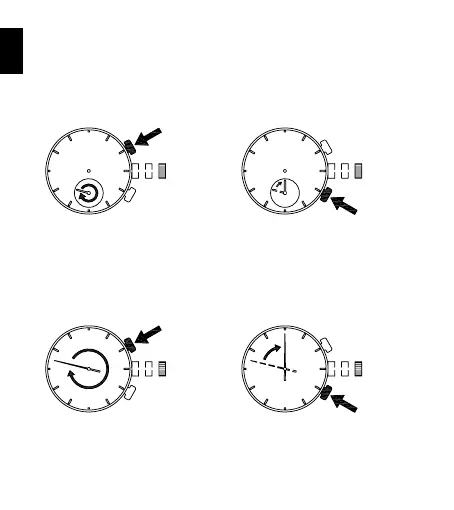
Reset the two stopwatch hands to “0” position.
Press button A for 2 seconds to select the stopwatch minute hand to be
adjusted.
Press button B repeatedly to reset the selected stopwatch minute hand
to “0” position.
It moves quickly if button B is kept pressed.
Press A for 2sec.
B
Press button A for 2 seconds to select the stopwatch second hand to be
adjusted.
Press button B repeatedly to reset the selected stopwatch second hand
to “0” position.
It moves quickly if button B is kept pressed.
Press A for 2sec.
B



 To Next Page