14
Chapter
Chapter
Chapter
Chapter 6
6
6
6 Installation
Installation
Installation
Installation and
and
and
and A
A
A
A djustment
djustment
djustment
djustment
a) Open the shield and check whether are there dusty or the
other eye winker ( such as short fiber) in the fixture .
b ) Brush c lean the V-grooves in one direction with a n
alcohol-soaked cotton swab .
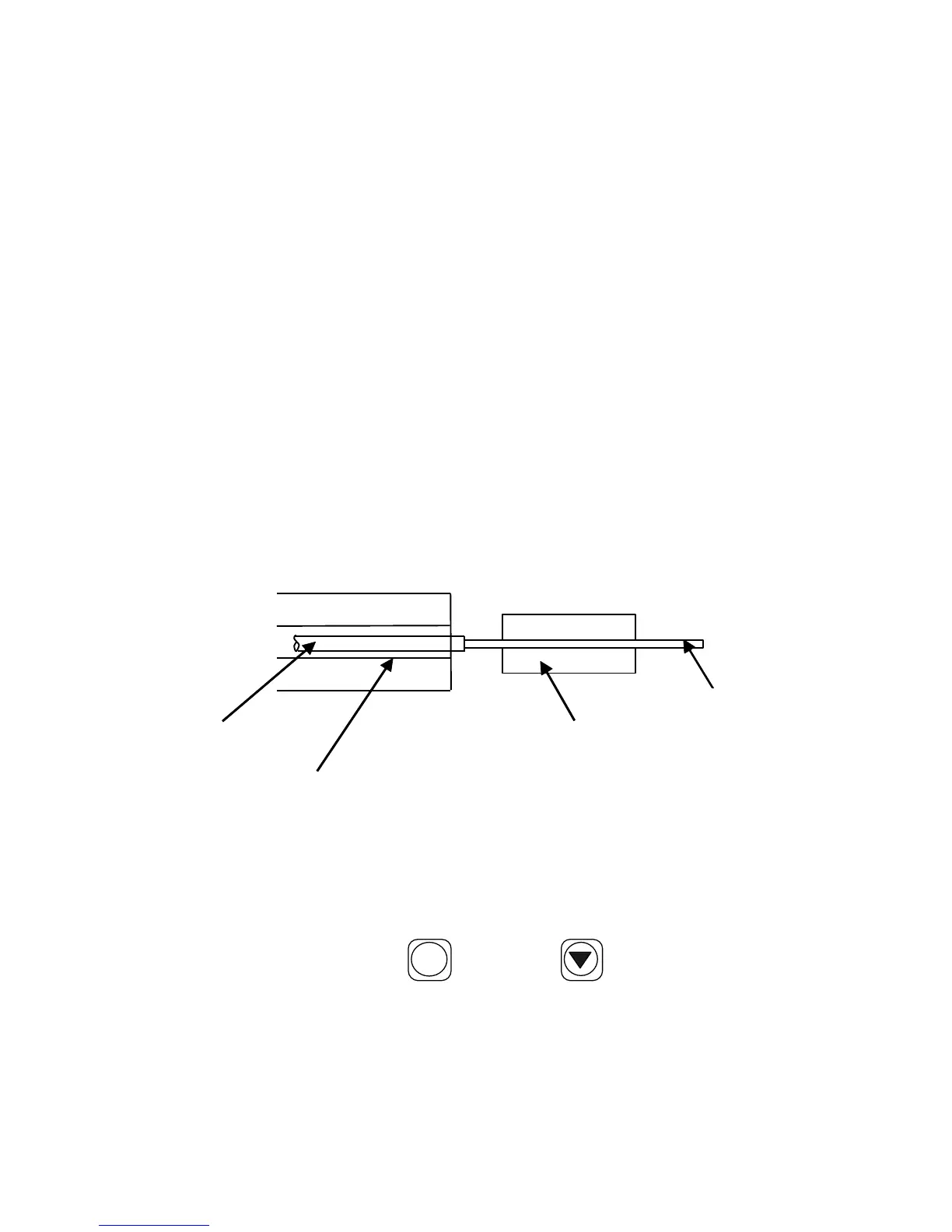
c ) Power on the OFFS, and fix the fibers following figure 6-1
and figure 2-2.The cleave length of bare fiber should be
10 mm ~ 16 mm ,and the bare fiber should be put in the V
type groove, Cladding Fiber Holder Clamp hold down the
fiber . The fiber will be seen in the middle of the screen,
don ’ t overlap.
Figure 6-1
d ) Check all the key,
if
there were any exception, please
contact us.
e ) In splice mode , use
ARC
/+
(GAP), (ALIGN) key s to
adjust the fibers to proper positions . If the screen shows
"OK", start splic ing. O therwise notice the follow ing :
Whether the fiber is clean or not? If not, clean it.
Fiber
Bare Fiber
V Type Groove
Coating Fiber
Clamp Groove
Holder Clamp


 To Next Page
 Loading...