45
APPENDIX
APPENDIX
APPENDIX
APPENDIX F
F
F
F Exchange
Exchange
Exchange
Exchange of
of
of
of Electrodes
Electrodes
Electrodes
Electrodes
1. Turn power off and unplug power cord.
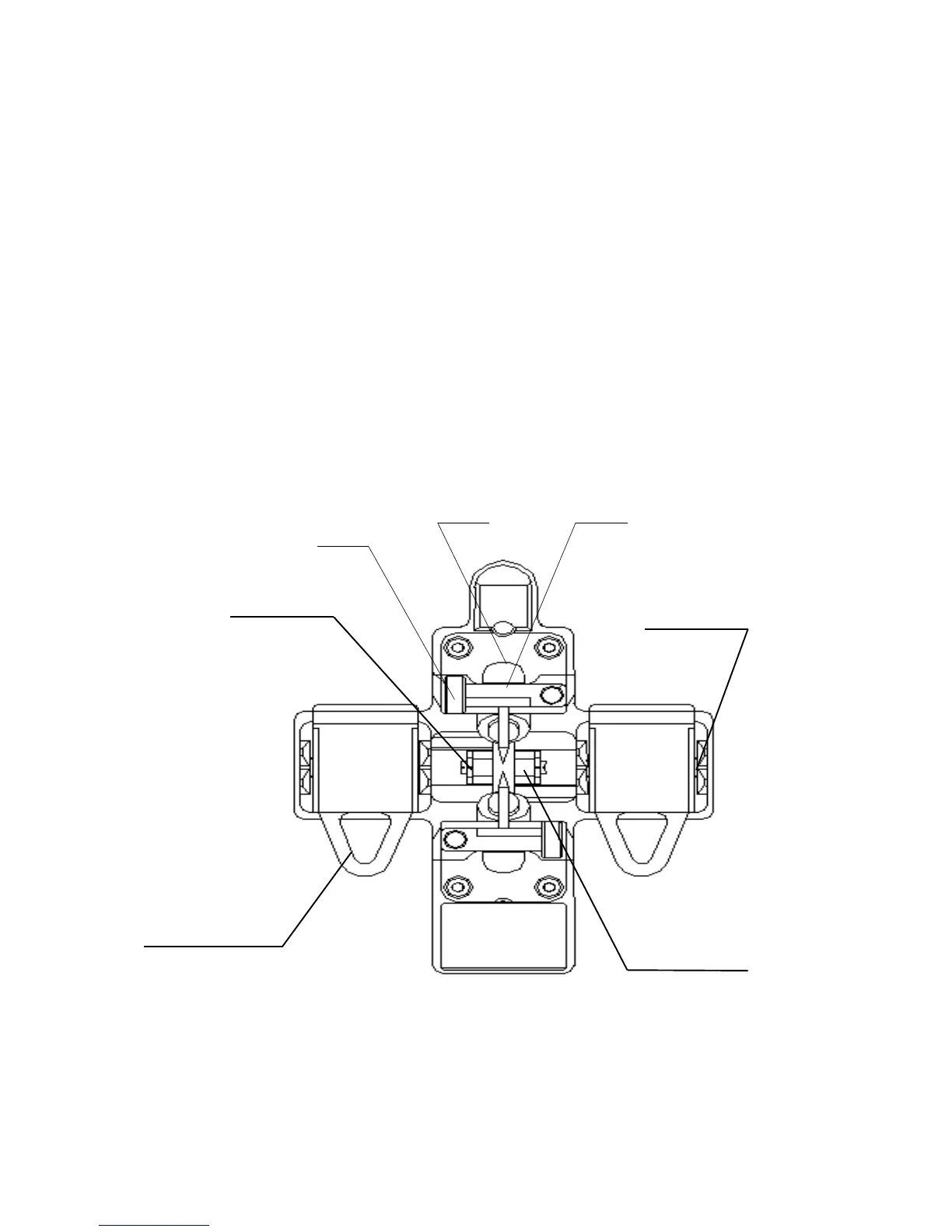
2. Open the shield . The FigureF-1 shows the structure of the
electrodes.
3. Removed electrode by loosing screw of the electrode holder.
Insert new pair of electrodes and tighten screw alternately
while pushing insulated part of the electrode.
4. Plug in the power cord, turn on the power switch, and then
stabilize electrodes.
Figure F-1
Electrode
Holder
Electrode
Holder
Coating Fiber
Clamp Groove
Cladding Fiber
Holder Clamp
Bare Fiber
Clamp Groove
Bare Fiber
Clamp Groove


 To Next Page